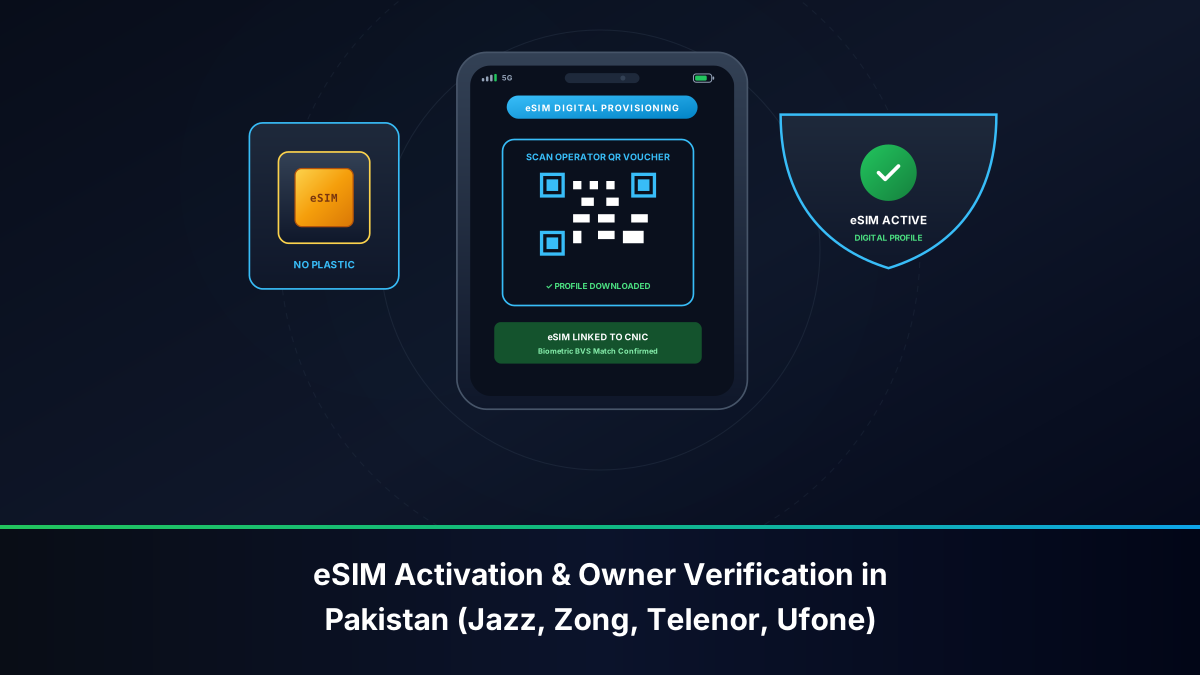
The Architectural Shift: From Removable UICC to Embedded SIM (eUICC)
The telecommunications landscape in Pakistan is undergoing a monumental technological transition. For over three decades, mobile telephony relied exclusively on removable plastic form factors: from standard credit-card-sized subscriber identity modules in the early 1990s, to mini-SIMs, micro-SIMs, and the contemporary 4FF nano-SIM. However, the emergence of the embedded Universal Integrated Circuit Card (eUICC), colloquially known as the eSIM, has redefined how subscriber credentials are manufactured, provisioned, stored, and managed.
Unlike a legacy physical SIM card, which houses a microchip bonded to a PVC plastic carrier, an eSIM is a miniaturized, surface-mount integrated circuit (typically measuring just 2.5 mm by 2.3 mm) soldered directly onto the printed circuit board (PCB) of a mobile device during factory fabrication. In Pakistan, the adoption of eSIM technology has accelerated across Tier-1 cellular mobile operators (CMOs)—including Jazz (Pakistan Mobile Communications Limited), Zong (CMPak), Telenor Pakistan, and Ufone (PTCL Group), as well as digital MVNO initiatives such as ONIC.
However, while the physical form factor has been virtualized, the legal and regulatory compliance architecture governing telecommunications in Pakistan remains uncompromisingly stringent. The Pakistan Telecommunication Authority (PTA) and the National Database and Registration Authority (NADRA) have established strict biometric standards and device identity pairing mechanisms to ensure that digital eSIM profiles cannot be exploited for anonymous communication, financial cybercrime, or unauthorized network infiltration.
Regulatory Directive: An eSIM profile carries the exact same legal status under the Pakistan Telecommunication (Re-organization) Act 1996 and the Prevention of Electronic Crimes Act (PECA 2016) as a conventional physical SIM. No digital profile can be activated on any Pakistani network without instantaneous, live biometric thumbprint or multi-finger verification against NADRA's centralized citizen repository.
GSMA Remote SIM Provisioning (RSP) & Technical Architecture
To understand the mechanics of eSIM activation in Pakistan, it is necessary to examine the global telecommunication standards established by the GSM Association (GSMA). Specifically, consumer eSIM deployments follow the GSMA SGP.22 specifications for Remote SIM Provisioning (RSP). This architecture bifurcates the provisioning ecosystem into distinct secure logical components operating across carrier core networks and mobile operating systems.
The Role of Subscription Manager Data Preparation (SM-DP+)
The Subscription Manager Data Preparation (SM-DP+) platform is the secure backend server responsible for generating, managing, encrypting, and dispatching digital subscriber profiles. In Pakistan, each licensed operator maintains direct integration with a certified tier-1 SM-DP+ vendor (such as Idemia, Thales, or Giesecke+Devrient) or operates an accredited in-country cloud instance.
When a subscriber purchases an eSIM at a franchise, the operator's business support system (BSS) requests the SM-DP+ server to generate an encrypted Profile Package. This package contains the subscriber's International Mobile Subscriber Identity (IMSI), individual authentication key (Ki), operator-specific cryptographic algorithms (Milenage or TUAK), and telecommunication network profiles (VoLTE, 5G NR parameters, SMSC addresses, and APN credentials). The SM-DP+ packages this data into a secure envelope encrypted with the target device's unique eUICC-ID (EID) public key, ensuring that the profile can never be intercepted or decrypted by an unauthorized third party.
The Local Profile Assistant (LPA) and QR Payload Structure
Inside the user's smartphone operating system (iOS or Android) resides an essential software stack known as the Local Profile Assistant (LPA). The LPA serves as the operational bridge between the device user interface, the cellular modem, and the physical eUICC hardware chip. The LPA is broken down into three functional sub-layers:
- Local User Interface (LUI): The graphical menus within iOS Settings or Android Settings where the user scans the carrier QR code or views installed profiles.
- Local Discovery Service (LDS): The mechanism that contacts remote discovery servers to check for pending inbound profile downloads.
- Local Profile Download (LPD): The network transmission protocol that establishes a secure Transport Layer Security (TLS 1.3) connection directly to the carrier's SM-DP+ server.
When a customer in Pakistan scans the official printed activation card provided by Jazz, Zong, Ufone, or Telenor, the device camera decodes a standardized GSMA string formatted with specific delimiters:
LPA:1$smdp.carrier.com.pk$ACTIVATION-CODE-STRING$CONFIRMATION-CODE
In this syntax, LPA:1 identifies the GSMA version standard; smdp.carrier.com.pk denotes the operator's Fully Qualified Domain Name (FQDN) for their provisioning gateway; ACTIVATION-CODE-STRING represents the unique cryptographic token bound to that specific transaction; and the optional confirmation code provides an additional security challenge for high-tier corporate profiles.
Regulatory Framework: PTA Quotas and Mandatory NADRA Biometrics
A widespread public misconception in Pakistan is that acquiring a digital eSIM bypasses standard cellular subscriber quotas or enables non-biometric acquisition. In reality, PTA regulations apply uniformly across all cellular architectures.
Enforcement of the 5-Voice and 3-Data SIM Legal Ceiling
Under PTA Consumer Protection Regulations, every Pakistani citizen is subject to a strict national ceiling regarding cellular connectivity registered against their 13-digit Computerized National Identity Card (CNIC):
- Voice SIM Allocation: A citizen can register a maximum of 5 active voice SIMs across all licensed cellular networks combined (Jazz, Zong, Telenor, Ufone, SCOM). An eSIM configured for standard cellular calling and SMS counts directly against this 5-voice limit.
- Mobile Broadband (MBB) Allocation: A separate quota allows up to 3 data-only SIMs (primarily for Wi-Fi routers and dongles).
- Maximum National Ceiling: A total aggregate of 8 connections (5 Voice + 3 MBB) is the absolute ceiling per CNIC.
When an operator's franchise initiates an eSIM conversion or new issuance, the point-of-sale system performs an instantaneous lookup against the PTA 668 SIM Information System clearinghouse. If the citizen already possesses 5 active voice lines, the NADRA Biometric Verification System (BVS) gateway instantly locks the transaction with an error code: "National SIM Quota Exhausted". The customer must physically surrender, disown, or close an existing line before an eSIM profile can be generated.
DIRBS Device Compliance: Dual-IMEI Pairing for Physical + eSIM
The PTA operates the globally recognized Device Identification, Registration and Blocking System (DIRBS) to counter smartphone smuggling, grey-market imports, and tax evasion. Smartphones engineered with eSIM capabilities present a distinct technical configuration: they are classified as Dual-SIM Devices.
| Device Component | Hardware Identity | DIRBS Registration Requirement | Failure Consequence |
|---|---|---|---|
| Physical SIM Tray | IMEI 1 (15-digit decimal string) | Must be registered & customs tax paid via FBR/PTA gateway | Cellular radio transmission suspended on Slot 1 after 60-day grace period |
| Embedded eUICC Chip | IMEI 2 (15-digit decimal string) | Must be registered & paired with device serial number in DIRBS | eSIM profile cannot register on local GSM base stations (No Service) |
| eUICC Silicon | EID (32-digit hexadecimal serial) | GSMA certified hardware identifier logged during profile binding | LPA download rejected if carrier SM-DP+ detects unauthorized hardware |
Before initiating an eSIM activation, subscribers must dial *#06# on their handset to display their device credentials. Both IMEI 1 and IMEI 2 must be verified by sending each 15-digit number via SMS to shortcode 8484 or by entering them on the official PTA DIRBS web portal (dirbs.pta.gov.pk). If a user imports a flagship smartphone (such as an Apple iPhone 15 or Samsung Galaxy S24) and pays customs duties solely on IMEI 1, attempting to activate an eSIM on IMEI 2 will result in network disconnection once the automated 60-day regulatory testing window expires.
Comparative Matrix: Cellular Operator eSIM Provisioning in Pakistan
Each licensed telecom operator in Pakistan implements specific operational protocols, pricing structures, and retail channels for handling eSIM migrations and activations.
| Operator Name | Primary Provisioning Mechanism | Retail / Digital Channel | Approximate Issuance Fee | Supported Technologies |
|---|---|---|---|---|
| Jazz (PMCL) | GSMA RSP (Idemia SM-DP+) | Official Jazz Customer Experience Centers & Flagship Franchises | PKR 1,500 – 2,500 | 4G LTE, VoLTE, VoWiFi, 5G Ready |
| Zong (CMPak) | GSMA RSP (Huawei / Thales SM-DP+) | Zong Customer Service Centers (CSC) nationwide | PKR 1,500 – 2,000 | 4G LTE, Advanced Carrier Aggregation |
| Ufone 4G (PTCL) | GSMA RSP (G+D SM-DP+) | PTCL/Ufone Joint Customer Care Centers & Select Franchises | PKR 1,500 – 2,000 | 4G LTE, VoLTE, Multi-SIM roaming |
| Telenor Pakistan | GSMA RSP (Thales SM-DP+) | Telenor Franchises & 345 Helpline Booking | PKR 1,500 – 2,000 | 4G LTE, Smart Connect |
| ONIC (Digital MVNO) | Digital App-First Ingestion | ONIC Mobile Application with Doorstep Biometric Courier | Included in Starter Bundles | 4G LTE via PTML Host Core |
Step-by-Step Operator eSIM Onboarding Workflows
To successfully activate an eSIM on any Pakistani cellular network, subscribers must adhere to precise retail and digital verification sequences designed to prevent identity theft and comply with federal security directives.
Jazz (PMCL) eSIM Conversion and Digit Activation
- Eligibility and Hardware Audit: Ensure your smartphone is factory unlocked, supports eUICC hardware, and has its secondary IMEI registered on PTA DIRBS.
- Franchise Visit: Visit a company-owned Jazz Customer Experience Center (CEC). You must present your original, physical 13-digit Smart CNIC. Photocopies, screenshots, or digital scans are rejected under PTA compliance audits.
- Biometric Thumbprint Scan: The customer service representative enters your existing Jazz phone number and CNIC into the Jazz BVS terminal. You must place your index finger or thumb onto the optical NADRA scanner for live cryptographic template comparison.
- Profile Generation: Upon successful 1:1 biometric match, the operator terminal initiates an API call to the Jazz SM-DP+ server. An envelope containing an encrypted QR activation card is printed on security voucher paper.
- Digital Activation: Using the handset's native camera, scan the provided QR code while connected to a stable Wi-Fi network. The profile downloads and attaches to the Jazz network within 60 to 180 seconds.
Zong 4G (CMPak) Digital Profile Issuance
- Customer Center Registration: Visit an official Zong Customer Service Center (CSC). Request an eSIM conversion from your existing 4G physical SIM or request a fresh number issuance.
- CNIC & Biometric Handshake: The representative queries your national quota on the PTA 668 gateway. Once verified that you have not exceeded your 5-voice limit, you must provide your live biometric fingerprint on the NADRA e-Sahulat interface.
- Issuance of the Confidential QR Card: Zong issues a sealed scratch-card or security voucher featuring an individualized QR code. Underneath the QR matrix is the printed matching IMSI and ICCID numbers.
- Network Connection: Connect the smartphone to a local Wi-Fi hotspot. Navigate to the mobile network configuration menu and add the mobile plan. Scan the voucher to initialize connection to
smdp.zong.com.pk.
Ufone 4G (PTML) and ONIC Digital MVNO Provisioning
- Ufone In-Person Protocol: At any PTCL/Ufone joint service outlet, verify ownership of your existing MSISDN via NADRA BVS biometric authentication. The representative assigns an eSIM ICCID to your subscription record and hands over the activation QR token.
- ONIC Digital App Onboarding: As Pakistan's first digital-first brand operating on PTML's cellular infrastructure, ONIC allows subscribers to select an eSIM directly within the ONIC mobile app. During onboarding, users upload their CNIC images, select their desired telephone number, and schedule a physical verification appointment. An authorized rider equipped with a portable Android BVS terminal visits the subscriber's premises to capture NADRA-authenticated biometrics before releasing the digital eSIM profile into the app for automatic installation.
Telenor Pakistan eSIM Migration & Customer Center Protocol
- Pre-requisite Verification: Send your 13-digit CNIC to 668 to confirm you have an available voice slot.
- Franchise Authentication: Present your original CNIC at any primary Telenor franchise. The representative performs a biometric thumbprint verification on the BVS terminal.
- Voucher Generation: The customer service terminal triggers profile generation from Telenor's remote provisioning gateway. An activation voucher is issued with the embedded GSMA link.
- Handset Scanning: Follow standard iOS or Android installation steps while maintaining an active broadband data connection.
OS-Level Handset Configuration: iOS vs. Android
Once you hold the physical QR voucher issued by an authorized telecom franchise, downloading and configuring the eUICC profile requires adherence to specific operating system menus.
Apple iOS (iPhone XR through iPhone 16 Pro Max) Setup
- Connect your iPhone to a secure, stable Wi-Fi network (cellular profile download will fail without active internet).
- Open Settings and select Cellular (or Mobile Data depending on region).
- Tap Add eSIM (or Add Cellular Plan).
- Select Use QR Code. The native camera scanner viewfinder will activate.
- Point the camera lens at the QR code printed on your carrier voucher. Hold steady until the phone displays "Activating Cellular Plan".
- Assign a label to the plan (e.g., "Personal", "Business", or "Jazz 4G").
- Configure default lines: Select your preferred default line for voice calls and SMS, and choose which line manages cellular data. Ensure Allow Cellular Data Switching is toggled according to your data package preferences.
Google Android (Samsung Galaxy, Google Pixel, Xiaomi) Setup
- Ensure your device is connected to Wi-Fi.
- Navigate to Settings > Connections > SIM Manager (on Samsung One UI) or Settings > Network & Internet > SIMs (on Google Pixel / Stock Android).
- Tap Add eSIM or the + icon next to SIMs.
- Tap Scan QR code from service provider.
- Center the QR voucher code within the scanner box. If prompted, confirm by tapping Add or Download.
- Allow 60 to 120 seconds for the handset LPA to contact the carrier's SM-DP+ server and flash the baseband configuration. Once complete, toggle the SIM state to On.
Device Migration: Transferring and Reissuing eSIM Profiles
One of the most critical operational differences between physical SIM cards and digital eSIMs occurs when a user purchases a new smartphone or replaces a damaged handset.
Why QR Codes Are Strictly Single-Use Tokens
Under GSMA SGP.22 security protocols and PTA anti-tampering directives, cellular operators in Pakistan configure eSIM QR activation vouchers as strictly single-use tokens. Once the LPA on an iPhone or Android smartphone successfully completes the profile download handshake with the carrier's SM-DP+ platform, the unique cryptographic transaction key embedded within that QR code is permanently marked as "Consumed" in the operator's database.
If you scan the same paper QR card a second time—whether on the same device after a factory reset or on a newly purchased phone—the connection attempt will terminate with an immediate failure: "This code is no longer valid or has already been redeemed".
Franchise-Based Biometric Verification for Profile Swapping
To transfer an existing Pakistani eSIM phone number to a new handset, subscribers must execute an official eSIM Replacement Protocol:
- Do NOT delete the profile from your old phone prematurely until you are physically present at the telecom franchise, as retaining it proves active possession during initial review.
- Visit an authorized customer service center of your cellular provider with your original CNIC and both the old and new handsets.
- Inform the representative that you are performing an eSIM-to-eSIM Profile Swap.
- Authenticate your identity via the live NADRA BVS thumbprint terminal. This verification step is legally mandated to protect citizens from unauthorized remote SIM swap attacks.
- Once verified, the representative invalidates the old ICCID in the carrier HLR/HSS database and generates a brand-new, freshly encrypted QR activation voucher.
- Delete the old profile from your previous handset (Settings > Cellular > Remove Cellular Plan), connect the new smartphone to Wi-Fi, and scan the newly issued QR voucher.
Cybersecurity Advantages & Anti-SIM Swap Defenses
While physical SIM cards have provided reliable service for decades, they represent a significant vulnerability in the modern mobile threat landscape. An eSIM architecture provides comprehensive defenses against common telecommunication cybercrimes:
- Physical Anti-Theft Defense: If a smartphone housing a physical SIM card is stolen, criminals immediately eject the plastic tray using a paperclip, place the SIM into an unregistered burner handset, and intercept two-factor authentication (2FA) codes sent via SMS. This allows attackers to compromise digital banking accounts, Raast IDs, JazzCash, Easypaisa, and WhatsApp accounts before the victim can reach a franchise to block the line. With an eSIM, the chip is permanently soldered inside the device. If a thief steals the smartphone, they cannot extract the SIM. If the device is protected by a screen passcode or biometric lock, the phone remains completely isolated.
- Hardware Cryptographic Isolation: The eUICC operates inside a tamper-resistant secure element (SE) compliant with Common Criteria EAL4+ or higher security certifications. It resists side-channel attacks, micro-probing, and software emulation.
- Elimination of Unauthorized Street Vendor Cloning: Because digital profile generation requires direct BSS integration with centralized SM-DP+ platforms, rogue roadside retailers cannot keep unauthorized duplicate plastic SIM cards in stock to execute unauthorized swaps.
Comprehensive Troubleshooting: Resolving Activation & Network Failures
Subscribers and enterprise administrators navigating eSIM deployments in Pakistan frequently encounter technical errors. Below is a structured diagnostic reference to resolve common faults:
| Error Code / Handset Symptom | Underlying Technical Cause | Verified Corrective Resolution |
|---|---|---|
| "Unable to Complete Cellular Plan Change" / "Activation Failed" | The smartphone lacks an active, unfiltered broadband connection to communicate with the carrier's SM-DP+ server. | Disconnect from corporate or restricted Wi-Fi networks that block port 443. Connect to a standard residential Wi-Fi hotspot or mobile tether, disable active VPN apps, and re-scan the QR code. |
| "Code Is No Longer Valid" | The QR activation voucher has already been scanned and redeemed, or was invalidated by the carrier BSS. | Visit the telecom franchise with your original CNIC to undergo biometric authentication and receive a freshly minted replacement voucher. |
| "SIM Not Supported" / "Carrier Lock Error" | The smartphone was purchased abroad on a carrier contract (e.g., AT&T, Verizon, T-Mobile, SoftBank) and remains network-locked. | Contact the original foreign cellular carrier to request an international carrier unlock. Pakistani operators (Jazz, Zong, Ufone, Telenor) cannot unlock foreign carrier-locked basebands. |
| eSIM Installed Successfully but Shows "No Service" / Emergency Calls Only | The secondary IMEI (IMEI 2) associated with the eUICC chip is unregistered or non-compliant in PTA DIRBS. | Dial *#06#, note IMEI 2, and send it via SMS to 8484. If the status indicates non-compliant or unpaid customs duties, register the device and clear the applicable FBR taxes at an authorized bank branch or via the PTA DIRBS portal. |
| Data Fails to Work Despite Strong 4G Signal | The carrier Access Point Name (APN) failed to auto-provision during profile download. | Manually input the correct carrier APN in Cellular Data Network settings (Jazz: jazzconnect.mobilinkworld.com; Zong: zonginternet; Ufone: ufone.internet; Telenor: internet). Leave username and password blank. |
| Camera Fails to Focus or Scan QR Code | Poor ambient lighting, glare reflecting off glossy voucher laminate, or cracked camera lens. | In the device cellular setup menu, select "Enter Details Manually". Manually input the SM-DP+ Address (e.g., smdp.jazz.com.pk) and the 32-character Activation Code printed directly beneath the QR code on the voucher. |
Frequently Asked Questions
For additional guidance regarding subscriber identity compliance, dual-SIM device registration, and franchise protocols, review the comprehensive answers provided above in the official FAQ repository.