Dual SIM Phones & PTA Biometric Verification Guidelines
In Pakistan's mobile telecommunications landscape, dual-SIM smartphones and feature phones represent the overwhelming majority of connected handheld equipment. Whether utilizing two physical nano-SIM card slots or a hybrid configuration combining a physical SIM tray with a digital embedded SIM (eSIM), Pakistani consumers depend extensively on multi-SIM functionality to optimize on-net voice tariffs, maintain separate professional and personal identities, and capitalize on competing mobile broadband 4G/5G data packages from operators such as Jazz (PMCL), Zong (CMPak), Telenor Pakistan, and PTCL/Ufone. However, operating a dual-SIM terminal under the regulatory framework of the Pakistan Telecommunication Authority (PTA) entails strict legal, technical, and biometric compliance requirements governed by two interdependent pillars: the Device Identification, Registration & Blocking System (DIRBS) and the National Database and Registration Authority (NADRA) Biometric Verification System (BVS).
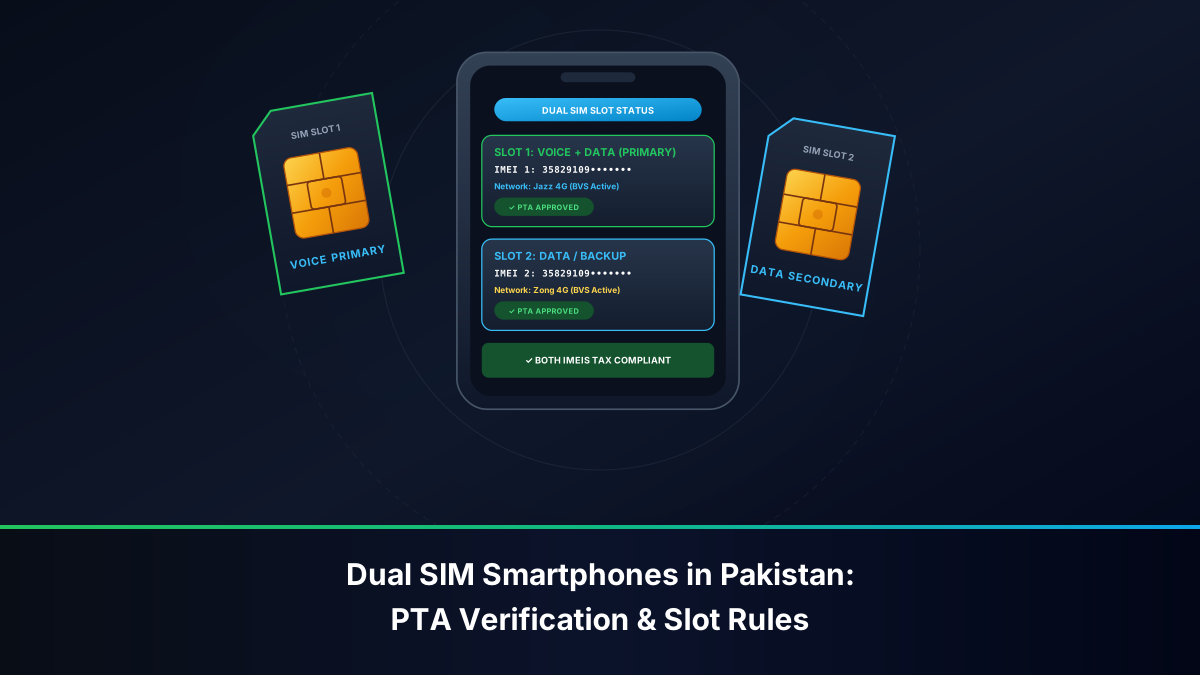
A widespread point of consumer confusion centers on the relationship between device hardware compliance and subscriber identity registration. In a dual-SIM handset, each transceiver pathway operates with its own unique International Mobile Equipment Identity (IMEI) number, requiring separate validation under PTA DIRBS. Concurrently, each cellular SIM card inserted into those respective slots operates as an independent telecommunications contract that must be biometrically tied to a valid Computerized National Identity Card (CNIC), National Identity Card for Overseas Pakistanis (NICOP), or foreign passport via live NADRA fingerprint authentication. Failing to understand how these dual-IMEI hardware protocols interact with cellular SIM quotas can lead to sudden device blocking, financial tax penalties, or regulatory disconnection.
This website provides official regulatory procedures for verifying SIM ownership on your own CNIC. Viewing unauthorized third-party personal records is strictly prohibited under the Prevention of Electronic Crimes Act (PECA 2016).
The Regulatory Framework for Dual SIM Operations in Pakistan
The operation of dual-SIM mobile equipment in Pakistan is supervised under statutory powers granted to the PTA by the Pakistan Telecommunication (Re-organization) Act of 1996 and subsequent statutory regulatory orders (SROs) governing type approval, equipment standardization, and consumer security.
The Distinction Between Hardware Identity (IMEI) and Subscriber Identity (IMSI/MSISDN)
To navigate regulatory compliance, subscribers must clearly distinguish between hardware parameters and network subscription parameters:
- IMEI (International Mobile Equipment Identity): A 15-digit globally unique decimal string allocated by the GSMA (GSM Association) to identify the physical radio transceiver hardware of a mobile terminal. A dual-SIM device contains two independent radio baseband paths or multiplexed transceivers, meaning it possesses two separate IMEI numbers (IMEI 1 and IMEI 2). In triple-SIM or multi-eSIM devices, there are corresponding numbers for each concurrently active transceiver channel.
- IMSI (International Mobile Subscriber Identity) & ICCID: The technical identity stored within the physical SIM card or embedded eSIM profile that connects to the mobile operator's Home Location Register (HLR).
- MSISDN (Phone Number): The telephone dialing string assigned to the subscriber under the national numbering plan.
Under PTA directives, an operational mobile connection requires a harmonious, legally compliant handshake between the terminal hardware (DIRBS compliant) and the cellular profile (NADRA BVS compliant). If a phone's second SIM slot carries an illegal, cloned, or untaxed IMEI, inserting an otherwise 100% genuine, biometrically verified SIM will result in the cellular base station dropping the connection once the DIRBS automated network-level policing algorithm flags the transceiver.
DIRBS IMEI Registration and Dual SIM Compliance
The Pakistan Telecommunication Authority's DIRBS platform was established to eliminate grey-market mobile smuggling, curb phone theft, ensure national security, and collect mandatory Customs duties and Sales Taxes on mobile handsets imported into Pakistan. When dealing with dual-SIM terminals, DIRBS enforces specific, non-negotiable standards.
The Dual IMEI Rule: Both Slots Must Be PTA Compliant
A frequent error among consumers purchasing imported, refurbished, or second-hand smartphones (such as Apple iPhones, Samsung Galaxy devices, Google Pixels, or Xiaomi flagships) is verifying only the primary SIM slot. Under PTA DIRBS architecture:
- Every individual SIM slot and active eSIM profile possesses its own 15-digit IMEI.
- Both IMEI 1 and IMEI 2 must be formally registered and approved in the PTA DIRBS database.
- If a commercial importer or individual traveler registers and pays customs duties only on IMEI 1, the device status is considered partial and non-compliant. Inserting a SIM card into Slot 2 will cause the local network to trigger a 60-day provisional countdown timer. If taxes on IMEI 2 remain unpaid upon expiration of the 60-day window, PTA's centralized DIRBS gateway broadcasts a network-wide blocking directive to all four cellular operators, permanently barring Slot 2 from registering on any Pakistani cellular tower.
How to Extract and Verify Both IMEIs
To ascertain whether both SIM slots of a device are fully legal and compliant:
- Launch the dialpad on the mobile device and dial
*#06#. - The hardware screen will instantly display the terminal's hardware identifiers. On a dual-SIM phone, you will see:
- IMEI 1: 15-digit numerical string.
- IMEI 2: 15-digit numerical string.
- (Optional) Serial Number (S/N) and EID (for eSIM enabled handsets).
- Verify both numbers across PTA official channels:
- DIRBS SMS Gateway: Send each 15-digit IMEI in separate individual text messages to shortcode 8484 (free of charge).
- DIRBS Web Portal: Navigate to
https://dirbs.pta.gov.pkon a web browser and input the IMEI numbers one after the other into the verification input bar. - DVS Mobile Application: Download the official PTA Device Verification System (DVS) Android application from Google Play Store and scan the barcode or input the digits manually.
Interpreting DIRBS Verification Responses for Dual SIM Devices
| DIRBS Response Status | Technical / Regulatory Meaning | Required Consumer Action |
|---|---|---|
| Compliant / PTA Approved | The IMEI is genuine, GSMA-valid, and all federal customs taxes have been settled. | Handset is completely safe for permanent operation on all Pakistani networks. |
| Device IMEI is Valid (Not Approved) | The IMEI is recognized by GSMA, but customs duty has not been paid to FBR/PTA. | You have a 60-day provisional window from first network latch to pay FBR taxes via DIRBS portal. |
| Non-Compliant | The IMEI does not follow standard GSMA allocation rules or has format defects. | The device cannot be registered officially; risk of immediate network blocking. |
| Blocked / Stolen | The IMEI has been blacklisted by PTA due to reported theft or illicit activity. | Do not purchase; device is permanently barred from attaching to any mobile operator. |
Biometric Verification System (BVS) Per SIM Slot
Operating a dual-SIM handset does not grant any special dispensation regarding SIM quotas or registration procedures. PTA's regulatory mandate regarding subscriber identity remains strictly independent of the physical handset.
Independent Biometric Registration for Each Line
Consumers cannot 'clone' an existing SIM registration or apply a single biometric thumbprint capture to activate two different SIM cards simultaneously under a bundled concept:
- Two Discrete Transactions: If you purchase two SIM cards (whether from the same operator, such as two Jazz SIMs, or from two separate operators like Jazz and Zong), you must execute two completely separate BVS biometric transactions at the point of sale.
- NADRA Live Verification: For each SIM activation, your original CNIC/NICOP must be presented, and your thumb or index finger scanned on the NADRA-integrated biometric optical reader. The terminal sends an independent, encrypted verification request to NADRA's Automated Fingerprint Identification System (AFIS) for each line.
- Cross-Ownership in Dual Slots: A dual-SIM phone legally accommodates SIM cards registered to two different individuals. For example, a husband may carry his own corporate SIM in Slot 1 and his wife's personal family SIM in Slot 2. However, under Section 31 of PECA 2016, the legal responsibility for any voice call, SMS communication, or data payload generated through a specific slot rests unconditionally with the individual whose CNIC is biometrically linked to the SIM card inhabiting that slot.
Regulatory Quota Ceilings: The 5-Voice SIM Rule
A common mistake when populating dual-SIM devices is forgetting your aggregate nationwide SIM allowance. Under PTA regulations:
- An individual Pakistani citizen is permitted a maximum of 5 active voice-enabled SIM cards across all telecom operators combined.
- Subscribers may also hold up to 3 dedicated broadband data SIMs (for mobile routers/dongles), establishing an absolute ceiling of 8 cellular connections per CNIC.
- If your CNIC already has 5 voice SIMs registered across Jazz, Zong, Telenor, and Ufone, and you acquire a new dual-SIM handset intending to register two new numbers, the NADRA BVS terminal will immediately reject your transaction with the error code: `Maximum SIM Limit Exceeded`. You must surrender or cancel an existing line before activating a new one.
Device Architecture: Dual Standby (DSDS) vs Dual Active (DSDA)
Understanding how your dual-SIM smartphone manages incoming network traffic is vital for avoiding missed calls, broken bank transaction OTPs, and unexpected data charges.
1. Dual SIM Dual Standby (DSDS)
The vast majority of modern 4G and 5G smartphones (including modern Apple iPhones, Samsung Galaxy models, and Xiaomi devices) utilize Dual SIM Dual Standby (DSDS) architecture. In a DSDS configuration, the phone possesses two distinct SIM profiles (and two IMEIs), but shares a single baseband radio frequency (RF) transceiver circuit:
- Idle State: While the phone is in your pocket or browsing casually, both SIM cards maintain an active paging channel with their respective cellular towers. You can receive calls and text messages on either number at any time.
- Active Call State: When a voice call is received or initiated on SIM 1, the single radio transceiver locks onto the frequency carrier of SIM 1. SIM 2 temporarily drops off the network entirely. Anyone dialing your SIM 2 number while you are on a call on SIM 1 will hear the operator's automated announcement: `The subscriber you have dialed is currently switched off or out of coverage`.
- SMS / OTP Delays: If an online banking OTP or Raast authentication code is dispatched to SIM 2 while you are conducting a lengthy voice conversation on SIM 1, the incoming SMS cannot deliver until you terminate the call on SIM 1 and SIM 2 re-registers with the serving base station.
2. Dual SIM Dual Active (DSDA)
High-end specialized enterprise handsets occasionally implement Dual SIM Dual Active (DSDA) architecture, incorporating two independent radio transceiver chips and separate RF antennas:
- Both SIMs operate completely independently and simultaneously.
- If you are speaking on SIM 1 and an incoming call arrives on SIM 2, your handset alerts you with call waiting, allowing you to place SIM 1 on hold and answer SIM 2 seamlessly.
- Due to increased manufacturing costs, higher battery consumption, and complex antenna designs, true DSDA phones are rare in modern consumer markets.
3. Physical SIM + eSIM Hybrid Functionality
Recent devices combine a physical nano-SIM tray with an internal eUICC microchip hosting digital eSIM profiles:
- The physical slot is identified by IMEI 1; the digital eSIM module is mapped to IMEI 2 (associated with an EID number).
- Both profiles must be registered with PTA DIRBS.
- Activating an eSIM on Pakistani carriers (Jazz, Zong, Telenor, Ufone) requires visiting an official customer service center, scanning your CNIC biometrically via BVS, paying the eSIM issuance fee (PKR 1,000 - PKR 2,500), and scanning the operator's unique QR activation voucher.
Regulatory Provisions Governing Multi-SIM Hardware and Verification
The legal landscape surrounding mobile terminals and SIM subscriptions is codified through stringent regulatory instruments:
- PTA Type Approval Regulations: Mandate that all mobile devices imported or assembled locally within Pakistan must possess authentic GSMA-certified TAC (Type Allocation Code) prefixes embedded in their IMEIs. Selling phones with spoofed or duplicated IMEIs is a punishable crime.
- Section 17 of the Pakistan Telecommunication (Re-organization) Act, 1996: Empowers the PTA to inspect, seize, and prohibit equipment that interferes with telecommunication services or evades national licensing standards.
- Customs Act 1969 & Finance Bill DIRBS Taxes: Prescribe the specific duty tariffs payable on imported dual-SIM equipment based on the handset's C&F (Cost and Freight) dollar valuation. Both IMEIs are recorded on the unified customs assessment declaration.
- Section 31 & Section 32 of PECA 2016: Deals explicitly with identity theft and the unauthorized issuance of cellular communication channels. Tampering with an IMEI chip (using electronic flashing tools to change an unauthorized IMEI to a spoofed registered IMEI) carries penalties of up to 3 years imprisonment and fines up to PKR 1 million.
Official Channels to Monitor Device and SIM Compliance
Subscribers operating dual-SIM hardware must utilize authorized state portals to verify both device status and line allocations:
- PTA DIRBS 8484 SMS Service: Dial
*#06#to acquire your device IMEIs, then text each 15-digit number to 8484. Confirm that both return `Compliant` or `PTA Approved`. - PTA 668 SIM Information System: Send your 13-digit CNIC to 668 via SMS (PKR 2 + tax) or access
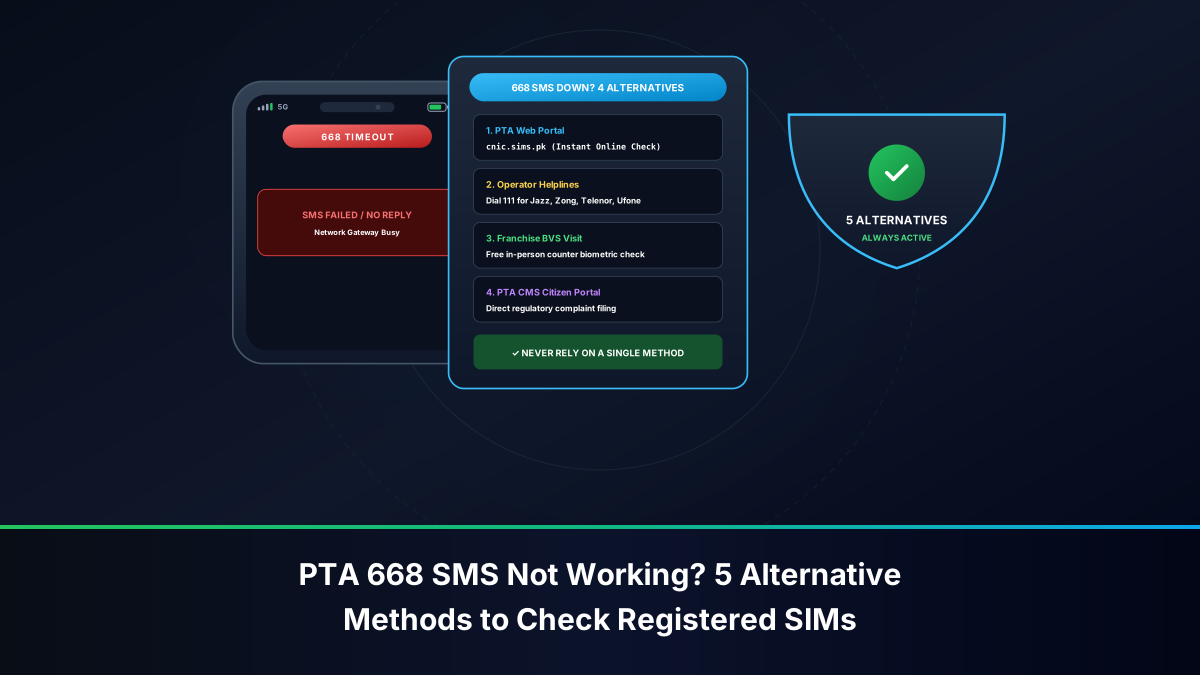
https://cnic.sims.pkvia web browser. Review your operator counts to ensure you remain comfortably within the 5-voice SIM threshold before inserting new cards into your dual slots. - PTA CMS Portal & Helpline: In the event that one of your dual-SIM slots is unfairly blocked by DIRBS despite paying valid customs taxes, lodge an appeal through the PTA Consumer Complaints Management System at
https://cms.pta.gov.pkor call the helpline at 0800-55055. - Carrier In-App Verification: Use carrier applications (Jazz World, My Zong, My Telenor, My Ufone) to audit which numbers are assigned to your device and track active bundle plans.
Step-by-Step Action Plan: Setting Up a Dual SIM Phone in Pakistan
Follow this checklist when purchasing or configuring a new or imported dual-SIM handset:
- Inspect the Retail Packaging: Look for the official hologram sticker: `PTA Approved` on the smartphone box. Ensure the two IMEIs printed on the box barcode sticker match the internal hardware records by dialing
*#06#on the handset. - Test Both Slots Independently: Before leaving the retail outlet, insert an active test SIM into Slot 1 and place a 10-second phone call. Then, move the SIM to Slot 2 (or insert a second SIM) and repeat the procedure. Verify that both transceivers successfully latch onto 4G/LTE signaling.
- Perform Dual 8484 Verification: Text IMEI 1 to 8484, and text IMEI 2 to 8484. If the seller claims the phone is PTA-approved, both numbers must return identical approved confirmations. Do not accept a phone where only one slot is registered.
- Configure Default Mobile Data and Calling Preferences: In your device settings (e.g., `Settings > Mobile Network > SIM Manager`), set your designated low-cost data SIM as the default mobile data channel, and configure whether the phone should automatically prompt you to choose SIM 1 or SIM 2 prior to placing outbound voice calls.
- Audit Bank OTPs and 2FA Routing: If using a dual-SIM setup, ensure your banking apps and digital wallets know which SIM card receives authentication SMS tokens. In Android, certain banking applications (like SadaPay, NayaPay, or HBL Mobile) send a silent background SMS to verify device binding; ensure the corresponding SIM is selected for outbound SMS when performing first-time device registration.
Legal Disclaimer
This advisory guide is published solely for educational, technical, and consumer compliance awareness in accordance with statutory directives issued by the Pakistan Telecommunication Authority (PTA), the Federal Board of Revenue (FBR), and the National Database and Registration Authority (NADRA). We are an independent telecommunications informational platform and do not operate as an official subsidiary or proxy of the PTA or any commercial cellular network. We strictly condemn IMEI flashing, IMEI repair, and unauthorized SIM provisioning. Altering mobile station hardware identifiers or operating cloned transceivers is a punishable federal crime under the Telecom Reorganization Act of 1996 and the Prevention of Electronic Crimes Act (PECA 2016).