How Overseas Pakistanis Can Keep Their Pakistani SIM Active Abroad
For more than nine million non-resident Pakistanis living across the Gulf Cooperation Council (United Arab Emirates, Kingdom of Saudi Arabia, Qatar, Oman, Kuwait, and Bahrain), the United Kingdom, the European Union, North America, and Australia, maintaining an active Pakistani cellular mobile number is not a luxury—it is an indispensable lifeline. From receiving mandatory one-time passwords (OTPs) for Roshan Digital Accounts (RDA), Habib Bank Limited (HBL), Meezan Bank, and Bank Alfalah mobile apps, to managing Federal Board of Revenue (FBR) Iris tax portals, NADRA Pak-ID identity verifications, property transactions, and family WhatsApp groups, losing access to your primary Pakistani phone number can bring your financial and legal operations in Pakistan to an abrupt halt.
However, an alarming number of overseas Pakistanis land in Riyadh, Dubai, London, or Toronto only to discover that their SIM card displays No Service, or worse, returns to Pakistan months later to find their precious phone number has been deactivated, permanently canceled, and re-allocated to a stranger. The pervasive misconception that keeping a SIM alive overseas requires paying astronomical monthly international roaming charges leads many expatriates to make fatal errors. In reality, under current Pakistan Telecommunication Authority (PTA) regulatory frameworks and cellular operator policies (Jazz, Zong, Telenor, and Ufone), you can keep your Pakistani SIM card active for years without purchasing expensive daily voice or data roaming bundles.
This comprehensive technical guide outlines statutory PTA inactivity regulations, operator-specific shortcodes, remote recharge strategies, banking OTP preservation tactics, and Wi-Fi calling solutions to guarantee your Pakistani SIM never goes dark while you reside abroad.
The Regulatory Mechanics: Why Pakistani SIMs Deactivate After 180 Days
To successfully safeguard your mobile connection from abroad, you must first understand the legal and regulatory engine that governs cellular subscriptions in Pakistan.
PTA SRO Directives and the 180-Day Inactivity Clause
Under the statutory provisions established by the PTA through its Subscriber Antecedents Regulations and Standard Operating Procedures for Mobile Number Portability and Resource Allocation, cellular phone numbers (known technically as MSISDN—Mobile Station International Subscriber Directory Numbers) are classified as finite national public resources. Telecom operators do not own these numbering blocks indefinitely; they are leased from the Government of Pakistan.
To prevent artificial scarcity and hoarding of dormant numbers, the PTA enforces a strict 180-Day Disconnection Rule:
- The Inactivity Clock: If a prepaid cellular connection records zero commercial or revenue-generating activity for a continuous period of 180 consecutive days (six months), the telecom operator is legally obligated to place the line into a grace/chum state and subsequently terminate the subscription.
- What Constitutes Activity? Inactivity is strictly defined. Merely leaving your phone turned on or having the SIM card register on a cellular tower does not count as activity. To reset the 180-day counter, the account must register a revenue-generating or contractual event. This includes: placing an outgoing chargeable voice call, sending a chargeable SMS, consuming billable mobile internet data, purchasing a package or digital value-added service (VAS), or executing a successful mobile balance recharge (EasyLoad / digital top-up).
- The Grace Period: When day 180 is reached without activity, operators typically initiate a 30-day suspension window during which all outgoing services are disabled. If no recharge or reconnection request is received by day 210, the SIM card's internal IMSI (International Mobile Subscriber Identity) pairing is permanently scrubbed from the carrier's Home Location Register (HLR).
The Grave Risks of MSISDN Recycling: Banking, WhatsApp, and Identity Theft
Once a phone number is permanently deactivated, PTA regulations dictate that after a mandatory cooling-off period (typically 90 to 180 days), the telecom operator must return that MSISDN to the open market inventory. It is packaged onto a fresh SIM card and sold at a retail shop or franchise to a completely new customer through biometric verification.
For an expatriate, number recycling is a catastrophic security nightmare:
- Mobile Banking Takeover: Your Pakistani bank accounts (HBL, Meezan, MCB, UBL, Standard Chartered) may still have that phone number registered as the primary communication channel. The new owner could inadvertently or maliciously receive SMS alerts, balance updates, or account login OTPs.
- Mobile Wallet Exploitation: Microfinance wallets such as JazzCash, EasyPaisa, SadaPay, and NayaPay are inextricably bound to your cellular phone number. If an imposter acquires your recycled number, they can attempt account resets and exploit linked Raast IDs.
- WhatsApp Identity Hijacking: If you continue using WhatsApp on your foreign phone while your underlying Pakistani number is recycled, the moment the new owner activates WhatsApp on that phone number, your WhatsApp session will be terminated immediately, and all unencrypted group conversations will become visible to the stranger.
- FBR Iris and Tax Vulnerability: Your active tax filer status with the Federal Board of Revenue requires dual-verification PIN codes dispatched to your registered email and mobile number. A lost number can lock you out of annual tax returns and property asset declarations.
International Roaming vs Non-Roaming: Clearing the Confusion
One of the most widespread myths among overseas Pakistanis is that activating international roaming requires a hefty monthly subscription fee or will drain your prepaid account balance automatically. Let us dissect the exact operational realities.
The Truth About Free Incoming SMS on International Roaming
In modern international telecommunications, cellular networks operate under bilateral interconnect roaming agreements. Under these agreements:
- Activating International Roaming (IR) is completely FREE for prepaid subscribers across all four Pakistani network operators (Jazz, Zong, Telenor, and Ufone). There is no recurring monthly line-rent or maintenance fee simply for having your roaming profile turned on.
- Incoming SMS is 100% FREE in almost every country on earth. When your Pakistani bank, credit card company, NADRA, or Google sends an automated SMS authentication code (OTP) to your Pakistani SIM while you are in Dubai, Jeddah, London, Frankfurt, or New York, you pay zero rupees to receive that text message.
- Why People Get Scared of Roaming: The fear stems from historical postpaid roaming deposits or accidental data usage. If your smartphone latches onto a foreign cellular partner and starts downloading operating system updates or streaming background app data over roaming cellular data without a bundle, international roaming data rates (which can exceed PKR 1,000 to PKR 3,000 per megabyte) will wipe out your mobile balance in seconds.
How to Block Accidental Background Data Roaming and Bill Shock
To safely keep your SIM connected to foreign cellular towers for free incoming bank OTPs without risking a single rupee of unwanted deductions, you must configure your mobile operating system strictly:
- Disable Data Roaming on the Device:
- On Apple iOS (iPhone): Open
Settings > Cellular > Cellular Data Options> toggle Data Roaming to OFF. Furthermore, ensureCellular Datais assigned exclusively to your local foreign SIM card or local eSIM. - On Google Android: Open
Settings > Network & Internet / Connections > SIM Manager > Mobile Network> select your Pakistani SIM > toggle Data Roaming to OFF. Set your foreign SIM as the primary SIM for Mobile Data.
- On Apple iOS (iPhone): Open
- Disable Mobile Data Switching: Ensure features such as "Allow Cellular Data Switching" (iOS) or "Auto Data Switching" (Android) are strictly disabled so your handset never defaults back to the Pakistani SIM when your local Wi-Fi drops.
- Never Answer Unsolicited Incoming Voice Calls: Unlike incoming SMS, incoming voice calls on international roaming are billable at high per-minute international rates (ranging from PKR 25 to PKR 250 per minute depending on the country). If your Pakistani phone rings while abroad from an unknown number, do not accept the call. Let it ring out or disconnect it immediately.
Wi-Fi Calling (VoWiFi): Using Your SIM Without Any Cellular Roaming Signal
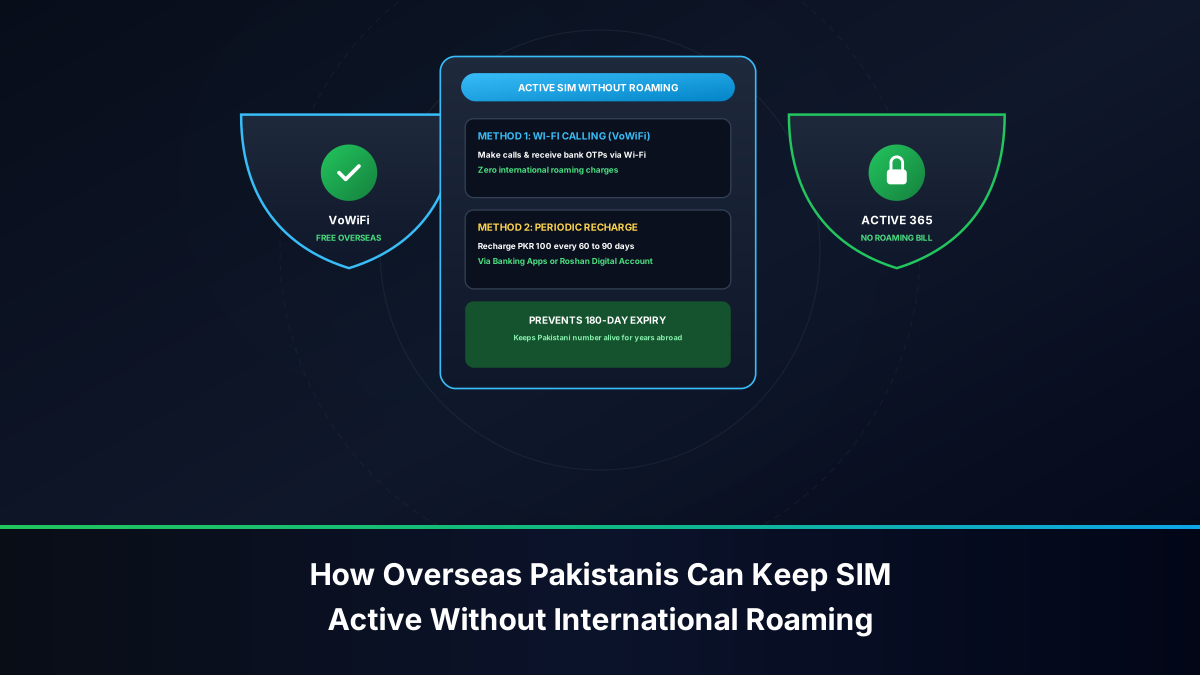
A revolutionary technology currently transforming how overseas Pakistanis manage their phone lines is Voice over Wi-Fi (VoWiFi / Wi-Fi Calling). Operators such as Jazz have engineered native VoWiFi support into their core IP Multimedia Subsystem (IMS) architecture.
When VoWiFi is configured on a compatible smartphone (such as Apple iPhone 8 and newer, Samsung Galaxy S/A series, or Google Pixel):
- Your phone does not rely on a foreign cellular tower. Instead, it establishes an encrypted IPsec VPN tunnel back to the carrier's core telecom switchboard in Islamabad or Lahore over your foreign home broadband or hotel Wi-Fi.
- Your phone's status bar displays
Jazz Wi-FiorVoWiFieven in flight mode or in basements with zero cellular reception. - Zero Roaming Requirement: Because the transmission travels over the public internet, calls and SMS are processed at domestic standard Pakistani rates. Incoming SMS delivers instantaneously with zero latency, completely bypassing foreign roaming partner networks.
Step-by-Step Operator Procedures to Keep SIMs Active Remotely
Each Pakistani cellular operator maintains its own unique service shortcodes, mobile applications, and long-term validity preservation mechanisms. Below are the precise, actionable procedures for each network.
Jazz (PMCL): Roaming Codes, Jazz World App, and Long-Term Bundles
As Pakistan's largest telecommunications provider, Jazz offers comprehensive facilities for non-resident subscribers.
- Pre-Departure Activation: Before departing Pakistan, dial
*7626#(free) from your Jazz prepaid handset to toggle International Roaming ON. Alternatively, dial customer service at111or message the Jazz WhatsApp Self-Care portal at0300-1451451. - Activation from Abroad: If you are already overseas and your SIM displays "No Service", you cannot dial USSD codes. Connect your phone to Wi-Fi, open the Jazz World app, log in via SMS OTP (if already authenticated) or email, navigate to Services, and activate International Roaming. Alternatively, have a blood relative in Pakistan visit a Jazz Experience Center with your CNIC copy and authorization letter, or email
customercare@jazz.com.pkwith your original CNIC and passport visa page. - The Jazz Keep-Alive Strategy: Maintain a minimum balance of PKR 100 on the SIM. Every 90 days, execute a balance recharge of at least PKR 100 through the Jazz World app using a Visa/Mastercard, or via an EasyPaisa / JazzCash digital wallet. Jazz World also occasionally offers a "Long Validity" bundle or SMS bundle that registers an explicit commercial billing transaction.
- Foreign Network Selection: When in the UAE, manually select e& (Etisalat) or du. In Saudi Arabia, manually connect to STC or Mobily. In the UK, connect to Vodafone UK or O2. In the US, select T-Mobile USA (ensure your handset supports VoLTE band 2/4/12 as 2G/3G networks are decommissioned in America).
Zong (CMPak): My Zong App Top-Ups and International SMS Roaming
CMPak Zong is renowned for reliable international roaming connectivity, especially across the Middle East, China, and Europe.
- Pre-Departure Roaming Activation: Dial
*1234#or call the Zong helpline at310before boarding your flight. Ensure your account has at least PKR 100 balance. - Remote Activation via Email / WhatsApp: If you forgot to activate roaming before travel, contact Zong's dedicated overseas support team via WhatsApp at
0314-4481310or emailcustomerservices@zong.com.pkwith your 13-digit CNIC, mobile number, current foreign country, and mother's maiden name for security verification. - The My Zong App Lifeline: Download and configure the My Zong App while still in Pakistan so that your session is saved. From abroad, you can initiate instant balance recharges using international debit/credit cards or Pakistani digital wallets.
- Zong International SMS Roaming Package: Zong offers affordable SMS roaming bundles (e.g., dial
*4255#or subscribe in My Zong App) that provide outbound SMS allowances for 30 to 90 days at low cost, registering active subscriber events that permanently insulate you from the 180-day rule.
Telenor Pakistan: EasyLoad Strategies and International Roaming
Telenor Pakistan subscribers frequently encounter challenges abroad due to network registration issues unless roaming is formally enabled.
- Activation Shortcode: Dial
*759#or call345before leaving Pakistan. Telenor prepaid roaming requires an active core account balance of at least PKR 50. - Remote Customer Care: If stranded abroad without signal, email
telenor345@telenor.com.pkor message their official Facebook verified handle with your CNIC, SIM ICCID number (the 19-digit number printed on the plastic SIM chip), and foreign location. - Inactivity Reset Routine: Telenor lines strictly enforce the 180-day recycling protocol. To ensure your account is protected, send an EasyLoad of PKR 100 every 3 months through your bank's mobile app. Check the My Telenor app periodically to verify that the validity expiration date advances automatically with every recharge.
Ufone 4G (PTCL): Remote Recharge and Digital Banking Integration
Ufone offers widespread roaming coverage, backed by PTCL's extensive enterprise infrastructure.
- Pre-Departure USSD: Dial
*506#or contact Ufone customer helpline at333(domestic) or+92-333-5100038(international). - Ufone Roaming Receptors: Ufone maintains roaming partnerships with STC and Zain in Saudi Arabia, and du/Etisalat in UAE. If your phone fails to auto-register, switch network selection from "Automatic" to "Manual" in settings and pick the preferred partner.
- My Ufone App Management: Use the My Ufone App to monitor your main account balance and validity date. Ufone allows direct credit card payments for balance reloads from foreign Visa and Mastercard accounts directly through the app interface.
ONIC Pakistan: Digital-First eSIM Management for Non-Residents
ONIC, operating as a digital telecommunications brand in Pakistan, offers unique advantages for tech-savvy expatriates:
- eSIM Capability: ONIC operates on a modern digital stack, allowing users with eSIM-compatible smartphones to maintain a Pakistani profile without occupying a physical SIM tray.
- In-App Self-Service: All package renewals, plan selections, and balance transactions are executed entirely through the ONIC mobile application, minimizing reliance on physical retail outlets.
How to Recharge and Top-Up Pakistani SIMs From Overseas
Because executing a commercial recharge is the single most reliable, foolproof method to reset the PTA 180-day inactivity timer, knowing how to send credit back home to your own number from abroad is critical.
Roshan Digital Accounts (RDA) and Pakistani Mobile Banking Apps
The most cost-effective, zero-fee method for overseas Pakistanis to recharge their cellular lines is through online banking apps linked to accounts maintained in Pakistan:
- Roshan Digital Account (RDA) Portal: If you hold an RDA with Meezan Bank, HBL, Bank Alfalah, Standard Chartered, or Faysal Bank, log into your mobile banking portal. Navigate to the
Bill Payments / Mobile Top-Up / EasyLoadsection. - Direct Micro-Recharge: Select your telecom operator (Jazz, Zong, Telenor, Ufone), enter your Pakistani mobile number, and authorize a payment of PKR 50 to PKR 100.
- Instant Clock Reset: Because this payment settles directly through the 1Link / M-Net national financial switchboard, the cellular carrier's billing engine records a bona fide commercial payment event instantly. You receive a confirmation SMS, and the 180-day timer resets to day zero.
Using Foreign Credit/Debit Cards on Carrier Apps
If you do not have an active Pakistani bank account, you can use your foreign credit or debit card (issued in the UAE, KSA, UK, USA, etc.):
- Official carrier mobile applications (such as Jazz World and My Ufone) integrate international 3D-Secure payment gateways (such as CyberSource or Checkout.com).
- Input your foreign Visa or Mastercard details. Note that your foreign bank may charge a nominal international foreign currency transaction fee (typically 1.5% to 3%), making micro-recharges slightly higher in local foreign currency, but well worth the security of preserving your number.
Cross-Border Top-Up Services: Ding, Recharge.com, and Xoom
If carrier apps reject your foreign payment card due to regional fraud filters, specialized global top-up aggregators provide a 100% guaranteed delivery fallback:
| Platform | Accepted Payment Methods | Delivery Speed | Recommended Use Case |
|---|---|---|---|
| Ding (ding.com) | Apple Pay, Google Pay, Visa, Mastercard, PayPal | Instant (Under 60 seconds) | Best for quick emergency top-ups via Apple/Google Pay from any country. |
| Recharge.com | Credit/Debit, Sofort, iDEAL, PayPal | Instant (Automated API) | Best for overseas Pakistanis in Europe and the UK. |
| PayPal Xoom | Direct PayPal Balance, Linked Bank Accounts | Instant to 5 minutes | Ideal for US and Canadian expats holding active PayPal balances. |
| Sendwave / WorldRemit | Debit Cards, Bank Transfer | 1 to 10 minutes | Great for combined remittance and airtime top-up transactions. |
Mastering Banking OTPs and 2FA While Living Overseas
The primary reason non-resident Pakistanis go to great lengths to preserve their domestic SIM cards is two-factor authentication (2FA) for financial transactions.
State Bank of Pakistan (SBP) Directives on Digital Banking OTPs
Under the State Bank of Pakistan's Payment Systems and Information Security regulations, scheduled commercial banks are mandated to enforce multi-factor authentication for internet banking, Raast payments, Inter-Bank Funds Transfers (IBFT), and credit card e-commerce authorizations. SBP guidelines require that high-value transactions must be authorized via dynamic alphanumeric OTP dispatched to the subscriber's verified biometric mobile number or registered email address.
If your SIM card cannot latch onto a roaming network, your ability to move funds, pay utility bills for elderly parents in Pakistan, or maintain RDA stock investments on the Pakistan Stock Exchange (PSX) becomes completely paralyzed.
Setting Up Email OTP Fallbacks with Pakistani Commercial Banks
Never rely solely on SMS-based OTP delivery when living thousands of miles away from Pakistan. Cellular roaming links can suffer unexpected partner outages, submarine cable cuts, or local tower filtering. Take these proactive banking measures:
- Activate Dual-Channel Delivery (SMS + Email): Contact your bank's priority helpline (Meezan Bank, HBL, Bank Alfalah, Standard Chartered) and submit a formal request for Dual-Channel OTP Delivery. Under this protocol, every authentication code is dispatched concurrently to both your mobile phone via SMS and your registered email address.
- Hardware/Software Soft Tokens: Several forward-looking Pakistani financial institutions provide in-app soft token generators (such as HBL Mobile's transaction authorization code, or Standard Chartered's digital token). These generate time-based one-time passwords (TOTP) natively within the app without depending on telecommunications SMS gateways.
- Roshan Digital Dedicated Channels: RDA accounts come equipped with specialized overseas customer relationship managers. Ensure your overseas international WhatsApp and local foreign mobile numbers are registered as secondary contacts in your bank's core profile.
Managing Raast, Nayapay, Sadapay, and Mobile Wallets Abroad
Modern fintech wallets in Pakistan (SadaPay and NayaPay) are immensely popular among overseas freelancers and digital nomads due to their slick interfaces and virtual debit cards:
- Device Binding Requirements: When installing a Pakistani banking or fintech app on a new smartphone abroad, the application may require sending a silent outbound verification SMS from the device to register the hardware cryptographic key. If your Pakistani SIM has no balance or cannot send outbound international roaming SMS, device registration will fail.
- Solution: Always complete device binding, app installations, and biometric facial logins before leaving Pakistan. If you must switch phones abroad, ensure your Pakistani SIM has at least PKR 150 balance to successfully transmit the outbound international roaming verification text.
Biometric Verification Constraints for Non-Resident Pakistanis
A frequent dilemma faced by the diaspora is whether telecom-related identity procedures can be executed from abroad.
NICOP vs CNIC: Can Overseas Pakistanis Biometrically Re-Verify Abroad?
Under the statutory framework established by PTA and NADRA:
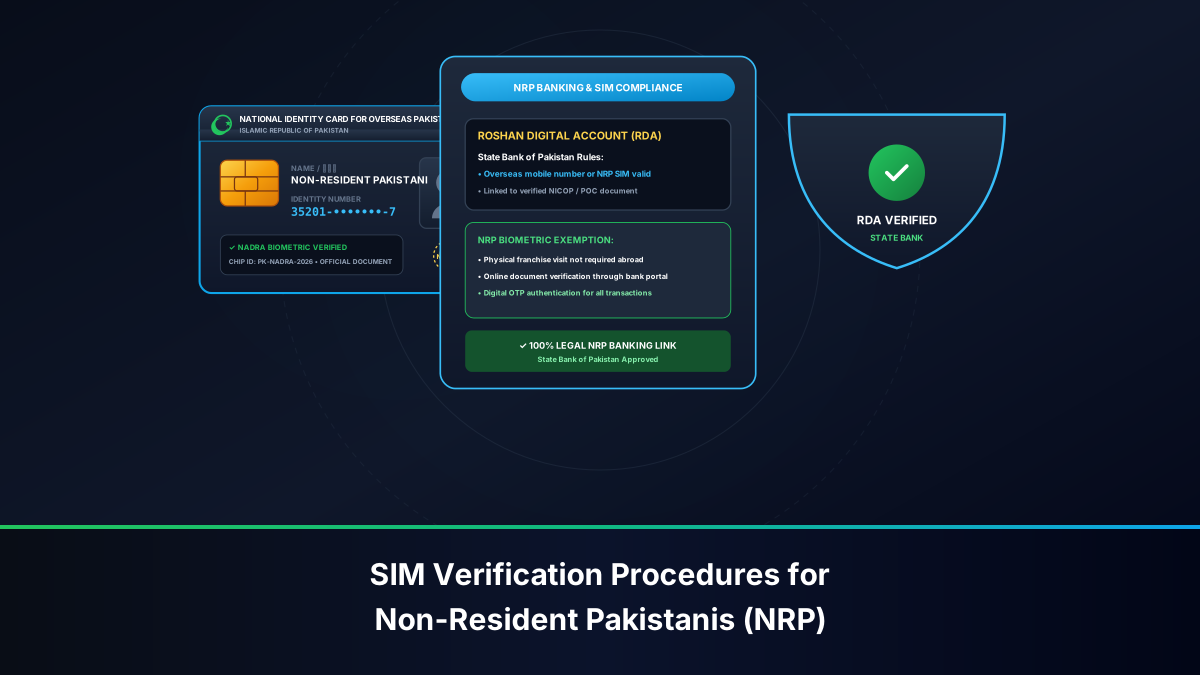
- No Overseas BVS Terminals for SIMs: NADRA operates biometric enrollment systems inside Pakistani Embassies, High Commissions, and Consulates across Abu Dhabi, Dubai, Riyadh, London, Washington, etc. However, these diplomatic BVS terminals are authorized strictly for civil identity documents (NICOP, POC, Passports, Family Registration Certificates). They are NOT connected to the private cellular operators' BVS verification gateways.
- Physical Presence in Pakistan: If a Pakistani SIM card is permanently blocked for regulatory reasons, ownership re-verification, or duplicate SIM replacement, the transaction cannot be performed abroad. The legal owner must physically visit a cellular franchise inside Pakistan and provide a live thumbprint on an authorized NADRA BVS optical scanner.
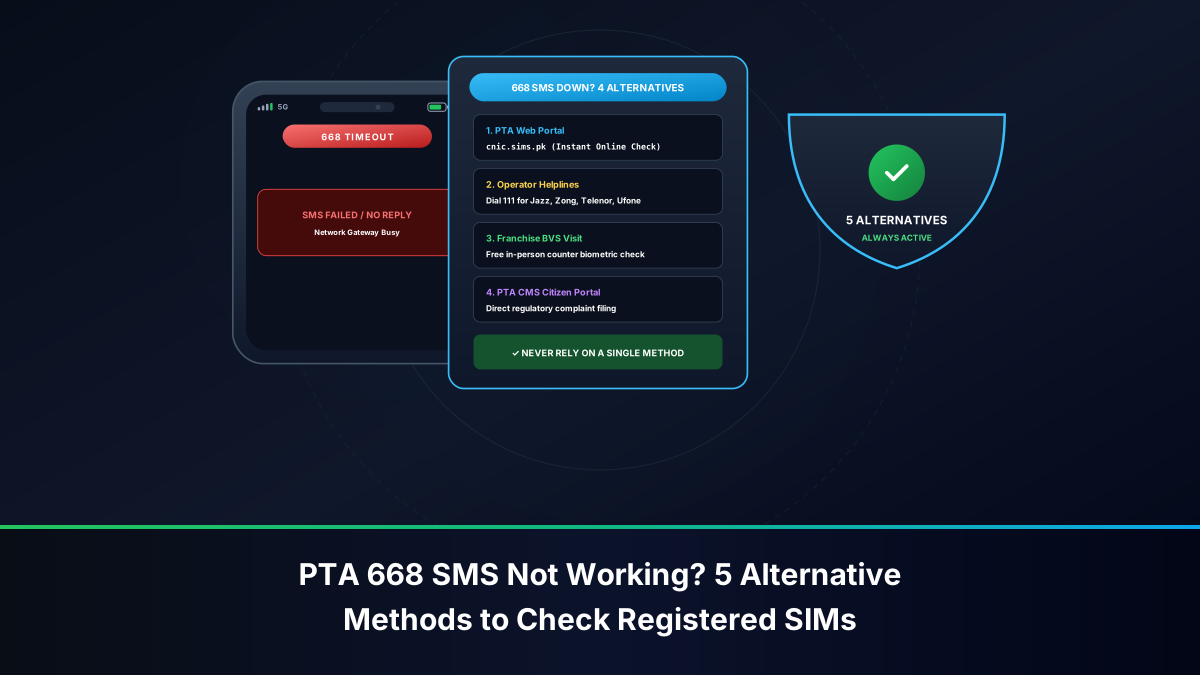
- 668 Audit: You can verify how many total SIMs are currently registered against your CNIC/NICOP from abroad by asking a family member in Pakistan to text your 13-digit identity number to shortcode 668, or by checking the official PTA portal at
cnic.sims.pkvia a Pakistani IP/VPN.
What to Do If Your Active SIM Card Is Damaged or Lost Overseas
If your physical nano-SIM card gets damaged, corrupted, or stolen while you are outside Pakistan:
- Immediate Helpline Suspension: Call your operator's international helpline immediately to place a temporary security lock on the number. This prevents unauthorized calls or OTP intercept if the SIM was stolen.
- The Power of Attorney Myth: Telecom franchises in Pakistan generally do not issue duplicate SIM cards to third-party representatives, even with an attested Power of Attorney from the Embassy, due to strict anti-terror biometric regulations.
- The Legitimate Blood-Relative Exception: Certain operators provide compassionate exception workflows for overseas subscribers if an emergency duplicate SIM is required. A first-degree blood relative (parent, spouse, or sibling listed on your NADRA Family Registration Certificate) must visit a company-owned Customer Experience Center with your original NICOP copy, proof of overseas residence/visa, valid exit stamp, and their own original CNIC to execute an exceptional biometric verification subject to regional manager approval.
- eSIM Migration Advantage: If you use an eSIM with Jazz or Zong and your carrier allows digital QR code re-issuance via verified email/app, you may be able to restore service on a replacement handset without needing a physical chip delivered from Pakistan.
Comprehensive Carrier Comparison: Roaming Activation, Inactivity Policies & Costs
The table below summarizes the core operational parameters for managing Pakistani cellular subscriptions from abroad across all major networks:
| Feature / Parameter | Jazz (PMCL) | Zong (CMPak) | Telenor Pakistan | Ufone 4G (PTCL) |
|---|---|---|---|---|
| Pre-Departure Roaming Code | *7626# or Call 111 |
*1234# or Call 310 |
*759# or Call 345 |
*506# or Call 333 |
| Incoming SMS Cost (Abroad) | 100% FREE | 100% FREE | 100% FREE | 100% FREE |
| Prepaid Monthly Roaming Fee | Zero (No line rent) | Zero (No line rent) | Zero (No line rent) | Zero (No line rent) |
| Recommended Minimum Balance | PKR 100 - 200 | PKR 100 - 200 | PKR 50 - 150 | PKR 100 - 200 |
| PTA Inactivity Deactivation Rule | 180 Consecutive Days | 180 Consecutive Days | 180 Consecutive Days | 180 Consecutive Days |
| VoWiFi (Wi-Fi Calling) Support | Yes (Supported Devices) | Limited / Pilot Trials | Device Dependent | Device Dependent |
| Official Self-Care Mobile App | Jazz World | My Zong App | My Telenor | My Ufone |
| International Credit Card Recharge | Yes (In-App Gateway) | Yes (In-App Gateway) | Yes (In-App / EasyPaisa) | Yes (In-App Gateway) |
| Overseas WhatsApp Helpdesk | 0300-1451451 |
0314-4481310 |
Via Social Handles | 0333-5100038 |
Pre-Departure Checklist: What Every Pakistani Must Do Before Flying Abroad
Before packing your bags and heading to Islamabad, Lahore, Karachi, or Peshawar international airports, follow this mandatory 7-step pre-departure protocol:
- Activate International Roaming via USSD: Do not assume roaming is active by default. Dial your network's activation code (e.g.,
*7626#for Jazz,*1234#for Zong) and wait for the official confirmation SMS from the operator stating: "International Roaming has been successfully activated on your number." - Load PKR 500 to PKR 1,000 Balance: While incoming SMS is free, maintaining a healthy balance buffer ensures your roaming profile is never rejected by foreign partner switches.
- Install and Log Into All Carrier and Banking Apps: Download and log into Jazz World / My Zong / My Telenor / My Ufone, your bank apps (HBL, Meezan, Alfalah), and digital wallets (EasyPaisa, JazzCash, SadaPay, NayaPay). Complete biometric facial/fingerprint sign-ins while still connected to a local Pakistani base station.
- Request Dual-Channel OTP from Your Bank: Call your bank's 24/7 phone banking center and demand that transaction authentication codes be routed to your verified email address in addition to your cellular number.
- Disable Mobile Data Roaming in Phone Settings: Navigate to your phone's cellular settings and turn off "Data Roaming" on the Pakistani SIM slot to prevent background app sync from consuming airtime.
- Note Your SIM Card ICCID Number: Take a clear photo of the 19-digit number printed on the back of your physical plastic SIM card. Store this photo in your secure cloud drive. If your phone is lost, having the ICCID number is critical for customer support identification.
- Set Up a Calendar Reminder for Top-Ups: Add a recurring reminder in Google Calendar or Apple Reminders every 90 days: "Send PKR 100 recharge to Pakistani SIM." This simple habit will guarantee you never fall victim to the 180-day PTA recycling rule.
Troubleshooting Common Problems for Expats Holding Pakistani SIMs
If you encounter technical roadblocks while overseas, use these proven diagnostics:
- Issue: Phone Displays "No Service" or Fails to Latch onto Any Foreign Network:
- Fix 1: Go to
Settings > Cellular / Mobile Data > Network Selection. Switch off Automatic and let the phone scan for available carriers (this may take 60 to 120 seconds). Manually select a primary roaming partner (e.g., in UAE, choose e&; in KSA, choose STC; in the UK, choose Vodafone). - Fix 2: Ensure your SIM has an active balance. If your balance is negative or zero, foreign base stations may refuse registration. Use an online service like Ding or your bank app to push a PKR 100 recharge to the number, then restart the phone.
- Fix 3: Toggle Airplane Mode on for 15 seconds, then toggle it off to force a complete re-authentication handshake with the local tower.
- Fix 1: Go to
- Issue: Incoming Bank OTP SMS Is Not Arriving:
- Fix 1: Check if your phone's internal storage or SMS inbox is full.
- Fix 2: Some international networks delay shortcode SMS (bulk commercial traffic from 8000-series shortcodes) compared to standard peer-to-peer messages. Manually select a different partner network from your network selection menu (e.g., switch from Mobily to STC in Saudi Arabia).
- Fix 3: Ensure your phone's SMS center number (SMSC) has not been corrupted. The SMSC for Jazz is
+92300000012; for Zong it is+923040000011; for Telenor it is+923455000010; for Ufone it is+92333000515.
- Issue: Prepaid Balance Mysteriously Draining Abroad:
- Fix: This is almost invariably caused by unanswered incoming voice calls routing to an active Voicemail Service, or background mobile data leakage. Dial your operator's self-care portal to completely deactivate Voicemail, and double-check that mobile data is assigned strictly to your foreign SIM slot.
Frequently Asked Questions (FAQs)
Below are authoritative, direct answers to the most common inquiries regarding keeping Pakistani SIM cards active while living or working abroad.
Legal & Regulatory Disclaimer
This technical and regulatory guide is compiled strictly for informational, educational, and consumer empowerment purposes in compliance with the rules, regulations, and statutory regulatory orders (SROs) published by the Pakistan Telecommunication Authority (PTA), the State Bank of Pakistan (SBP), and the National Database and Registration Authority (NADRA). This website is an independent telecommunications research platform and is not officially affiliated with, endorsed by, or acting as an agent for Jazz (PMCL), CMPak Zong, Telenor Pakistan, Ufone (PTCL), ONIC, or any government authority. Telecom operators reserve the statutory right to alter their roaming tariffs, bundle structures, and partner agreements without prior notice. Subscribers are urged to verify current rates directly with their service providers before traveling.