The Crucial Lifeline: Pakistani SIM Cards in the Global Diaspora
Over 9 million Pakistani citizens reside outside the borders of Pakistan, forming a vital global diaspora across the Gulf Cooperation Council (GCC) states (Saudi Arabia, UAE, Qatar, Oman, Kuwait, Bahrain), the United Kingdom, the European Union, the United States, Canada, and Australia. For these expatriates, retaining an active Pakistani cellular SIM card is not merely a nostalgic connection to their homeland; it is a mission-critical financial, administrative, and legal necessity.
In today's highly digitized regulatory framework, an active Pakistani mobile number is the indispensable authentication conduit for:
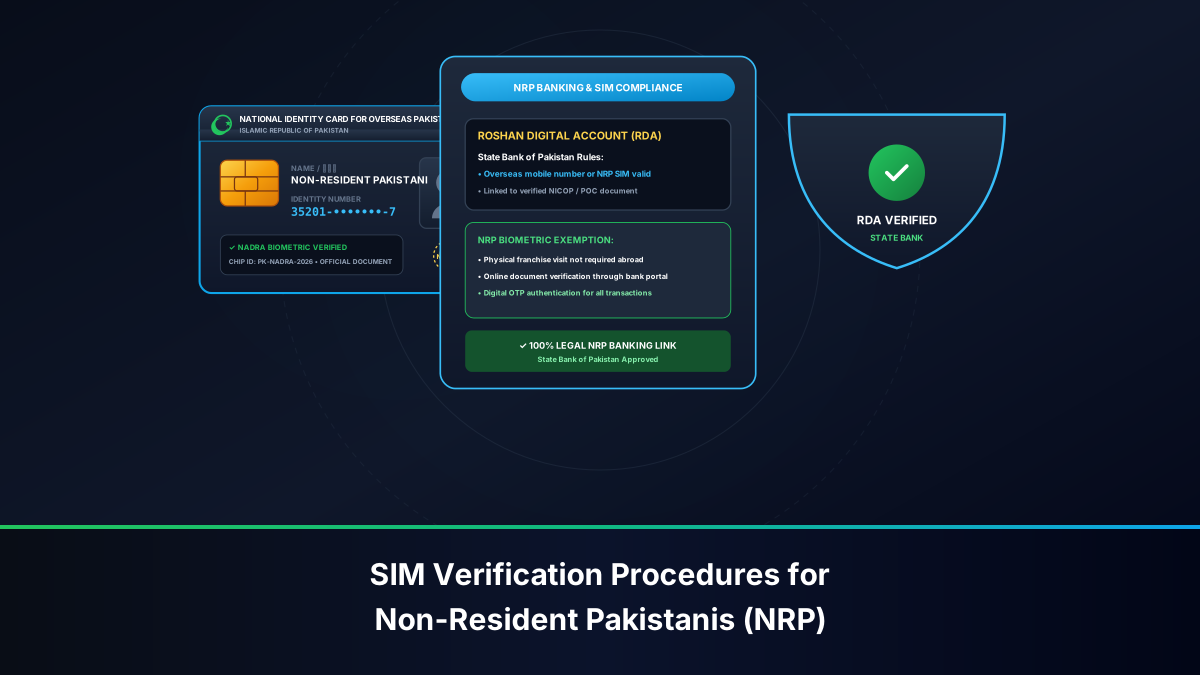
- Roshan Digital Accounts (RDA): Managing foreign-currency savings, mutual funds, Naya Pakistan Certificates (NPC), and local property transactions through State Bank of Pakistan (SBP) commercial banking channels.
- Two-Factor Authentication (2FA) & Raast: Authorizing domestic wire transfers, utility bill payments for family members in Pakistan, and interacting with the national Raast instant payment rail.
- Federal Board of Revenue (FBR) Iris Portals: Filing annual tax returns, declaring foreign assets, and maintaining active tax filer status.
- NADRA Pak-Identity & Power of Attorney: Authenticating digital consular attestations, passport renewals, and legal succession paperwork.
However, managing a Pakistani SIM card across international borders presents profound logistical hurdles. Stringent Pakistan Telecommunication Authority (PTA) biometric verification mandates, 180-day dormancy deactivation rules, international roaming configurations, and the physical impossibility of providing live in-person BVS thumbprints from abroad create severe risks of sudden disconnection.
Expatriate Advisory: Losing an active Pakistani banking SIM while residing overseas can paralyze your Roshan Digital Account and domestic financial transactions for months until your next physical visit to Pakistan. Implementing a proactive maintenance and auditing routine is vital.
The Legal Framework: NICOP and POC Regulatory Standing
Pakistani expatriates frequently query whether their legal status as non-resident citizens impacts their telecommunication rights and SIM quotas.
NICOP vs. Domestic CNIC: Rights & Quotas
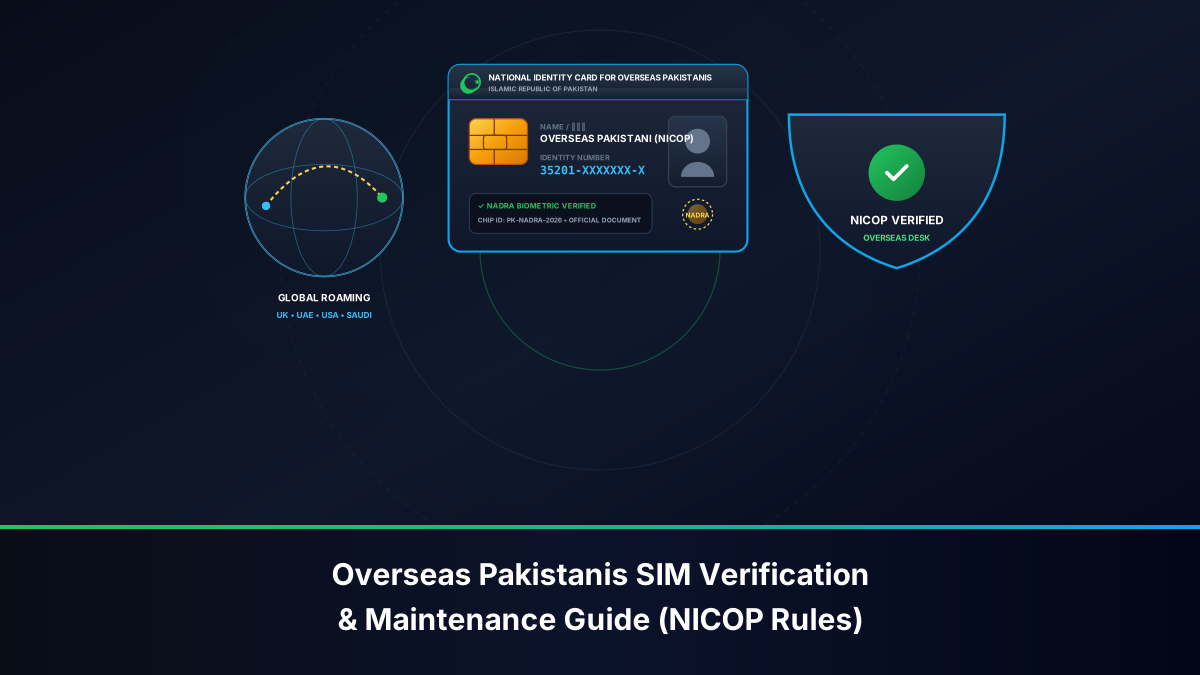
Under statutory PTA subscriber regulations, the National Identity Card for Overseas Pakistanis (NICOP) carries identical legal standing to a domestic Computerized National Identity Card (CNIC):
- 13-Digit Numerical Parity: Every NICOP possesses a standard 13-digit identity number formatted to federal Luhn-verification standards. In the central PTA 668 Clearinghouse and NADRA databases, a NICOP is processed identically to a standard CNIC.
- Identical National Quota: NICOP holders are entitled to the full national subscriber quota: up to 5 active voice SIM cards and up to 3 Mobile Broadband (MBB) data SIM cards, for a maximum aggregate ceiling of 8 SIM connections nationwide across all operators combined (Jazz, Zong, Telenor, Ufone, and SCO).
- Biometric Integrity: Like domestic citizens, NICOP holders must authenticate all activations, transfers, and duplicate replacements through 1:1 live fingerprint matching on a NADRA-connected BVS terminal.
Pakistan Origin Card (POC) Foreign Spouses & Expatriates
Foreign nationals of Pakistani origin and foreign spouses of Pakistani citizens holding a Pakistan Origin Card (POC) are also legally entitled to register cellular SIM cards in Pakistan. POC holders must present their original plastic smart card at an authorized company Customer Service Center (CSC) to complete live BVS verification.
The Banking Imperative: Roshan Digital Accounts (RDA), Raast & 2FA OTPs
The single greatest operational driver for maintaining an active Pakistani SIM overseas is digital banking security:
- SMS-Bound OTP Delivery: While some commercial banks offer email-based OTP delivery for international clients, many critical operations—including high-value inter-bank fund transfers (IBFT), beneficiary additions, and debit card PIN generation—strictly require SMS delivery to the mobile phone number on file.
- Branchless Wallets for Family Support: Many expatriates maintain linked JazzCash, EasyPaisa, or SadaPay wallets to instantly transfer daily living allowances to elderly parents or school tuition for children in Pakistan. Under SBP regulations, if the underlying cellular SIM becomes inactive or is recycled, the linked financial wallet is immediately locked.
- SIM-Swap Protection: If an overseas Pakistani's unmonitored line is recycled due to dormancy and re-issued to a stranger in Pakistan, that stranger could potentially receive password reset OTPs and intercept banking communications.
How Overseas Pakistanis Can Check Registered SIMs from Overseas
Expatriates do not need to wait until they visit Pakistan to audit their national telecom profile. The PTA provides continuous international access:
Method 1: Online Portal Audit at cnic.sims.pk
The official PTA SIM Information System portal is accessible globally without geo-blocking:
- Open any web browser on your computer, tablet, or smartphone abroad and navigate to https://cnic.sims.pk.
- In the input field, enter your 13-digit NICOP or CNIC number without spaces, dashes, or punctuation.
- Complete the Google reCAPTCHA challenge ("I'm not a robot").
- Click Submit.
- The portal immediately generates an official summary table displaying the exact count of active Voice SIMs and MBB Data SIMs registered against your identity across Jazz, Zong, Telenor, Ufone, and SCO.
Security Tip: If your report shows active connections that you do not own, an unauthorized line was activated under your identity in Pakistan, requiring immediate escalation upon your next return.
Method 2: Querying 668 via International Roaming
If your Pakistani SIM card is currently active on international roaming inside your phone abroad:
- Open your phone's SMS application.
- Type your 13-digit NICOP number in the text body.
- Send the message to shortcode 668.
- The roaming partner network will route the SMPP packet back to Pakistan, and you will receive an automated text detailing your SIM quota. (Standard international roaming SMS transmission rates apply).
How to Keep Your Pakistani SIM Active Abroad Without High Roaming Costs
The most common catastrophe experienced by overseas Pakistanis is returning home after a year abroad only to discover that their trusted mobile number has been permanently deactivated, cancelled, and sold to someone else. This occurs due to PTA dormancy enforcement.
Understanding PTA's 180-Day Dormancy & Recycling Regulations
Under official PTA consumer regulations, cellular operators are legally authorized to reclaim and recycle inactive telephone numbers to preserve finite national numbering resources:
- The 180-Day Inactivity Clock: If a cellular SIM experiences zero revenue-generating / billable activity for 180 consecutive calendar days (approx. 6 months), the operator's billing switch automatically flags the line as dormant.
- The Quarantine Phase: The SIM enters a temporary disconnection pool. Incoming and outgoing services are suspended.
- Permanent Re-allocation: Following regulatory notice, the connection is extinguished in the HLR and placed into a cooling pool before being repackaged as a new prepaid SIM card and sold on the open market. Once a number is recycled to another citizen, the original owner has zero legal right to reclaim it.
The Strategic Periodic Recharge & Inbound SMS Technique
To keep your Pakistani SIM permanently active for years without paying exorbitant international roaming bundle fees, implement this proven maintenance protocol:
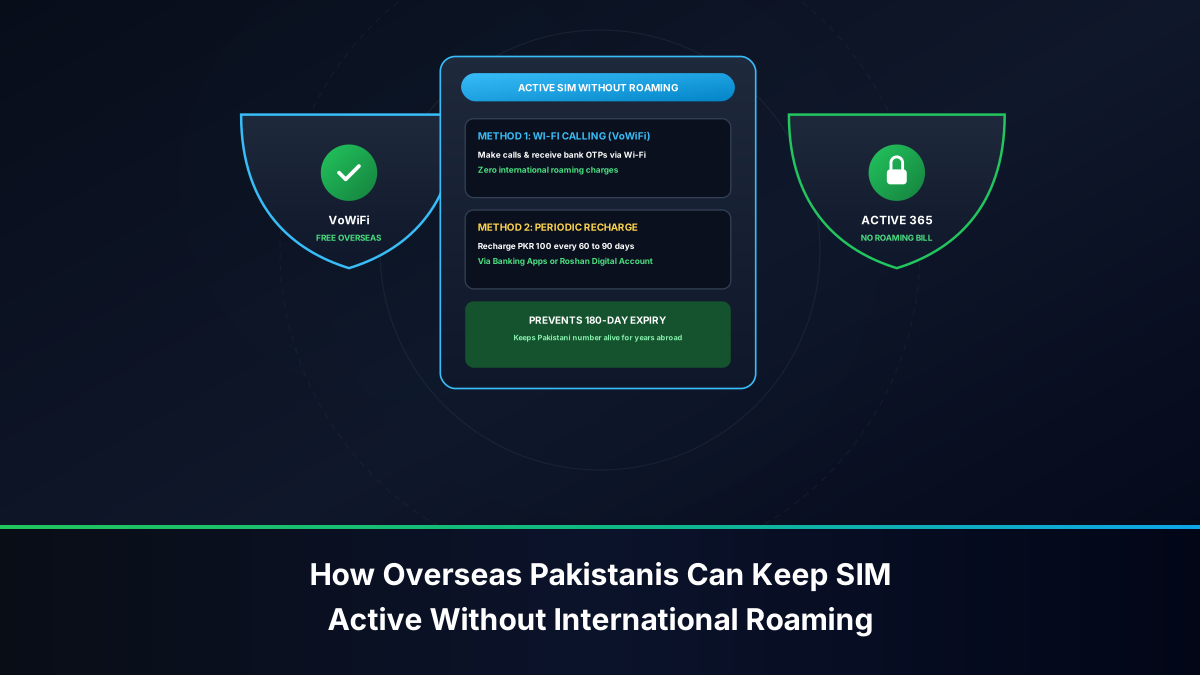
- Execute a Scheduled Recharge Every 60 to 90 Days: Every two to three months, perform a nominal airtime balance recharge of PKR 100 to PKR 200 onto your Pakistani SIM card. This can be completed online via:
- Your Pakistani commercial mobile banking app (HBL, Meezan, UBL, etc.).
- International mobile recharge platforms (Ding, Recharge.com, Xoom).
- Asking a trusted relative in Pakistan to send an Easyload to your number.
- Trigger a Billable Outgoing Action: While receiving an SMS is free, it does not always register as a revenue-generating event on some legacy carrier switches. Once every 90 days, send a single international roaming SMS (or place an answered 10-second call) from your handset abroad. Spending PKR 10 to PKR 25 on a single roaming SMS instantly resets the 180-day PTA dormancy clock back to Day 1.
Enabling Zero-Cost Incoming SMS on International Roaming
Many overseas Pakistanis mistakenly turn off their SIM cards abroad because they fear massive international roaming bills. In reality:
- Incoming SMS is 100% Free: Across all Pakistani operators (Jazz, Zong, Telenor, Ufone), receiving incoming SMS text messages while roaming internationally is completely free of charge in almost all destination countries.
- Turn Off Mobile Data Roaming: In your smartphone settings, ensure that Data Roaming is toggled OFF for your Pakistani SIM slot. This prevents background apps from consuming cellular data at international roaming rates.
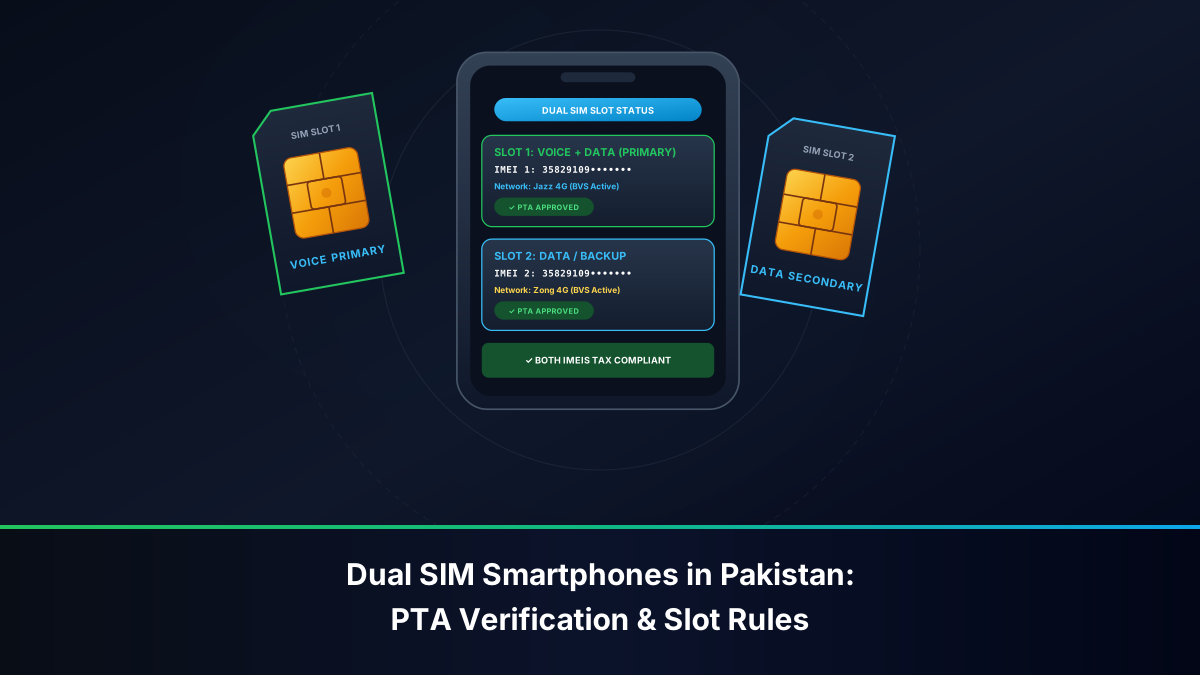
- Keep SIM Inserted in Slot 2: Keep your Pakistani SIM active in SIM Slot 2 of your dual-SIM smartphone. You will receive all your banking OTPs, RDA alerts, and verification codes instantaneously for zero cost.
The Biometric Dilemma: Can You Perform BVS Fingerprint Verification Abroad?
The single most frustrating challenge for non-resident Pakistanis is resolving mandatory biometric re-verification requests or acquiring replacement SIMs while living overseas.
Pakistani Embassies & Consulates: Current Operational Reality
A widespread misconception is that Pakistani embassies, high commissions, or consulates abroad maintain BVS terminals to service telecom customers. They do not.
Embassies operate NADRA passport and NICOP registration counters, but they possess zero integration with commercial telecom operator switches (Jazz, Zong, Telenor, Ufone). Consular officers have no legal or administrative capacity to process SIM activations, duplicate issuance, or ownership transfers.
International Airport BVS Kiosks: The Arrival Window Strategy
For expatriates visiting Pakistan, the most efficient operational window for resolving telecommunication issues is immediately upon disembarking at the airport:
- 24/7 International Arrival Kiosks: All major Pakistani international gateways—including Islamabad International (ISB), Lahore Allama Iqbal (LHE), Karachi Jinnah (KHI), Peshawar Bacha Khan (PEW), Multan (MUX), and Sialkot (SKT)—feature dedicated, 24/7 customer service counters for Jazz, Zong, Telenor, and Ufone located immediately past international immigration and customs.
- Instant BVS Clearance: Expatriates can present their physical NICOP and complete live BVS biometric verification to restore dormant numbers, collect replacement 4G/5G SIMs, or purchase new high-speed travel connections before exiting the terminal.
Emerging Digital Identification: NADRA Contactless Mobile Apps
In ongoing coordination with the PTA, NADRA has piloted contactless mobile biometric identification utilizing smartphone cameras to read fingerprint minutiae. While currently deployed primarily for civil identity applications (such as the NADRA Pak-ID app for NICOP renewals), regulatory frameworks are actively evolving to permit remote digital biometric handshakes for telecom lifecycle management in future phases.
Emergency Response: What to Do If Your Pakistani SIM Fails or is Lost Abroad
If your physical Pakistani SIM card burns out, is lost, or is stolen while you are outside Pakistan, execute this damage-limitation protocol:
- Immediate International Helpline Barring: Contact your cellular provider's international customer helpline immediately to place a temporary security bar on the line:
- Jazz / Warid: +92-42-111-300-300
- Zong 4G: +92-51-111-222-111
- Telenor: +92-42-111-345-100
- Ufone 4G: +92-33-111-333-100
- Notify Commercial Banks & RDA Desks: Immediately email or call your Roshan Digital Account relationship manager. Instruct the bank to temporarily redirect your 2FA authentication to your registered email address or international contact number to prevent transactional paralysis.
- Proxy Replacement Prohibition: Be advised that relatives in Pakistan cannot obtain a replacement SIM card on your behalf. PTA anti-proxy rules require your physical thumbprint. You must collect the replacement SIM in person upon your next physical return to Pakistan.
Delegating SIM Care to Family in Pakistan: What Works and What Fails
Because biometric transactions cannot be executed by proxy, overseas Pakistanis must design their family delegation carefully. The law divides sharply between what a relative may do and what is reserved exclusively for the registered holder:
- What family CAN do: send Easyload recharges, dial a USSD balance check on a line inserted in a family handset, report a lost handset to the helpline using your security details, and physically keep a spare SIM safe until your return.
- What family CANNOT do: collect duplicate SIMs, complete BVS re-verification, execute ownership transfers, or disown unknown connections — all of these require your live thumbprint on a NADRA-connected terminal.
- The Practical Design: Keep the banking-anchored line in your own name and physically with a trusted relative inside a family handset that stays switched on. Keep no SIMs registered in your name that circulate among acquaintances, because you retain full legal liability for every call and SMS they generate while having no practical control from abroad.
- Power of Attorney Limits: A consular Power of Attorney authorizes property and legal representation in Pakistan, but telecom operators do not accept PoA documents for biometric SIM lifecycle events. Do not rely on a PoA to rescue a locked line.
Delegation Rule: Delegate the custody of your SIM to family, but never the identity. The thumbprint that binds the line must always be yours.
Fixing Mismatched Ownership During Home Visits: The 14-Day Protocol
Most expatriates discover ownership problems — a line still in a deceased father's name, a SIM bought on a brother's CNIC in 2012, an unexpected fifth voice connection — only when they land in Pakistan. With a typical visit lasting two to four weeks, use this sequenced protocol:
- Day 1–2 — Audit: Run the cnic.sims.pk check and visit each operator's airport or flagship CSC to obtain printed MSISDN statements against your NICOP.
- Day 3–7 — Correct Ownership: For lines actually used by you but registered to relatives, complete a dual-party biometric transfer (relative releases, you accept) at a CSC. Both parties must attend together with original CNICs.
- Day 7–10 — Disown Ghosts: For unfamiliar connections, execute biometric disownment and collect stamped cancellation certificates naming each MSISDN.
- Day 10–14 — Re-anchor Finance: Update your RDA bank, wallets, and FBR Iris contact records if the banking SIM number changed, then test one live OTP delivery before flying out.
- Before Departure — Verify: Re-run the 668 audit at the airport lounge Wi-Fi and screenshot the clean report for your records.
Expatriates who defer these corrections across multiple trips accumulate compounding risk: recycled numbers, wallet freezes, and SIM-swap exposure that no helpline can unwind from abroad.
Tax Filer Status, Withholding Certificates & SIM Identity Alignment
Overseas Pakistanis who remain on the Active Taxpayer List should treat their telecom footprint as part of their tax hygiene:
- Recharge Withholding: Every Easyload sent by family or funded through international top-up platforms on your SIM generates advance income tax deducted at source. As a filer, the reduced rate applies automatically once the SIM's registered CNIC/NICOP matches your ATL entry.
- Certificate Retrieval: Operator self-care portals and CSCs issue annual tax deduction certificates. Collect them during home visits, or download via the carrier app using the data auto-handshake described above.
- Mismatch Consequence: If the line is registered to a relative, the withholding lands in their Iris account — unrecoverable by you — and reconciling it later is effectively impossible.
Overseas Expatriate Telecom Maintenance Action Matrix
The following checklist outlines the essential maintenance routine for overseas Pakistanis:
| Action Item | Frequency | Execution Channel | Cost | Primary Benefit |
|---|---|---|---|---|
| Audit SIM Quota | Every 6 Months | cnic.sims.pk Web Portal | 100% Free | Detects unauthorized lines on CNIC/NICOP |
| Airtime Balance Top-Up | Every 60 to 90 Days | Online Banking / Digital Wallet | PKR 100 – 200 | Prevents 180-day PTA dormancy recycling |
| Billable Roaming Action | Every 90 Days | Single Outgoing Roaming SMS | ~PKR 15 – 30 | Resets telecom billing activity timer |
| Data Roaming Toggle | Always (Abroad) | Phone Cellular Settings | Free | Eliminates unexpected roaming data bills |
| Airport BVS Regularization | Upon Every Visit to Pakistan | Airport Arrival Kiosks (24/7) | PKR 50 – 100 | Maintains biometric validity on carrier HLR |
Final Takeaways: A Resilient Telecom Profile Across Borders
An overseas Pakistani's SIM portfolio survives on rhythm, not luck. Audit the CNIC every six months, recharge every sixty to ninety days, keep data roaming off while receiving free incoming OTPs, and use every home visit to biometrically align each line with its true user. Anchored by a NICOP that carries full national quota rights, and protected by the airport-kiosk strategy for biometric housekeeping, this routine keeps Roshan Digital Account access, Raast payments, and family support wallets permanently reachable — no matter which hemisphere you call home.