The Architecture of WhatsApp Identity: Why Cellular SIM Ownership Governs Account Control
In Pakistan's digital communication landscape, WhatsApp has transcended its origins as a casual messaging client to become the nation's primary nervous system for commercial negotiations, institutional governance, legal evidence exchange, and peer-to-peer commerce. However, an overwhelming majority of consumers operate under a severe misconception regarding digital account sovereignty: they believe their WhatsApp account is an independent digital entity tied to an email address or username. In reality, WhatsApp's core cryptographic architecture relies entirely on the E.164 cellular phone number (MSISDN) as its sole primary key and identity anchor.
Under the Signal Protocol cryptographic framework utilized by Meta, every WhatsApp installation registers an identity key pair anchored to the underlying cellular subscription identity. This design introduces an inescapable telecom dependency: whoever legally and physically controls the cellular SIM card controls the gateway to the WhatsApp account. In the context of Pakistani telecommunications, this reality links WhatsApp security directly to regulatory mandates enforced by the Pakistan Telecommunication Authority (PTA), the National Database and Registration Authority (NADRA), and cellular mobile operators (Jazz, Zong, Telenor Pakistan, and Ufone 4G).
If your cellular subscription lapses, if your SIM card is biometrically cloned or fraudulently swapped, or if an inactive number is recycled and assigned to a new subscriber after 180 days, your WhatsApp security boundary collapses. Understanding how to inspect, verify, and fortify your WhatsApp account against SIM-level vulnerabilities is therefore an urgent imperative for every smartphone user across Pakistan.
How to Check Which Number Your WhatsApp Account Is Registered To
Many individuals in Pakistan carry multiple dual-SIM smartphones, corporate connections, and family data SIMs. It is exceedingly common for a user to operate a WhatsApp profile on a daily basis without realizing that the underlying registered mobile number belongs to an obsolete, uncharged, or even unregistered SIM card. Performing a manual verification audit is the foundational first step in securing your digital identity.
Step-by-Step Profile and Account Verification in WhatsApp
To inspect the exact international phone number bound to your active WhatsApp installation, execute the following protocol on your Android or iOS device:
- Launch WhatsApp: Open the application on your primary smartphone.
- Navigate to Settings:
- On Android: Tap the three vertical dots in the upper right-hand corner of the screen and select Settings.
- On iOS (iPhone): Tap the gear-shaped Settings icon located in the bottom navigation bar.
- Access Profile Screen: Tap your Profile Banner (displaying your avatar picture and display name) located at the very top of the Settings menu.
- Examine the Phone Field: Scroll to the bottom of the profile page. The section marked Phone displays your fully qualified E.164 formatted number (for example,
+92 300 1234567). - Record the MSISDN: Note down this exact 11-digit national format (e.g.,
03001234567) to cross-reference with official telecom ownership databases.
Cross-Referencing the Phone Number with PTA 668 and NADRA Records
Once you have identified the phone number powering your WhatsApp account, you must verify whether that number is legally registered under your personal 13-digit Computerized National Identity Card (CNIC). Operating WhatsApp on a number registered under another person's CNIC—even a close friend or distant relative—leaves you vulnerable to immediate account confiscation.
- Check PTA 668 Central Directory: Send your 13-digit CNIC (without dashes) via SMS to shortcode
668or query the official web portal atcnic.sims.pk. Ensure that the total count of active SIMs for that specific mobile operator matches your actual possessions. - Query Operator-Specific Ownership Shortcodes: While inserting the physical SIM into your device, verify subscriber identity details using carrier-grade USSD strings:
- Jazz / Warid: Send an empty SMS or your CNIC to
300or dial*99#to check the assigned MSISDN. - Zong: Send
Vto shortcode7911to receive the registered CNIC and activation timestamp, or dial*8#. - Telenor: Send an empty SMS to
7711or query*7711#to verify CNIC registration status. - Ufone 4G: Dial
*336*1#or send your CNIC to6060to review subscriber profile registration.
- Jazz / Warid: Send an empty SMS or your CNIC to
If the verification query reveals that your WhatsApp phone number is registered under a stranger's CNIC, you must initiate an emergency migration immediately. You cannot legally hold, re-verify, or restore a number that NADRA's Biometric Verification System (BVS) attributes to someone else.
Inactive & Recycled Mobile Numbers: The Silent WhatsApp Takeover Hazard
The most pervasive vector for unintentional WhatsApp account hijacking across Pakistan is the legal telecom phenomenon known as SIM recycling. Consumers frequently switch networks, travel overseas, or discard prepaid SIM cards without recognizing the dangerous downstream consequences for their active social media accounts.
How the PTA 180-Day SIM Recycling Policy Creates Account Orphanage
Under Pakistan Telecommunication Authority regulations governing subscriber churn and radio frequency resource management, mobile network operators are legally entitled to repossess and resell any prepaid mobile connection that remains dormant (zero revenue activity, no outgoing calls, SMS, or data usage) for a continuous period of 180 days (6 months).
Once the 180-day churn window expires:
- The telecom operator disassociates the MSISDN from the previous subscriber's CNIC in the Home Location Register (HLR).
- The number enters a statutory quarantine pool (typically 30 to 90 days).
- The number is packaged into a new golden, standard, or data SIM starter pack and distributed to retail franchises or roadside mobile vendors.
- A completely random citizen walks into a franchise, provides their biometric thumbprint on a NADRA BVS kiosk, and lawfully purchases the SIM card.
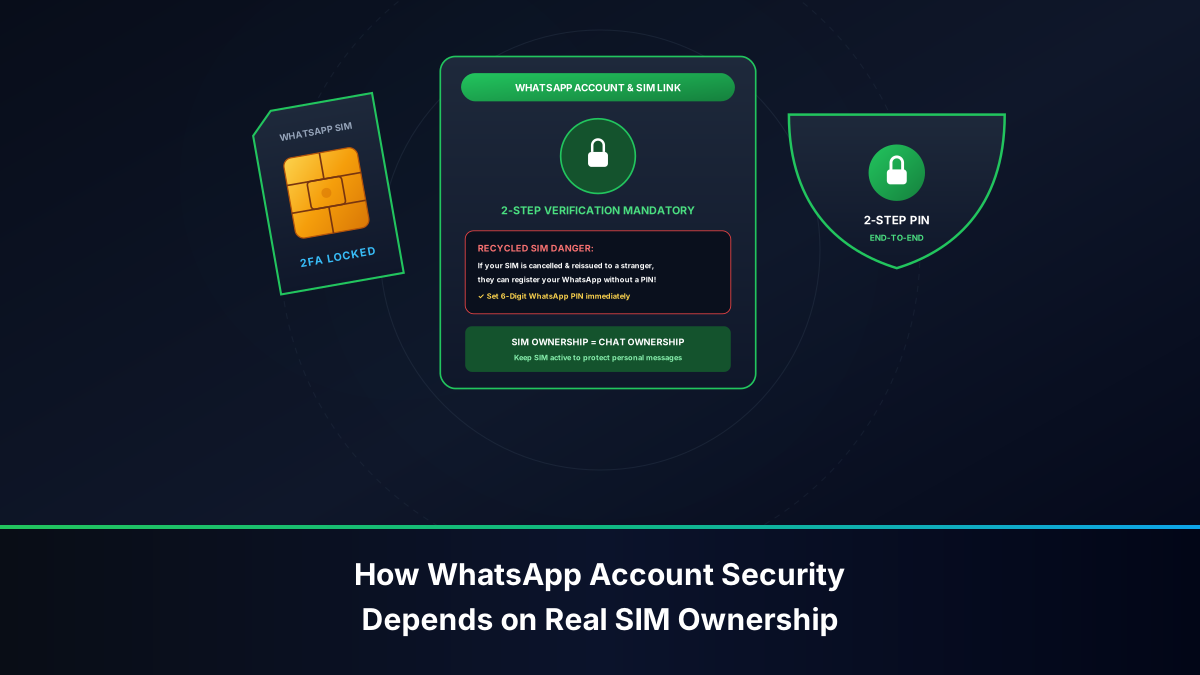
If the original owner never unlinked their WhatsApp account from that number, an existential conflict arises. When the new SIM owner installs WhatsApp and requests an SMS verification OTP, the cellular carrier delivers the 6-digit code straight to their newly purchased SIM. If the previous owner failed to configure Two-Step Verification, the new SIM owner instantly gains control of the WhatsApp account, inheriting all incoming messages, group memberships, business inquiries, and private family interactions.
The Secure Migration Protocol: Changing Your WhatsApp Number Safely
To avoid abandoning a WhatsApp account to a recycled number, you must execute the built-in Change Number protocol before relinquishing control of the old cellular connection. This procedure seamlessly migrates your chat history, group associations, and profile metadata to your new, legally verified SIM card without notifying untrusted contacts or dropping communication lines:
- Ensure your new SIM card is physically inserted into a phone, active, and able to receive standard carrier SMS messages.
- Open WhatsApp and navigate to Settings > Account > Change Number.
- Review the briefing screen and tap Next.
- Enter your Old Phone Number in full international format (e.g.,
+92 300 1234567) in the upper field. - Enter your New Phone Number in full international format (e.g.,
+92 321 7654321) in the lower field. - Tap Next. WhatsApp presents an option labeled "Notify Contacts". You can choose to notify all contacts, only contacts with whom you have active chats, or a custom list. Note that WhatsApp automatically notifies all group chats regardless of your selection.
- Tap Done. WhatsApp dispatches an SMS containing a 6-digit authorization code to your new number.
- Enter the code to finalize the transfer. Your old MSISDN is now completely decoupled from Meta's directory servers, ensuring that when your old carrier eventually re-sells the SIM card, the future purchaser will receive a completely blank slate.
Anatomy of a SIM Swap Hijack: Social Engineering, Counterfeiting & Biometric Spoofing
While recycled SIM takeovers occur passively, SIM Swap Fraud (Subscriber Identity Module Hijacking) is an aggressive, targeted cyber-attack executed by organized crime syndicates operating across Pakistan. In a SIM swap attack, threat actors exploit vulnerabilities in telecom franchise retail channels to fraudulently issue a replacement SIM card under your phone number.
Real-Time Warning Indicators of an Active SIM Swap
Recognizing the onset of a SIM swap attack within the opening minutes is the difference between retaining total control of your accounts and suffering catastrophic financial and personal identity compromise:
- Sudden, Unexplained Loss of Cellular Signal: Your smartphone display abruptly transitions from "4G / 5G / LTE" to "No Service", "Emergency Calls Only", or "SIM Not Provisioned" in an area where you typically enjoy robust carrier coverage.
- SMS Verification Floods: Prior to signal disconnection, you may receive unexpected SMS messages from banks, JazzCash, Easypaisa, or Google containing authentication codes that you never requested. Fraudsters deliberately spam authorization endpoints to distract you.
- WhatsApp De-Registration Banner: Your WhatsApp screen abruptly halts and displays a system dialog stating: "Your phone number is no longer registered with WhatsApp on this phone. This may be because you registered it on another phone."
- Automated Carrier Warning SMS: Pakistani operators are mandated by PTA directives to transmit an immediate advisory SMS upon processing a duplicate SIM request: "A replacement SIM has been issued for your number. If you did not authorize this, immediately call customer care."
The 60-Minute Emergency Response Protocol for SIM Swap Attacks
If you observe simultaneous cellular signal loss and WhatsApp disconnection, you have entered an active cyber-crisis window. Execute this battle-tested protocol immediately:
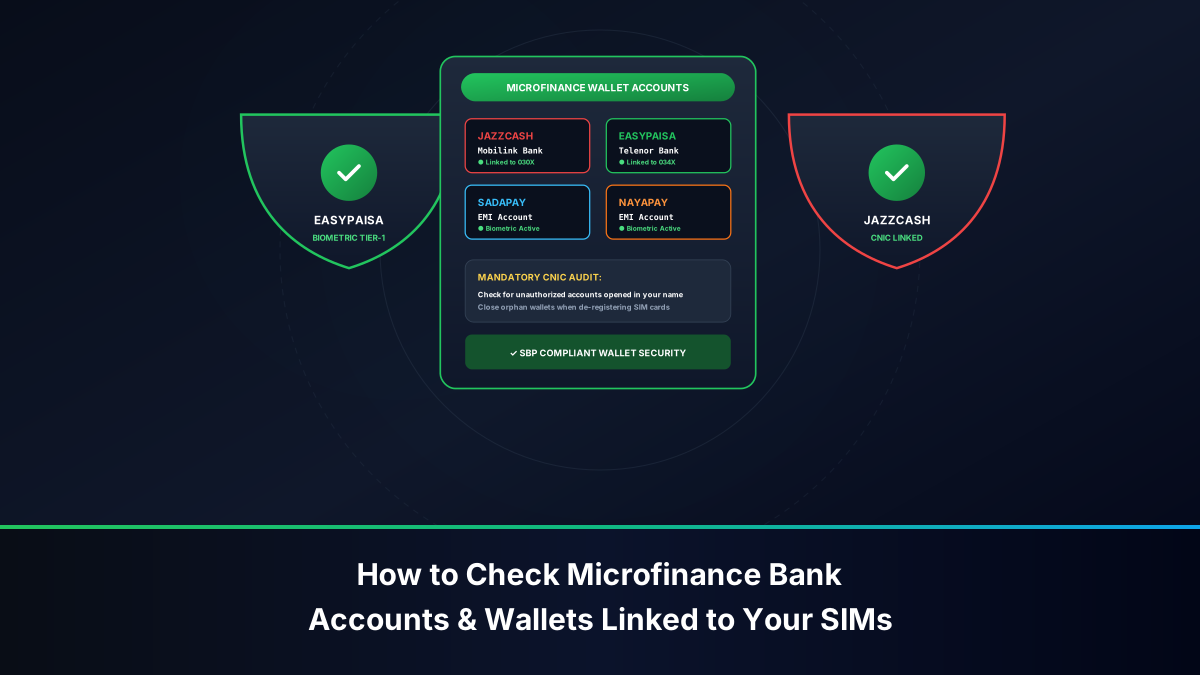
- Quarantine Connected Banking Channels (Minutes 0–15): Borrow a nearby telephone immediately. Call the emergency fraud helplines of your commercial banks, JazzCash (
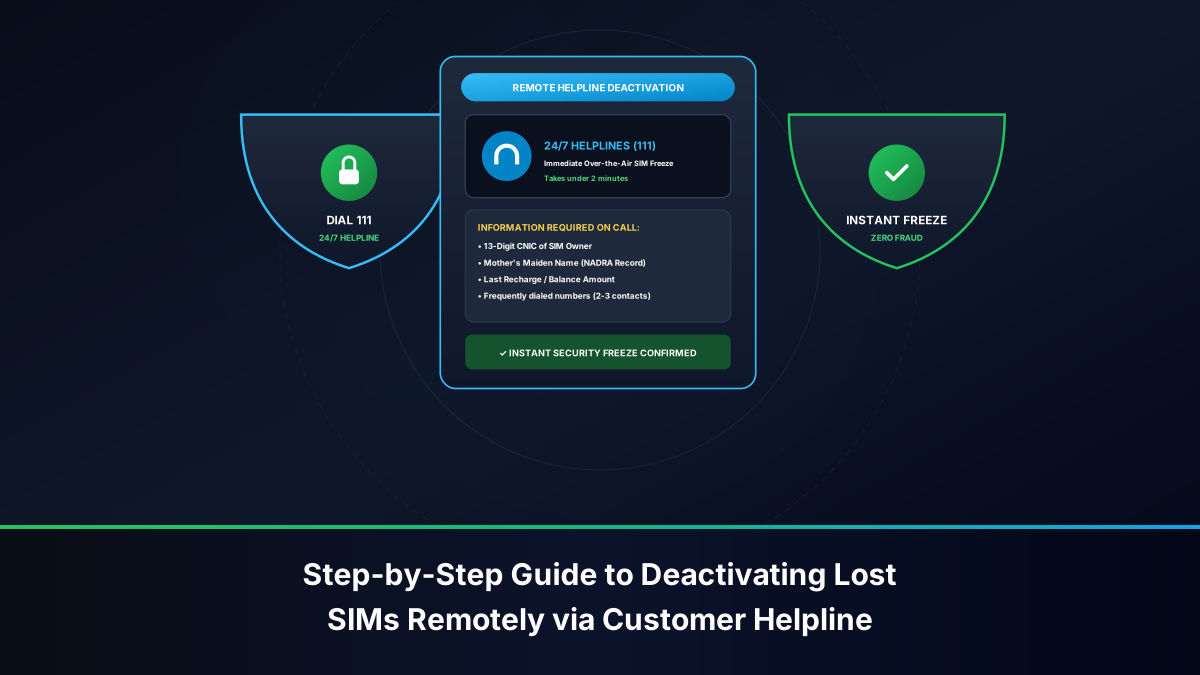
4444), and Easypaisa (3737). Instruct the fraud control department to place an immediate Total Debit & Credit Freeze on all bank accounts, Raast directories, and digital wallets linked to your phone number. - Block the Compromised IMSI at the Operator Core (Minutes 15–30): Dial your mobile network helpline from an alternate SIM:
- Jazz: Call
111-300-300or111 - Zong: Call
310or051-111-222-111 - Telenor: Call
345or042-111-345-100 - Ufone: Call
333or033-111-333-100
- Jazz: Call
- Physically Visit an Official Company-Operated Customer Care Center (Minutes 30–60): Do not go to a local third-party franchise or corner shop. Travel immediately to a central, company-owned Experience Center (Jazz Experience Center, Zong CSC, Telenor Customer Center, or Ufone Service Center). Present your original physical Smart CNIC, submit to live NADRA BVS biometric thumbprint verification, and demand the immediate issuance of an authoritative replacement SIM card. The instant your new physical SIM activates on the carrier network, the attacker's counterfeit SIM is permanently deactivated at the Home Location Register.
- Re-Authenticate WhatsApp: Insert your newly restored SIM card into your smartphone. Open WhatsApp, request a new SMS OTP, enter the 6 digits, and re-bind your cryptographic keys.
Hardening WhatsApp: Cryptographic Two-Step Verification, Passkeys & Email Recovery
The single most powerful technical safeguard against both SIM swap hijackers and recycled SIM purchasers is Two-Step Verification (2FA). When enabled, WhatsApp refuses to register your phone number on any device unless the user enters a personal 6-digit master PIN. Even if a cybercriminal spends millions of rupees bribing corrupt franchise staff to obtain a duplicate SIM card, they cannot access your WhatsApp messages without this secret PIN.
Configuring the 6-Digit Secondary Secret PIN & Email Recovery
Follow these exact operational steps to lock your WhatsApp profile with end-to-end cryptographic two-step enforcement:
- In WhatsApp, navigate to Settings > Account > Two-Step Verification.
- Tap Turn On (or Enable).
- Input a secret 6-digit numeric PIN. Critical Rule: Never use predictable sequences such as your birth year (
199200), your CNIC year, or simple patterns (123456,000000). Select an entirely randomized sequence. - Re-type the 6-digit PIN to confirm accuracy.
- Provide a Secured Recovery Email Address: WhatsApp will prompt you to enter an email address. Do not skip this step under any circumstances. Ensure that this email address is secured with its own robust hardware passkey or Google Authenticator 2FA. If you ever forget your WhatsApp PIN, this email is your sole mechanism for immediate account restoration.
- Tap Save or Done. Your WhatsApp account is now cryptographically fortified.
Configuring End-to-End Encrypted Cloud Backups
By default, while WhatsApp chats traveling over the internet are protected with end-to-end encryption, cloud backups stored in Google Drive (Android) or Apple iCloud (iOS) were historically stored in unencrypted formats accessible via cloud account breaches or legal subpoenas. Modern WhatsApp releases allow you to apply End-to-End Encrypted Backups:
- Navigate to Settings > Chats > Chat Backup > End-to-End Encrypted Backup.
- Tap Turn On.
- Choose whether to generate a custom 64-digit cryptographic encryption key or establish a strong alphanumeric master password.
- Once activated, neither Google, Apple, Meta, nor cellular network providers can read or decrypt your cloud chat backup without your designated master decryption key.
Enabling Device Biometrics, Passkeys, and Web Session Audits
To defend against physical shoulder-surfing and remote WhatsApp Web hijacks:
- Enable Screen Lock: Navigate to Settings > Privacy > App Lock (or Screen Lock on iOS). Toggle ON "Unlock with Biometrics" (Fingerprint / Face ID). Set the timeout to Immediately.
- Register a WhatsApp Passkey: Navigate to Settings > Account > Passkeys. Bind your WhatsApp account directly to your device's secure enclave (Google Password Manager or Apple Keychain). This allows secure biometric logins without relying on insecure telecom SMS pathways.
- Perform Routine Linked Devices Audits: At least once per week, tap Settings > Linked Devices. Review all active web sessions. If you observe an unknown Windows, Mac, or Chrome browser session, immediately tap the entry and select Log Out to terminate remote eavesdropping.
Threat Matrix: WhatsApp Attack Vectors, Vulnerability Factors & Mitigations
The following analytical matrix synthesizes the most common attack vectors targeting WhatsApp users in Pakistan, mapping telecom vulnerabilities against defensive countermeasures:
| Threat Vector | Primary Root Cause | Vulnerability Mechanism | Impact on Account | Authoritative Defensive Countermeasure |
|---|---|---|---|---|
| SIM Swap Attack | Corrupt telecom franchise staff / fake CNIC | Attacker obtains duplicate SIM and intercepts SMS OTP | Complete account takeover; loss of financial OTPs | Enable WhatsApp Two-Step PIN; call telecom helpline immediately to block IMSI |
| Recycled SIM Takeover | 180-day SIM dormancy and PTA churn policy | New subscriber receives recycled number previously tied to your account | New owner registers your old number on blank WhatsApp | Execute "Change Number" migration before discarding old SIM; set 2FA PIN |
| Social Engineering / OTP Scam | Fake calls impersonating PTA, BISP, or lottery officials | Victim verbally reads 6-digit WhatsApp registration SMS to caller | Attacker logs into WhatsApp from their device | Never share verification SMS; Meta never calls users to request registration codes |
| WhatsApp Web QR Hijacking | Leaving laptop unattended / malicious public WiFi QR codes | Adversary pairs their desktop browser with victim's mobile WhatsApp session | Silent, continuous monitoring of all chats in real-time | Audit Linked Devices weekly; enforce biometric authorization for QR pairing |
| Unencrypted Cloud Extraction | Compromised Google or iCloud credentials | Hacker restores unencrypted WhatsApp database dump onto another phone | Mass leakage of historical media, documents, and chat records | Enable End-to-End Encrypted Cloud Backups protected by a 64-digit key |
Legal Redress: Filing FIA Cybercrime Wing Complaints Under PECA 2016
When a WhatsApp account is hijacked in Pakistan, the act is not merely an infringement of corporate terms of service—it constitutes a series of severe criminal offenses under the Prevention of Electronic Crimes Act (PECA) 2016. The federal statutory agency empowered to investigate and prosecute WhatsApp hijackings is the Federal Investigation Agency (FIA) Cybercrime Wing (NR3C).
Applicable Sections of the Prevention of Electronic Crimes Act (PECA)
When legal complaints are submitted to the FIA, formal First Information Reports (FIRs) are typically registered under the following statutory provisions:
- Section 3 (Unauthorized Access to Information System or Data): Accessing an individual's private WhatsApp chats, databases, or device without legal authority. Penalties include imprisonment up to 3 months, a fine up to PKR 50,000, or both.
- Section 13 (Electronic Forgery): Creating counterfeit electronic documents, fake CNIC scans, or biometric spoofing materials to procure an unauthorized duplicate SIM from a franchise. Carries imprisonment up to 7 years, a fine up to PKR 5,000,000, or both.
- Section 14 (Electronic Fraud): Utilizing a hijacked WhatsApp account to solicit money from the victim's contacts (e.g., claiming a family medical emergency). Penalties include imprisonment up to 2 years, a fine up to PKR 10,000,000, or both.
- Section 16 (Unauthorized Use of Identity Information): Using another citizen's CNIC, phone number, or biometric identity to operate an electronic account. Penalties include imprisonment up to 3 years, a fine up to PKR 5,000,000, or both.
- Section 21 (Cyberstalking / Harassment): Using hijacked accounts or private photo leaks to blackmail or intimidate the victim. Penalties include imprisonment up to 3 years, a fine up to PKR 1,000,000, or both.
Forensic Evidence Gathering & Formal FIA Complaint Filing Procedure
To successfully initiate an FIA Cybercrime investigation against a WhatsApp hijacker or fraudulent telecom franchise operator, follow this procedural roadmap:
- Document Digital Artifacts: Capture timestamped screenshots of the hijacked WhatsApp profile, messages dispatched by the extortionist to family contacts, banking account details provided by the scammer for fund transfers (JazzCash/Easypaisa/bank accounts), and the carrier SMS confirming duplicate SIM issuance.
- Submit an Online Complaint: Visit the official FIA NR3C complaint reporting portal at
complaint.fia.gov.pk. Select "Social Media / WhatsApp Account Takeover". Input your CNIC, mobile number, incident timeline, and detailed narrative, attaching your compiled photographic evidence. - Lodge a Physical Complaint at an FIA Reporting Center: In serious cases involving extortion or financial theft exceeding PKR 100,000, visit the nearest regional FIA Cyber Crime Circle (located in Islamabad, Lahore, Karachi, Rawalpindi, Peshawar, Quetta, Multan, Faisalabad, and Sukkur). Present an application addressed to the Additional Director, accompanied by your CNIC copy, mobile operator ownership certificate, and digital evidence binders.
- Notify PTA Consumer Protection Directorate: Simultaneously submit a formal regulatory grievance through the PTA CMS portal (
cms.pta.gov.pk) against your telecom operator, specifying that franchise negligence facilitated an unauthorized duplicate SIM issuance. PTA can penalize the offending telecom franchise with statutory fines up to PKR 500,000 and revoke the agent's BVS biometric terminal license.
WhatsApp Business Accounts: Verifying Enterprise Numbers & Green Tick Meta Verification
For corporations, startups, retailers, and e-commerce enterprises operating in Pakistan, securing business WhatsApp channels requires navigating an entirely distinct layer of identity verification. Unlike individual consumer accounts, enterprise WhatsApp deployments typically operate via the WhatsApp Cloud API or WhatsApp Business App anchored to official corporate identities.
To ensure total security and prevent employee turnover from compromising enterprise communications:
- Register Numbers Under Corporate NTN: Ensure that the SIM cards or landline/SIP numbers utilized for corporate WhatsApp accounts are legally registered under the company's National Tax Number (NTN) with Jazz Business, Zong Enterprise, or PTCL, rather than under an individual employee's personal CNIC.
- Bind to Meta Business Manager: Associate the business phone number with an authenticated Meta Business Manager account. Verification requires submitting official corporate documentation, such as the company's SECP Certificate of Incorporation, FBR Tax Registration Certificate, and utility bills reflecting the company's legal physical address.
- Acquire the Official Green Tick Badge: An Official Business Account (OBA) displays a prestigious green checkmark badge next to the company name. This badge reassures Pakistani consumers that the entity is an authenticated, legally registered corporate brand, protecting the organization from counterfeit brand impersonators and phishing syndicates.
- Enforce Two-Tier 2FA: Corporate WhatsApp administrators must mandate Two-Step Verification across all staff devices and configure role-based access permissions within Meta Business Suite, ensuring that departed employees cannot take customer databases or account sessions with them.
Frequently Asked Questions: WhatsApp Verification & SIM Security
Explore authoritative answers to the most critical regulatory, technical, and legal questions regarding WhatsApp account ownership and telecom security in Pakistan.