The Foundation: Why WhatsApp Security Is Inextricably Bound to SIM Ownership
With over 2 billion active global users and an estimated 50+ million active installations in Pakistan alone, WhatsApp (owned by Meta Platforms Inc.) serves as the de facto nervous system for personal relationships, commercial trade, corporate communications, and government coordination across the country. From sensitive family discussions and private financial records to legal contracts and corporate trade secrets, an enormous volume of confidential digital life resides within this single messaging client.
Yet, despite WhatsApp's robust, mathematically proven Signal Protocol End-to-End Encryption (E2EE)—which ensures that neither Meta nor telecom operators can inspect the contents of transmitted messages in transit—the entire security architecture of any individual WhatsApp account rests upon a single, foundational dependency: the legal and physical ownership of the underlying SIM card.
Unlike traditional online services (such as Google, Microsoft, or banking web portals) that rely on sovereign usernames, complex passwords, and standalone hardware security keys, WhatsApp utilizes your Mobile Station International Subscriber Directory Number (MSISDN) as its sole primary identity anchor. Consequently, whoever controls the cellular SIM card controls the gateway to the WhatsApp account. In this technical deep-dive, we analyze the architectural vulnerabilities of cellular authentication, examine how SIM swap attacks and number recycling traps operate in Pakistan, and establish the essential defense configurations necessary to ensure your account remains impenetrable.
The Mechanics of WhatsApp Cellular Authentication
To understand the vulnerabilities that threaten your messaging privacy, one must first dissect the fundamental protocol WhatsApp employs to provision, authenticate, and maintain user accounts on consumer devices.
MSISDN as the Sovereign Identity Anchor
When WhatsApp was designed in 2009, its breakthrough usability feature was the complete elimination of usernames, buddy lists, and friend requests. By binding the user's cryptographic identity directly to their E.164-formatted international telephone number (e.g., +92 300 1234567), WhatsApp transformed the smartphone's existing address book into an instant social graph.
However, this elegant architectural decision shifted the entire burden of user authentication onto the global telecommunications infrastructure. WhatsApp does not maintain a proprietary username-and-password database for account logins. Instead, the platform relies on a decentralized zero-trust assumption: "If an entity can prove real-time possession of phone number X, that entity is authorized to register and operate the WhatsApp account associated with phone number X."
The Vulnerability of SMS and Voice OTP Handshakes
The standard onboarding handshake for WhatsApp follows a well-defined operational sequence:
- The user installs WhatsApp on a mobile handset and enters their country code and 10-digit mobile number.
- WhatsApp's authentication servers dispatch an encrypted API payload to an international SMS aggregator (or domestic cellular gateway).
- The cellular carrier transmits a 6-digit numeric One-Time Password (OTP) via the GSM Short Message Peer-to-Peer (SMPP) protocol to the SIM card hosted in the handset.
- Alternatively, if SMS fails, WhatsApp triggers an automated IVR voice phone call that vocalizes the 6-digit token over the public switched telephone network (PSTN).
- Upon entry of the correct 6-digit token into the application, WhatsApp registers the device's public identity key on its central directory server and issues an authorization session token.
The fatal flaw in this model is that SMS was never architected as a cryptographic security protocol. Conceived in the 1980s as a secondary signaling channel within GSM Phase 1 standards, SMS messages are transmitted in unencrypted plaintext across legacy SS7 signaling networks, making them vulnerable to interception, rerouting, and SIM hijacking.
Threat Vector 1: SIM Swap Fraud (SIM Hijacking) in Pakistan
A SIM Swap Attack (also known as SIM Splitting, SIM Hijacking, or Unauthorized SIM Re-issuance) represents the most devastating attack vector against WhatsApp accounts in Pakistan. In a SIM swap attack, the adversary does not hack WhatsApp's servers, nor do they physically steal your smartphone. Instead, they hijack your cellular line at the telecom carrier level.
Exploitation of BVS Kiosks, Fake CNICs & Social Engineering
In Pakistan, the Pakistan Telecommunication Authority (PTA) mandates that every duplicate SIM issuance must be authenticated via the Biometric Verification System (BVS) connected to NADRA's fingerprint repository. Despite these stringent regulations, sophisticated cybercriminal syndicates bypass these controls through several malicious methods:
- Collusive Retail Franchise Agents: Corrupt or coerced employees at third-party telecom retail kiosks and easyload shops are bribed by criminal rings to process fraudulent duplicate SIMs. The rogue agent overrides security prompts or manipulates the BVS application interface.
- Silicone Fingerprint Molds: Fraudsters obtain latent fingerprint impressions of victims from property deeds, vehicle sale agreements, or compromised voter registers. Using silicone or gelatin casting techniques, they fabricate artificial finger impressions to trick optical BVS biometric scanners.
- Forged Identity Documents & Impersonation: Scammers produce high-quality forged Smart CNICs featuring the victim's genuine identity details but bearing the physical photograph of an accomplice who visits a busy franchise to claim a "lost SIM replacement."
- Social Engineering of Telecom Customer Care: In corporate or postpaid environments, attackers impersonate company HR executives or authorized signatories to request bulk SIM replacements over official channels.
The Instantaneous Takeover of Your WhatsApp Session
Once the cellular operator provisions the new duplicate SIM card onto the mobile network, the technical consequences are immediate and catastrophic:
- Radio Link Termination on Victim's Device: GSM network standards dictate that an IMSI can only be registered to one active mobile station at a time. The moment the attacker's duplicate SIM registers on a cellular tower, the victim's genuine SIM card is instantly deregistered. The victim's smartphone display drops from 4G/LTE to "No Service" or "Emergency Calls Only".
- Interception of Authentication Tokens: The attacker, having inserted the duplicate SIM into their own handset, opens a fresh installation of WhatsApp, enters the victim's mobile number, and requests an SMS OTP. Because the telecom carrier routes all calls and SMS traffic to the newly activated SIM, the 6-digit WhatsApp registration OTP arrives directly on the attacker's screen.
- Session Eviction: WhatsApp's central server detects the new device registration, instantly revokes the session cryptographic keys on the victim's handset, and renders the victim's WhatsApp completely disconnected. The attacker now possesses full administrative control of the account.
Threat Vector 2: The Inactive SIM Recycling Trap
A second, highly prevalent vulnerability that compromises WhatsApp privacy across Pakistan stems from statutory telecommunication number recycling regulations.
PTA's 180-Day Inactivity Rule & Telco Number Reissuance
Telephone numbers are a finite national natural resource. Under PTA's Standard Operating Procedures on Inactive & Dormant Mobile Connections, cellular mobile operators (Jazz, Zong, Telenor, Ufone) possess the legal authority to reclaim and deactivate any prepaid SIM card that exhibits zero revenue-generating activity (no voice calls, SMS, data usage, or balance recharges) for a continuous period of 180 days (6 months).
Following deactivation, the operator holds the MSISDN in a mandatory quarantine pool for a designated period (typically 90 days), after which the recycled number is packaged into a new SIM jacket and placed back onto market shelves for sale to the general public.
How New SIM Buyers Inherit Old WhatsApp Accounts & Groups
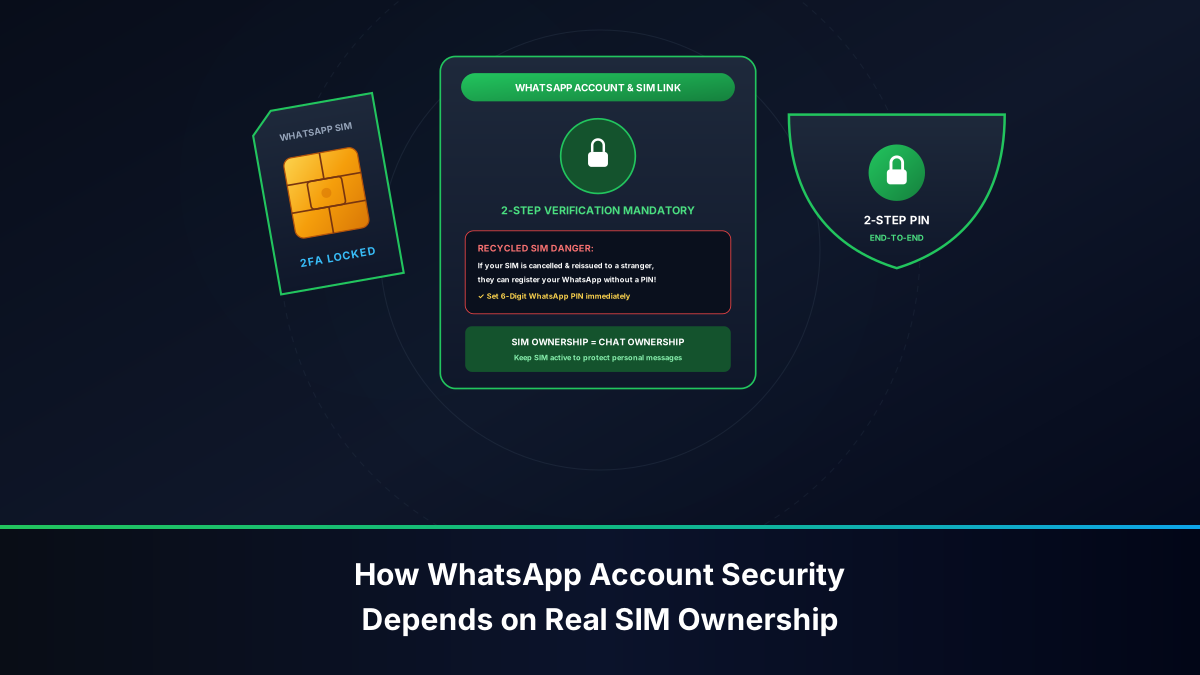
The fundamental breakdown occurs because cellular operators and WhatsApp maintain entirely independent subscriber registries. A telecom operator knows that SIM card ownership has transferred from Citizen A to Citizen B, but WhatsApp's central directory has no native mechanism to detect that a physical SIM card has changed hands unless the previous owner manually deleted their account.
When an unsuspecting citizen purchases a newly reissued recycled SIM card, registers it legally via BVS at a franchise, and installs WhatsApp:
- The new owner inputs the phone number and verifies the incoming SMS OTP.
- WhatsApp's servers recognize the number as an existing account. If the original owner did not configure a Two-Step Verification PIN, the new owner is granted immediate access to the existing account shell!
- Privacy Nightmare: While historical end-to-end encrypted chat logs are not stored on WhatsApp's servers, the new owner is automatically added to all active WhatsApp groups where the previous owner was a participant (family groups, school alumni networks, corporate channels). Furthermore, inbound messages intended for the original owner begin pouring onto the new owner's screen.
Threat Vector 3: Unauthorized Connections Issued on Your CNIC
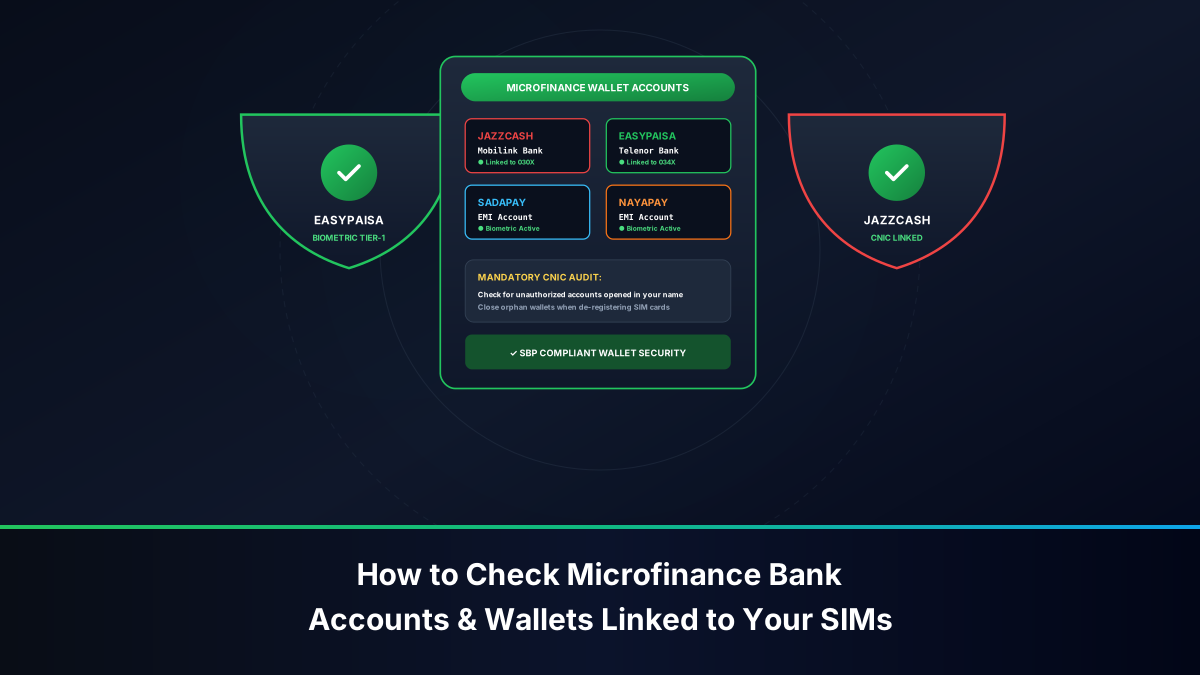
In Pakistan's telecom ecosystem, identity theft frequently manifests through unauthorized ghost SIM cards issued under an innocent citizen's Computerized National Identity Card (CNIC).
Unscrupulous third parties acquire biometric data through compromised retail kiosks and register active SIM cards without the CNIC holder's knowledge. These rogue numbers are then deployed to set up disposable WhatsApp accounts used for:
- Publishing illicit content, defamatory material, or extremist propaganda across WhatsApp groups.
- Running fraudulent lottery, BISP, or financial extortion schemes.
- Operating black-market narcotics delivery or illegal hawala/hundi communication rings.
When victims report these crimes to the FIA Cyber Crime Wing, federal investigators subpoena the telecom carrier to discover the legal owner of the line. The investigation leads directly to the innocent citizen whose CNIC was fraudulently exploited, exposing them to criminal interrogation and legal jeopardy under PECA 2016 until their innocence is proven.
The Impenetrable Defense: WhatsApp Two-Step Verification (2FA)
While the vulnerabilities inherent in GSM signaling and SIM recycling are structural, Meta provides an extraordinary, cryptographic countermeasure that completely neutralizes both SIM swap attacks and recycled number takeovers: Two-Step Verification (2FA).
Why a 6-Digit Cryptographic PIN Halts SIM Swappers
Two-Step Verification decouples your WhatsApp account authorization from sole reliance on your cellular carrier. When 2FA is activated, WhatsApp introduces an independent, client-side secret: a 6-digit Master PIN known exclusively to you.
Here is what happens when an attacker executes a successful SIM swap against a target with 2FA enabled:
- The attacker obtains the duplicate SIM card and intercepts the SMS OTP.
- The attacker inputs the 6-digit SMS OTP into WhatsApp. The network validation passes.
- The Cryptographic Barrier: Before provisioning the account, WhatsApp's client application displays an impassable secondary security prompt: "Enter your Two-Step Verification PIN."
- Because the PIN is stored hashed in WhatsApp's secure cloud directory and known only to the victim's memory, the attacker cannot guess it. Multiple incorrect attempts trigger an exponential lockout timer.
- The Attack Fails: The attacker cannot access your account, cannot view your group memberships, and cannot send impersonation messages to your contacts. Your WhatsApp account remains completely secure while you work to reclaim your cellular line.
Step-by-Step Configuration Guide on Android and iOS
Activating Two-Step Verification requires less than 90 seconds. Follow these definitive steps immediately on your smartphone:
- Open WhatsApp on your mobile device.
- Access settings:
- On Android: Tap the three vertical dots in the upper-right corner and select Settings.
- On iPhone: Tap the Settings gear icon in the bottom-right navigation bar.
- Tap on Account > select Two-step verification.
- Tap the Turn on button at the bottom of the display.
- Create a Secret 6-Digit PIN: Enter a memorable 6-digit numeric combination. Crucial: Avoid obvious sequences such as your birth year (1990), vehicle registration number, or consecutive digits (123456). Re-enter the PIN to confirm.
- Bind a Secure Recovery Email: Enter a private email address that is itself protected by hardware 2FA (such as Google Authenticator). This recovery email allows you to reset your PIN if you forget it.
- Tap Done. Your WhatsApp account is now cryptographically shielded against telecom-level hijacking.
Securing WhatsApp Web & Multi-Device Sessions
Under WhatsApp's modern multi-device architecture, up to four companion devices (Windows PC, Mac, iPad, or web browsers) can maintain persistent, independent cryptographic sessions without requiring the primary smartphone to remain online. While exceptionally convenient, this architecture presents a serious physical security risk if left unmonitored:
- Session Hijacking via Visual QR Code: If an acquaintance or coworker gains physical access to your unlocked phone for merely 15 seconds, they can open WhatsApp, navigate to Linked Devices > Link a Device, scan a QR code on their laptop, and mirror your private chats indefinitely.
- Biometric Pairing Enforcement: Ensure your phone's operating system enforces biometric authentication (Fingerprint or Face ID) before allowing any new device pairing under WhatsApp settings.
- Regular Session Audits: Open WhatsApp > tap Linked Devices. Review every listed session. If you observe an unfamiliar operating system (e.g., "Windows - Active 3 hours ago" when you only use a MacBook) or an unknown city location, immediately tap that session and select Log Out.
Emergency Crisis Protocol: What to Do If Your WhatsApp Is Hijacked
If you discover that your phone suddenly loses network connectivity, or your WhatsApp displays the alert: "Your phone number is no longer registered with WhatsApp on this phone," you must execute this rapid 3-phase crisis response protocol:
Phase 1: Immediate SIM Card Deactivation via Operator Helplines
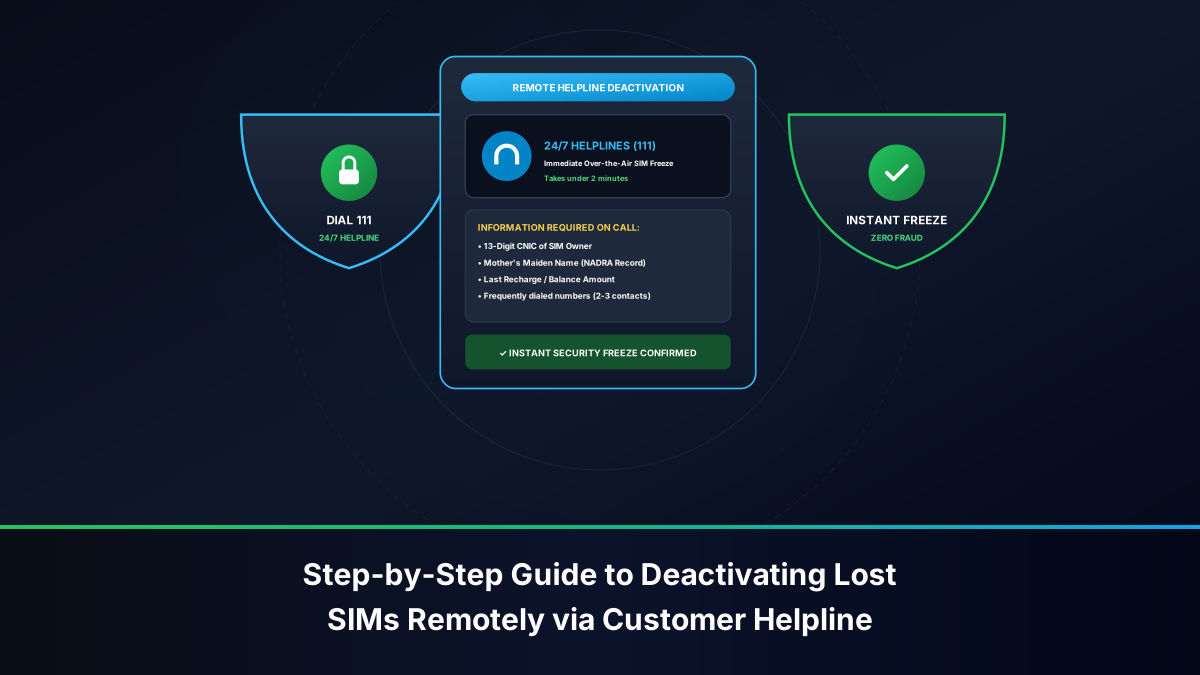
Do not waste time trying to reinstall WhatsApp. The adversary currently controls your cellular identity. Borrow a family member's phone and call your cellular network's emergency helpline immediately:
- Jazz / Warid: Dial
111-300-300or111from a Jazz number. - Zong (CMPak): Dial
051-111-222-111or310from a Zong number. - Telenor Pakistan: Dial
042-111-345-100or345from a Telenor number. - Ufone 4G: Dial
033-111-333-100or333from a Ufone number. - Action: Authenticate your identity with the customer care officer (provide your CNIC number, mother's maiden name, and date of birth), declare that your line has suffered an unauthorized SIM swap, and demand an Immediate Outbound & Inbound Cellular Freeze. This halts all SMS OTP deliveries to the attacker.
Phase 2: Formal Emergency Deactivation via WhatsApp Support
To evict the attacker from your WhatsApp session even before your SIM card is physically recovered:
- Compose an urgent email addressed to official WhatsApp Support:
support@whatsapp.com. - Set the Subject Line to: Lost/Stolen: Please deactivate my account.
- In the body of the email, write: "My mobile phone number has been compromised via an unauthorized SIM swap. Please immediately deactivate my WhatsApp account. My phone number in full international format is: +923XXXXXXXXX."
- WhatsApp's automated security gateway will process the request, immediately terminate all active sessions globally, and place the account into a 30-day dormant state pending re-verification by the legitimate owner.
Phase 3: Biometric SIM Re-issuance & Account Reclaiming
Visit an official corporate Customer Service Center (CSC) of your cellular provider with your original physical CNIC. Submit your biometrics on the NADRA BVS scanner and obtain a fresh physical SIM card. Once the new SIM registers on your smartphone:
- Reinstall WhatsApp and input your phone number.
- Verify the 6-digit SMS OTP delivered to your reclaimed SIM card.
- Once you enter the OTP, the attacker's rogue session is permanently terminated.
- Immediately configure Two-Step Verification with a new 6-digit PIN.
Legal Repercussions for WhatsApp & SIM Hijackers under PECA 2016
Under Pakistani law, hijacking a citizen's WhatsApp account or executing a fraudulent SIM swap is not a minor prank; it constitutes a major federal cybercrime prosecuted by the Federal Investigation Agency (FIA) Cyber Crime Wing / NCCIA under the Prevention of Electronic Crimes Act (PECA 2016):
- Section 3 & 4 (Unauthorized Access to Information System): Punishable by up to 3 years imprisonment and fines up to PKR 1,000,000.
- Section 13 (Electronic Forgery): Creating forged CNICs or biometric replicas carries up to 7 years imprisonment and fines up to PKR 5,000,000.
- Section 14 (Electronic Fraud): Using a hijacked WhatsApp account to solicit money or deceive contacts carries up to 4 years imprisonment.
- Section 20 (Offenses Against Dignity of Natural Person): Distributing private personal photos or defamatory material extracted from a compromised account carries up to 5 years imprisonment and severe fines.
Comprehensive Matrix: Attack Vectors, Impacts & Defenses
The operational matrix below summarizes the primary attack vectors targeting WhatsApp through the cellular telecommunications layer, detailing their technical impact and decisive defensive controls:
| Attack Vector | Vulnerability Exploited | Potential Damage | Decisive Defensive Control |
|---|---|---|---|
| SIM Swap Fraud | Corrupt franchise kiosks, biometric bypass, social engineering. | Total takeover of active WhatsApp account and contact impersonation. | Enable WhatsApp 2FA PIN; freeze line instantly via operator helpline. |
| Recycled SIM Reissuance | PTA 180-day inactivity rule; orphaned WhatsApp accounts. | New SIM purchaser receives your group invites and incoming personal messages. | Delete WhatsApp Account before discarding SIM; keep SIM active via periodic recharges. |
| Ghost SIM on CNIC | Unauthorized BVS registration using stolen identity documents. | Your CNIC is implicated in cybercrime, extortion, or terrorist financing. | Audit CNIC monthly via SMS 668; permanently block rogue SIMs at franchise. |
| WhatsApp Web Hijacking | Physical access to unlocked smartphone; scanning malicious QR code. | Silent, continuous surveillance of real-time incoming and outgoing chats. | Review Linked Devices weekly; enforce biometric app lock on WhatsApp. |
Frequently Asked Questions
Review comprehensive answers to critical technical and legal questions concerning WhatsApp account security, SIM ownership, and mobile identity protection in Pakistan.