The Engineering Behind USSD: How Cellular Supplementary Services Operate
In modern cellular telecommunications across Pakistan, Unstructured Supplementary Service Data (USSD) remains one of the most vital, resilient, and ubiquitous signaling technologies in existence. Unlike rich mobile applications that necessitate active 4G/5G mobile data or Wi-Fi connectivity, USSD communicates directly through the core Signaling System No. 7 (SS7) and Mobile Application Part (MAP) control plane of GSM, UMTS, and LTE networks. This architectural separation allows USSD codes to function even when a subscriber has zero prepaid account balance, exhausted data bundles, or throttled EDGE connectivity in remote regions of Balochistan, Gilgit-Baltistan, or rural Sindh.
When a user dials a string beginning with an asterisk (*) and concluding with a hash symbol (#), such as *99# or *336#, the smartphone's baseband processor recognizes the sequence as an MMI (Man-Machine Interface) Supplementary Service command rather than a standard voice call. The device bypasses audio routing circuits and dispatches a MAP_PROCESS_UNSTRUCTURED_SS_REQUEST message directly across the radio signaling channel to the local Base Transceiver Station (BTS) and Mobile Switching Center (MSC).
From the MSC, the request routes directly to the operator's central Home Location Register (HLR) and designated USSD Gateway. The gateway opens a persistent, bidirectional, real-time session between the handset and the carrier's back-end billing engines, subscriber databases, and service nodes. Because USSD is session-oriented (holding an active communication channel for up to 30 to 60 seconds) rather than store-and-forward like SMS, it allows rapid, interactive multi-level navigational menus with latency times measured in milliseconds.
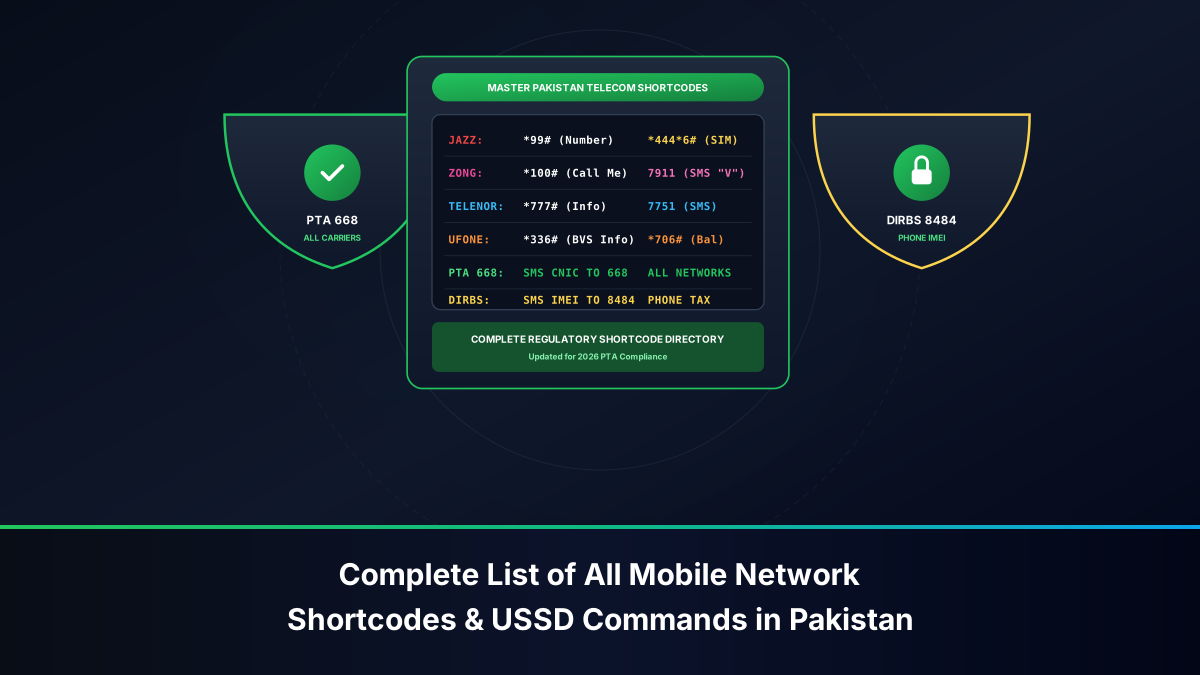
Master USSD & SMS Verification Shortcodes Table: All Pakistani Networks
Below is the authoritative master reference table categorizing all essential subscriber inquiry strings, number identification codes, balance checks, and regulatory verification channels across Jazz (including legacy Warid), Zong 4G (CMPak), Telenor Pakistan, Ufone 4G (PTCL), and national regulatory platforms established by the Pakistan Telecommunication Authority (PTA).
| Service Requirement | Jazz / Warid | Zong 4G | Telenor Pakistan | Ufone 4G | PTA / National |
|---|---|---|---|---|---|
| Check Own Mobile Number | *99# |
*8# or *100# |
Send blank SMS to 7421 |
*888# |
Dial from device |
| Check Registered CNIC | Send CNIC to 300 |
Send V to 7911 |
Send blank SMS to 7711 |
*336*1# |
SMS CNIC to 668 |
| Main Service / Master Menu | *111# |
*310# |
*345# |
*336# |
N/A |
| Prepaid Balance Check | *111# (PKR 0.24) |
*222# (PKR 0.24) |
*444# (PKR 0.24) |
*124# (PKR 0.12) |
N/A |
| Remaining Data / MBs Check | *117*4*2# |
*102# (Press 4) |
*999# |
*706# |
N/A |
| Advance / Emergency Balance | *112# |
*911# |
*0# |
*456# |
N/A |
| Balance Share to Other SIM | *100*Num*Amount# |
*828*Num*Amount# |
*1*1*Num*Amount# |
*828*Num*Amount# |
N/A |
| 4G SIM & VoLTE Eligibility | *443*7# |
*46# |
App / Helpline | Send SIM to 222 |
N/A |
| Mobile Number Portability (MNP) | Send MNP to 667 |
Send MNP to 667 |
Send MNP to 667 |
Send MNP to 667 |
Central 667 Gateway |
| PTA DIRBS Handset IMEI Check | Dial *#06# |
Dial *#06# |
Dial *#06# |
Dial *#06# |
Send IMEI to 8484 |
| Customer Care Helpline | 111 |
310 |
345 |
333 |
PTA Consumer: 0800-55055 |
Jazz & Warid USSD Ecosystem: Subscriber Verification, Bundles & Service Codes
As Pakistan's largest telecommunications operator boasting over 70 million subscribers, Jazz (Pakistan Mobile Communications Limited - PMCL) maintains an extensive, deeply integrated USSD architecture that incorporates legacy Warid Telecom dialing ranges.
Primary Operational Shortcodes for Jazz Subscribers
Jazz users utilize distinct hierarchical USSD roots to interact with specific intelligent network billing nodes:
- Own MSISDN Inquiry (
*99#): Dialing*99#immediately initiates an unbilled HLR read command, rendering the active cellular phone number on the handset display within 1 to 2 seconds. This string functions without requiring positive airtime balance. - Main Subscriber Portal (
*111#): The primary command string that returns the current available account balance, validity expiration timestamp, and tier classification. Note that dialing*111#incurs a nominal fee of approximately PKR 0.20 + tax under standard tariff rules. - Emergency Advance Airtime (
*112#): When balance drops below PKR 15, subscribers can dial*112#to receive an instant emergency advance of PKR 30 to PKR 60, automatically recovered alongside service charges on the subsequent airtime recharge. - Data Bundle Inventory (
*117*4*2#): Provides an immediate, itemized breakdown of remaining high-speed 4G data volume, categorized by on-net social allocations (WhatsApp, YouTube) and general flat internet volume. - Jazz Balance In-App Lock (
*275#): Known as Jazz Doosra Balance Saver, dialing*275#locks your primary monetary balance from being consumed by background internet data leakage when your active bundle quota expires. - JazzCash Financial Interface (
*786#): Connects directly to the Mobilink Microfinance Bank branchless banking ledger, enabling money transfers, bill payments, and Raast routing directly via USSD without internet data.
Jazz CNIC & Number Verification Architecture via USSD/SMS
To inspect registration and verify that the SIM card matches your identity records:
- Compose a standard text message with the word "CNIC" or leave the body blank.
- Transmit the SMS to shortcode
300. - The Jazz automated messaging server will return an SMS specifying the masked CNIC (e.g.,
35201-XXXXXXX-1) and the registered subscriber name recorded in the PMD clearinghouse. - To verify 4G SIM upgrade compatibility, dial
*443*7#. If your SIM card is legacy 3G/2G silicon, the network will instruct you to visit an Experience Center to replace it with a 64K/128K USIM card.
Zong 4G (CMPak) USSD & Shortcode Ecosystem
Operated by China Mobile Pakistan, Zong 4G provides a highly structured USSD menu designed around high-capacity data subscribers and international roaming customers.
Core Menu Strings and Interactive Service Portals on Zong
The Zong network uses *310# and *100# as its foundational customer service gateways:
- Display Own MSISDN (
*8#): The fastest method to retrieve your active Zong phone number. Dial*8#, and the baseband processor will instantly display your MSISDN on screen. (Alternatively,*100#delivers an interactive diagnostic menu containing your number). - Zong Main Interactive Menu (
*310#): The master gateway providing self-service navigation for bundle subscriptions, caller ring-back tunes, international roaming passes, and language preferences (English, Urdu, Pashto, Chinese). - Balance Inquiry String (
*222#): Queries the Online Charging System (OCS) for remaining credit. Cost is PKR 0.20 + tax per execution. - Comprehensive Resource Status (
*102#): The universal usage query. Dialing*102#prompts a dynamic menu: Press1for summary,2for free minutes,3for SMS allocations, and4for mobile data MBs. - Yaari Load / Balance Share (
*828#): Syntax is*828*RecipientNumber*Amount#. Transmits airtime between active Zong prepaid subscribers. - Zong Emergency Loan (
*911#): Advances emergency balance to active prepaid subscribers who have completed at least 90 days on the network.
Zong 7911 SMS Protocol for Ownership Confirmation
Zong operates one of the most reliable and transparent SMS-based identity confirmation pathways in the country:
- Open your phone's SMS application.
- Type the single letter
V(or send a blank text message). - Send the message to shortcode
7911. - Within seconds, the Zong core system responds with an authoritative SMS stating: "Dear Customer, this number 031XXXXXXXX is registered against CNIC: 3XXXXXXXXXXXX. Date of activation: DD-MM-YYYY."
- If this CNIC does not match your personal card, the SIM is not legally yours and cannot be recovered if lost.
Telenor Pakistan USSD & Subscriber Identity Shortcodes
Known for pioneering branchless mobile banking with Easypaisa, Telenor Pakistan provides a clear USSD hierarchy rooted around the *345# and *7711# command suites.
Essential USSD Command Strings for Telenor
- Master Self-Service Gateway (
*345#): Telenor's primary interactive USSD tree. Allows users to configure smart tunes, subscribe to regional 4G bundles, request call history statements, and activate internet bundles. - Balance Check String (
*444#): Sends a real-time inquiry to the billing node, returning current balance and validity on screen. Nominal charge of PKR 0.24 applies. - Remaining Data Volume (
*999#): Instantly returns remaining day, night, and social internet volume in megabytes. - Telenor Emergency Loan (
*0#): Delivers an emergency balance advance (PKR 30) directly to the phone when credit is exhausted. - Easypaisa USSD Financial Portal (
*786#): Dialing*786#from an on-net Telenor SIM card opens the Easypaisa branchless banking interface, enabling transfers across all Pakistani banks and billers without internet connectivity.
The 7421 and 7711 Ownership Verification Pathways
Telenor offers two distinct verification shortcodes depending on whether you need your MSISDN or your legal CNIC binding:
- Number Lookup via 7421: Send an empty SMS to
7421. The automated carrier system replies with an SMS displaying your exact 11-digit mobile number. This service is exceptionally useful when setting up an unfamiliar phone or recovered SIM card. - CNIC Registration Lookup via 7711: Send a blank SMS or your 13-digit CNIC to
7711. The network returns the registered owner's CNIC and SIM registration category, allowing you to cross-verify compliance with your physical identity card.
Ufone 4G (PTCL Group) Comprehensive USSD Directory
Ufone 4G (Pak Telecom Mobile Limited - PTML) utilizes a streamlined USSD tree anchored heavily around the universal *336# menu, which integrates customer services, VAS management, and regulatory compliance into a unified interface.
The *336# Multi-Tier Service Architecture
Dialing *336# opens Ufone's master menu, but advanced users can bypass navigation prompts using direct deep-link sub-strings:
*336*1#(Registration Status): Directly accesses the subscriber registration and CNIC verification module without navigating menu prompts.*336*2#(Tariff Information): Returns active voice package, call rate per minute, and default charging parameters.*336*3#(VAS Deactivation Portal): The universal portal to unsubscribe from unwanted VAS (Value Added Services), caller ring-back tones, and daily content subscriptions that deduct background balance.*336*4#(Duplicate Bill & PUK): Retrieves the SIM's master PUK1 and PUK2 unlocking keys in the event of an accidental PIN lockout.
Direct Number Checking and CNIC Query Strings on Ufone
Ufone subscribers can execute direct diagnostic commands:
- Instant Number Display (
*888#): Dialing*888#prints the SIM card's assigned MSISDN phone number directly onto the device display without fee deductions. - Balance Check (
*124#): Inquires current airtime balance and expiry date (PKR 0.12 fee applies). - Free Balance Check via App: The My Ufone app provides real-time balances completely free of dialing charges.
- Remaining Bundles / Data Check (
*706#): Queries remaining SMS, voice minutes, and 4G internet MBs across all active subscriptions. - UAdvance Emergency Loan (
*456#): Grants an instant emergency airtime advance for qualifying active lines.
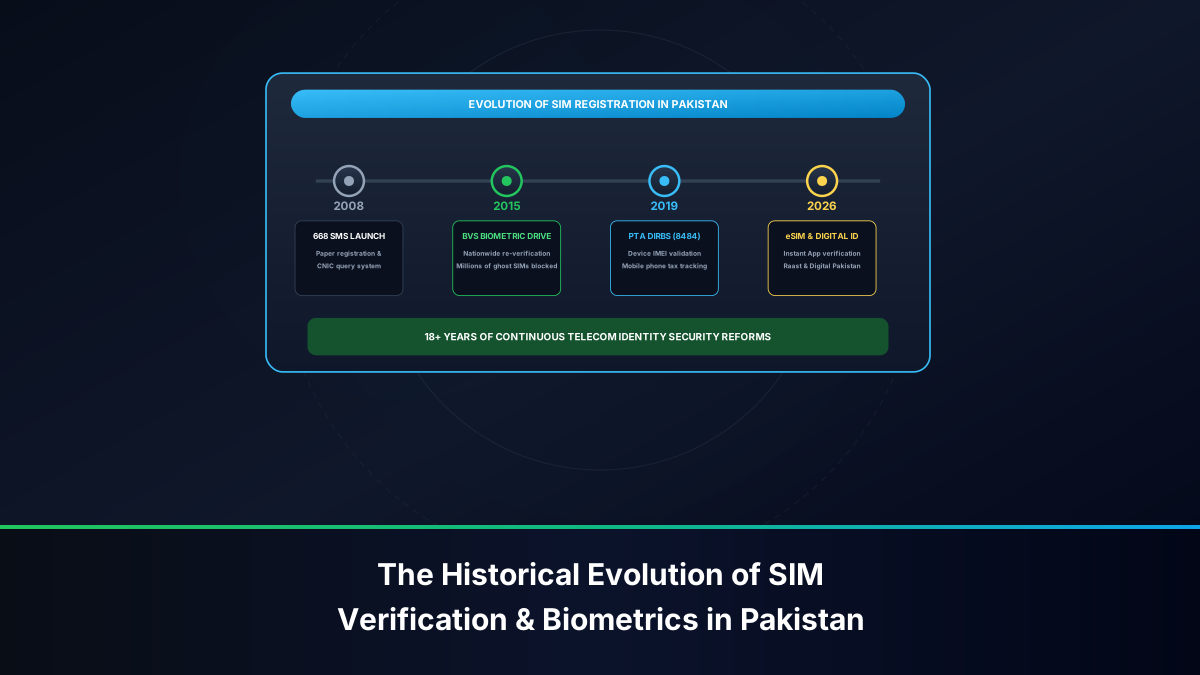
National Regulatory Shortcodes: PTA 668, DIRBS 8484 & MNP 667
Beyond individual commercial operator shortcodes, the Pakistan Telecommunication Authority (PTA) mandates three standardized, nationwide shortcodes that govern all telecommunications hardware and subscriber identities across Pakistan.
1. The 668 SIM Information System
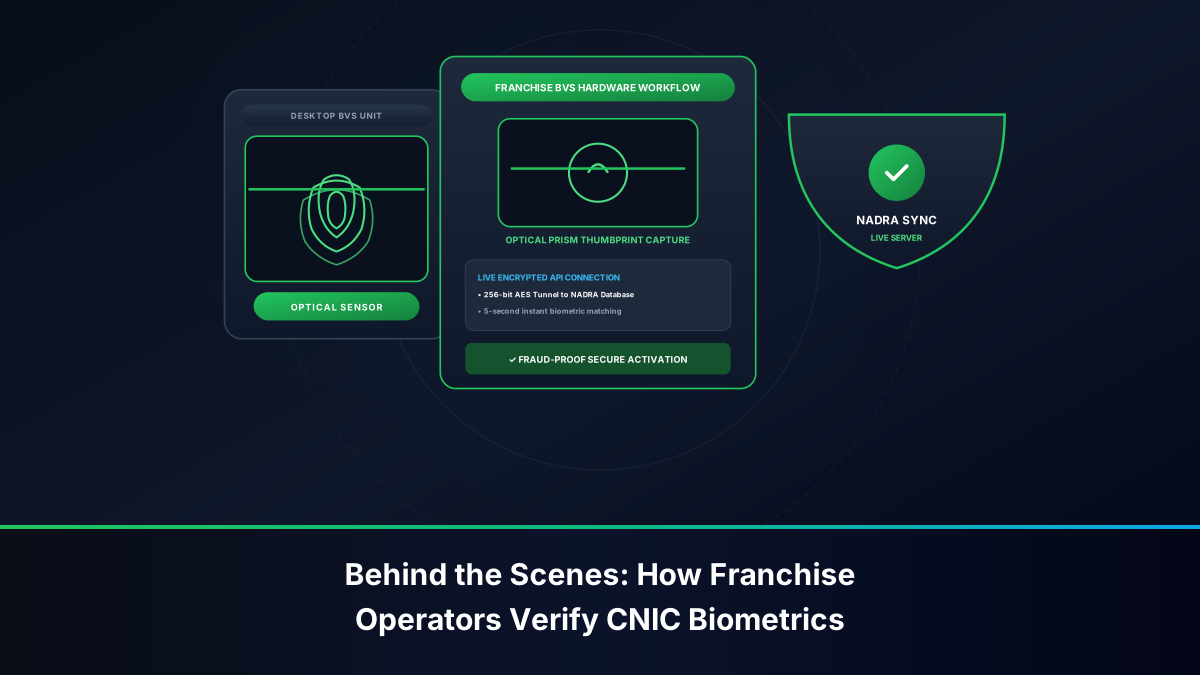
The 668 shortcode connects directly to the Pakistan Mobile Database (PMD) centralized clearinghouse. To audit how many total SIM cards are active against your CNIC:
- Compose an SMS containing your 13-digit CNIC without hyphens or spaces (e.g.,
3520212345671). - Transmit the message to shortcode
668. - You will receive an automated breakdown detailing active voice and data connections across all operators:
- Jazz: Number of active SIMs
- Zong: Number of active SIMs
- Telenor: Number of active SIMs
- Ufone: Number of active SIMs
- Total: Sum aggregate
If the count exceeds your known physical SIM cards, you must immediately visit the relevant operator franchise to deregister unauthorized lines.
2. The 8484 DIRBS Device Verification System
To curb handset smuggling and counterfeit radio hardware, PTA enforces the Device Identification Registration and Blocking System (DIRBS):
- Dial
*#06#on your smartphone keypad to display your hardware IMEI (International Mobile Equipment Identity). - Send the 15-digit IMEI number via SMS to shortcode
8484. - DIRBS evaluates the hardware against the GSMA international TAC database and returns one of four official compliance statuses: Compliant / PTA Approved, Device Valid (Customs Duty Unpaid), Non-Compliant, or Blocked (Stolen / Blacklisted by CPLC).
3. The 667 Mobile Number Portability Gateway
When switching your mobile network without changing your phone number (MNP):
- Send the text string
MNPto shortcode667. - The current operator returns an automated cryptographic text containing your subscriber name, CNIC, and unique Porting Authorization Code (PAC).
- Present this SMS alongside your Smart CNIC at the destination operator franchise to initiate network migration within 24 to 48 business hours.
Troubleshooting MMI Codes & USSD Signaling Errors
Subscribers frequently encounter sudden dialog errors when attempting to execute USSD strings. Diagnosing the radio and software layer resolves these disruptions rapidly.
Resolving 'Connection Problem or Invalid MMI Code'
This universal error message indicates that the mobile device's baseband could not establish or sustain the SS7 signaling session with the HLR. Common fixes include:
- Toggle Airplane Mode: Enable Airplane Mode for 10 seconds and toggle it off. This forces the device to detach from the local VLR (Visitor Location Register) and establish a fresh radio resource handshake with the tower.
- Re-format with Comma Injection: If dialing a nested string like
*111#fails, append a trailing comma (which creates a 2-second programmatic pause). For example, dial*111#,by holding down the asterisk or comma key on the dialer. - Verify Prefix Characters: Ensure you did not accidentally insert spaces, hyphens, or double asterisks. Every USSD command must strictly adhere to the standardized syntax:
*[Code]#.
Dual SIM Routing Clashes and VoWiFi/VoLTE Interference
Modern 4G and 5G smartphones introduce novel signaling complications:
- Dual-SIM Primary Dialer Mismatch: In Android handsets with two active SIMs, the phone dialer may automatically route all MMI strings through SIM 1. If you are dialing Zong's
*8#on a phone where SIM 1 is Jazz, the Jazz network will reject the command as an invalid MMI code. Always verify the active dialing SIM icon before tapping the call button. - VoWiFi (Wi-Fi Calling) Disruption: Circuit-switched USSD protocols do not natively route across generic packet-switched consumer Wi-Fi internet connections unless the carrier operates a specialized IMS-to-SS7 gateway. If you receive an MMI failure while connected to home Wi-Fi, disable Wi-Fi Calling in handset settings, revert to cellular radio (LTE/3G), and retry the code.
Legal Framework & Consumer Rights Under PTA & PECA Regulations
Telecommunications signaling, shortcodes, and subscriber identity registries are governed under strict legal statutes in Pakistan. Understanding these rights and boundaries prevents inadvertent legal liability:
- Prohibition of Benami SIM Operations: Under the Pakistan Telecommunication (Re-organization) Act 1996 and PTA BVS Regulations, using an unauthorized USSD code to disguise subscriber identity or operating SIM cards registered under a stranger's CNIC constitutes a criminal offense.
- Electronic Identity Theft (PECA 2016): Under Section 16 of the Prevention of Electronic Crimes Act, harvesting or querying another citizen's CNIC or cellular subscriber records without their explicit lawful authorization carries up to 3 years imprisonment and substantial criminal fines.
- Consumer Protection Against Unsolicited VAS Deductions: PTA Consumer Protection Regulations mandate that no telecom operator may activate paid recurring Value-Added Services (VAS) via USSD without explicit two-step user confirmation (double opt-in). If balance is deducted without authorization, consumers have the legal right to demand a full refund via the PTA Consumer Grievance portal (
cms.pta.gov.pk).
Frequently Asked Questions: USSD Dialing & Telecom Shortcodes
Authoritative technical guidance and answers addressing mobile network signaling, dial codes, and regulatory identity verification in Pakistan.