Overview of Jazz & Warid Cellular Architecture in Pakistan
Jazz (Pakistan Mobile Communications Limited - PMCL) stands as the undisputed telecommunications market leader in Pakistan, delivering cellular voice, high-speed 4G/LTE, and digital financial solutions to over 75 million subscribers nationwide. Operating under the commercial umbrella of VEON, PMCL achieved massive network consolidation following its landmark regulatory merger with Warid Telecom. Today, all legacy Warid subscribers and Jazz customers utilize a single, unified telecommunication switching core, centralized Home Location Register (HLR), and consolidated Home Subscriber Server (HSS) infrastructure.
Whether you hold a premier Jazz Postpaid line, a standard prepaid connection, an enterprise business bundle, or a legacy 0321 Warid SIM, maintaining complete visibility over your cellular identity is essential. In Pakistan, cellular numbers are legally bound to your 13-digit Computerized National Identity Card (CNIC) through the National Database and Registration Authority (NADRA) Biometric Verification System (BVS). Operating a mobile line registered under an unverified third party or someone else's identity poses immense risks: you risk sudden regulatory deactivation, loss of linked JazzCash digital wallets, and severe legal liability under the Prevention of Electronic Crimes Act (PECA 2016).
This technical guide provides comprehensive, tested instructions for verifying your Jazz MSISDN, confirming your registered CNIC profile, interrogating network clearinghouses, and managing your cellular portfolio in full compliance with Pakistan Telecommunication Authority (PTA) regulations.
Method 1: Instant MSISDN Phone Number Check via USSD Code *99#
The most immediate and universally accessible protocol for retrieving your 11-digit Jazz phone number (MSISDN) is dialing the standardized carrier Unstructured Supplementary Service Data (USSD) command string *99#. Unlike web portals or smartphone applications, USSD operates directly over the fast GSM signaling channel (MAP - Mobile Application Part), bypassing packet data requirements.
Follow these operational steps to retrieve your number instantly:
- Insert SIM Card: Ensure your Jazz or Warid physical SIM card (or activated eSIM profile) is securely seated inside SIM Slot 1 or Slot 2 of your mobile handset.
- Verify Radio Registration: Confirm that your handset displays cellular network signal bars showing "Jazz", "JAZZ 4G", or "Warid" in the status tray.
- Launch Native Dialer: Open the standard phone keypad application on your smartphone or feature phone.
- Execute the USSD String: Dial
*99#and press the green Call / Send button. If using a dual-SIM smartphone, ensure you select the specific SIM slot containing the Jazz card. - Instant Screen Display: Within one to three seconds, the cellular switch queries your SIM's unique International Mobile Subscriber Identity (IMSI) and pushes an un-cached flash notification directly to your handset screen displaying:
MSISDN: 9230XXXXXXXXorYour Mobile Number is: 030XXXXXXXX.
The dialing sequence is illustrated in the quick-reference workflow below:
| Step Sequence | Subscriber Action | Handset Input | Signaling Protocol | Tariff |
|---|---|---|---|---|
| 1. Radio Lock | Check network connectivity | Signal bars visible | GSM/UMTS/LTE Handshake | Free |
| 2. USSD String | Open dialer & input code | *99# |
Direct USSD MAP String | Free |
| 3. Network Push | Read on-screen prompt | Flash message popup | HLR Record Relay | PKR 0.00 (100% Free) |
Troubleshooting Common USSD MMI Code Errors on Jazz
While *99# is engineered for near-instant execution, users occasionally encounter handset signaling errors. Here is how to diagnose and resolve them:
- "Connection problem or invalid MMI code": This standard Android/iOS error indicates that the mobile handset attempted to transmit the USSD code over an unstable or congested 4G/VoLTE signaling channel. Open your device Settings, navigate to Mobile Network, temporarily switch network mode to "2G/3G Auto", and dial
*99#again. Once the number appears, revert back to LTE/5G. - "Emergency Calls Only / No Service": If your handset cannot register on the cellular radio tower, the SIM card may be physically damaged, seated improperly, or suspended due to lack of biometric re-verification. Re-insert the card into an alternate handset to verify hardware integrity.
- Dual-SIM Confusion: On devices holding two active SIM cards (such as Jazz and Zong), Android dialers frequently default to SIM 1 without prompting. Verify in your device SIM Card Manager that the call was dispatched over the Jazz network interface.
Method 2: Comprehensive Subscriber Ownership & CNIC Lookup via SMS 667
Knowing your 11-digit mobile number is only half the battle. To guarantee that your SIM is protected against sudden regulatory blockage, you must verify that the connection is legally registered under your own 13-digit CNIC and legitimate name. Under Pakistan Telecommunication Authority guidelines, cellular operators manage an automated inquiry gateway via shortcode 667.
This service queries the carrier's secure billing database and Mobile Number Portability (MNP) clearinghouse to return authenticated ownership credentials.
Follow these exact operational steps:
- Open Text Messaging Application: Access the native SMS app on your mobile device.
- Specify Recipient Code: Enter the four-digit destination shortcode
667in the recipient box. - Compose Message Body: Type the keyword
MNPin the message body (or leave the text field completely blank; Jazz SMSC accepts both). - Transmit Message: Send the SMS from your Jazz SIM card. Ensure your prepaid account has at least PKR 2.50 airtime credit to cover the carrier signaling tariff.
- Inspect Automated Reply: Within 15 to 30 seconds, Jazz will return an official automated SMS containing four vital subscriber fields.
Decoding the 667 SMS Ownership Response Fields
The SMS response received from shortcode 667 provides critical legal data regarding your cellular contract. Review the sample output below:
Connection Number: 923001234567
Name: MUHAMMAD BILAL
CNIC: 3520112345671
Activation Date: 14-OCT-2021
Status: Biometric Verified (BVS)
The following table explains the significance of each field returned by the 667 clearinghouse:
| Data Field | Carrier Source | Legal Significance | Action if Discrepant |
|---|---|---|---|
| Connection Number | HLR / MSISDN | Your official 11-digit mobile line in international format (9230XXXXXXXX). |
Verify it matches your physical device line. |
| Name | NADRA Civil Registry | The legal citizen title registered during the biometric BVS thumbprint scan. | If this displays someone else's name, the SIM is not legally yours. |
| CNIC | NADRA National ID | The 13-digit sovereign identity number tethered to this cellular contract. | Must match your physical Smart CNIC perfectly. |
| Activation Date | Billing Activation Log | The exact calendar date when this SIM was first provisioned on the network. | Helpful for tracking warranty and SIM tenure. |
Critical Legal Notice: If theCNICorNamefield returned by 667 shows a family member, deceased relative, or an unfamiliar stranger, you are merely a possessor of the SIM, not its legal owner. In the eyes of PTA and Pakistani law enforcement (PECA 2016), the registered CNIC holder holds all statutory rights. If that individual ever disowns the connection or reports it lost, the SIM will be blocked permanently. Proceed immediately to a Jazz Customer Experience Center to initiate a legal ownership transfer.
Method 3: Auditing Ownership & Tax Profile on Jazz World App
For smartphone owners, the Jazz World (Jazz Digit) application offers a feature-rich, encrypted self-care portal. Available on both Android (Google Play Store) and iOS (Apple App Store), Jazz World allows subscribers to inspect real-time billing metrics, account ownership titles, active subscriptions, and fiscal documentation without dialing USSD codes.
Jazz World features two distinct authentication pathways:
- Cellular Data Header Enrichment (Instant Login): If your smartphone is currently browsing the internet via Jazz 4G/LTE mobile data, launch the Jazz World application. The app automatically recognizes your cellular IP address and SIM IMSI, authenticating your session instantaneously without requiring an SMS OTP or password.
- Wi-Fi Network Authentication (OTP): If your device is connected via home Wi-Fi or another internet provider, enter your 11-digit Jazz mobile number. An encrypted 4-digit SMS OTP will be dispatched to your handset. Input the code to complete multi-factor authentication.
Downloading FBR Section 236 Tax Certificates via Jazz World
In addition to viewing your account balance and remaining bundle allowances, Jazz World provides an invaluable tool for active tax filers in Pakistan. Under Section 236 of the Income Tax Ordinance 2001, telecom operators collect Advance Withholding Tax (WHT) on every prepaid recharge and postpaid invoice payment.
To inspect your registered profile and claim your annual tax adjustment with the Federal Board of Revenue (FBR):
- Tap the user profile avatar or navigation drawer in the top-left corner of Jazz World.
- Verify that the "Registered Name" matches your tax profile.
- Navigate to Tax Certificate under the settings menu.
- Select the relevant fiscal tax year (e.g., 2024-2025 or 2025-2026).
- Download the official, cryptographically signed PDF certificate. This document explicitly reflects your registered CNIC, total mobile expenditure, and total advance tax deducted, which your tax consultant can submit into the FBR IRIS e-filing portal for direct tax credits.
Method 4: Jazz Official WhatsApp Self-Care Bot (0300-3008000)
Subscribers who prefer conversational messaging can interact directly with the official Jazz WhatsApp Self-Care Bot. This automated channel is active 24/7 and provides instant account interrogation.
Follow these steps to engage the verified WhatsApp gateway:
- Save the Official Helpline: Add the official Jazz customer service contact to your smartphone directory:
+92 300 3008000(or0300-3008000). - Verify Green Badge Authenticity: Open WhatsApp and initiate a chat with the contact. Ensure the profile displays the official Green Verified Checkmark alongside the name "Jazz" to protect yourself against phishing and fraudulent impersonators.
- Initiate Chat Session: Send the message
HiorMenuto the bot. - Select Account Options: The bot will return an interactive list menu. Reply with the numerical option for "My Account Details" or "SIM & Registration Info".
- View Subscriber Summary: The bot will securely deliver your connection status, active tariff package, PUK/PIN codes for SIM unblocking, and remaining data allowances.
Biometric Re-Verification, Transfer & Replacement at Jazz Franchises
Whenever you experience severe SIM degradation, require a physical SIM upgrade to a 4G/5G Nano SIM, or discover that your SIM card is registered under an incorrect identity, digital self-care tools are insufficient. Regulatory compliance mandates physical attendance at an authorized Jazz Customer Experience Center (CEC) or primary flagship franchise.
Step-by-Step Jazz SIM Ownership Transfer Protocol
Transferring the legal title of a Jazz SIM card from one individual to another (e.g., from a parent to an adult child, or between private parties) is strictly governed by PTA Biometric Standard Operating Procedures:
- Simultaneous Attendance: Both the current registered legal owner and the prospective recipient must visit the Jazz Customer Experience Center in person. There are zero legal exceptions for remote, online, or power-of-attorney transfers.
- Mandatory Documentation: Both individuals must present their original, physical 13-digit Smart CNICs or NICOPs. The identity cards must be valid and unexpired. Laminated color photocopies or digital phone scans are summarily rejected.
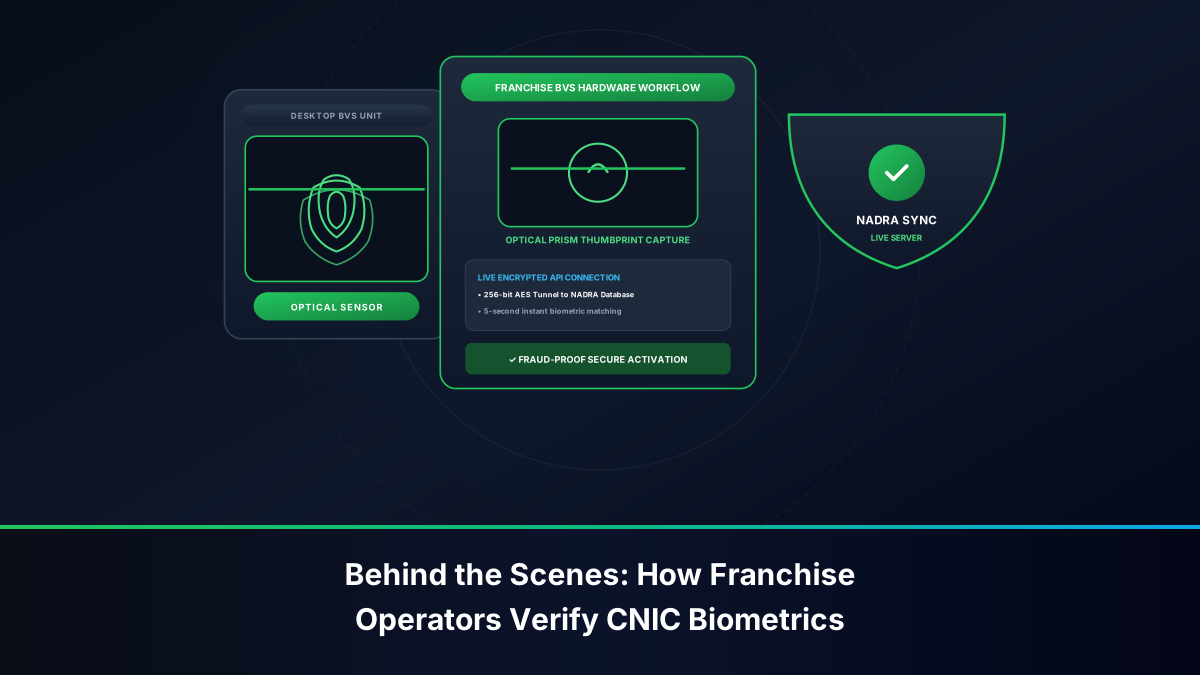
- Current Owner Biometric Release: The customer service representative logs into the secure carrier BVS console and initiates the "Change of Ownership" workflow. The existing owner places their thumb upon the NADRA-linked biometric terminal to formally authorize the release and relinquishment of the cellular line.
- Recipient Biometric Acceptance: The representative then inputs the recipient's CNIC details. The recipient places their thumb or index finger upon the scanner. NADRA's centralized automated clearinghouse matches the biometric ridges against the national citizen database in real time.
- Instant Core Re-mapping: Upon dual successful scans, the carrier's billing database immediately transfers the MSISDN contract to the new owner's profile. The entire transfer takes less than 10 minutes, and the subscriber receives an official printed, stamped transfer receipt.
Auditing How Many Total Jazz SIMs Are Registered on Your CNIC
Under PTA regulatory rules, an individual citizen may possess a maximum of 5 Voice SIMs and 3 Data SIMs across all Pakistani telecom networks. If you suspect that additional Jazz or Warid numbers have been surreptitiously activated against your CNIC by rogue retailers, execute a multi-operator clearinghouse audit:
- Step 1: Check Global Inventory via 668: Send your 13-digit CNIC without hyphens to SMS shortcode
668or check the web portal athttps://cnic.sims.pk. Note down the total number of connections reported under Jazz. - Step 2: Reconcile Physical SIMs: Count the active Jazz SIM cards in your household or business. If 668 reports Jazz: 3, but you only own 1 Jazz SIM, two ghost connections exist.
- Step 3: Obtain Full MSISDN Statement at Franchise: Proceed to a primary Jazz Customer Experience Center. Present your original Smart CNIC and complete live BVS thumbprint verification. Demand a complete printed MSISDN Account Statement. Under PTA regulations, customer service representatives are legally required to furnish this document.
- Step 4: Execute Biometric Disowning: Highlight the unrecognized 11-digit numbers and submit a formal SIM Disowning Undertaking. The representative will execute a final biometric scan, immediately severing the rogue SIM from the cellular switch at zero cost to you.
Securing Linked JazzCash Wallets Against SIM Swap Fraud
In Pakistan's digital economy, your Jazz cellular connection acts as the primary biometric authentication key for your JazzCash branchless banking wallet. If your Jazz SIM card is stolen, lost, or subjected to unauthorized SIM swapping, cybercriminals can compromise your personal savings within minutes.
Follow these mandatory security practices:
- Immediate Emergency Helpline Suspension: If your mobile handset containing an active Jazz SIM is lost or snatched, immediately dial 111 (from another Jazz number) or 042-111-300-300 (from any phone). Request an immediate "Emergency Lost SIM Barring" to deactivate outgoing calls, incoming SMS, and mobile data instantly.
- Freeze JazzCash Wallet: Dial the dedicated JazzCash Fraud Hotline at 4444 (from Jazz) or 021-111-124-444 (from non-Jazz numbers). Instruct the fraud specialist to freeze your mobile wallet account pending biometric SIM replacement.
- The 24-Hour PTA Financial Lockout Rule: Under PTA and State Bank of Pakistan (SBP) cybersecurity mandates, whenever a SIM card replacement (SIM Swap) is executed at a franchise, all mobile financial transactions (SMS banking OTPs, JazzCash/EasyPaisa logins) are placed under a mandatory 24-hour cooling-off freeze. This essential regulatory safeguard prevents fraudsters from draining funds even if they fraudulently obtain a duplicate SIM.
Comparison Matrix: *99# vs. 667 SMS vs. Jazz World vs. Franchise BVS
The following detailed matrix compares the four primary methods for checking Jazz numbers and auditing registration status:
| Feature / Capability | USSD Code *99# | SMS Gateway 667 | Jazz World Mobile App | Franchise / Customer Center |
|---|---|---|---|---|
| Primary Purpose | Instant phone number check | Verify registered CNIC & name | Manage account & tax certificates | Ownership transfer & disowning |
| Cost / Tariff | 100% Free of charge | ~PKR 2.50 + tax per SMS | Free (uses standard data) | Free for audit & disowning |
| Prepaid Balance Required | No (works with PKR 0.00) | Yes (minimum PKR 2.50) | No (free on Jazz Data) | No |
| Data Returned | 11-Digit MSISDN only | Number, Name, CNIC, Date | Full profile, tax, active VAS | Complete historical MSISDN list |
| Hardware Compatibility | All handsets (2G to 5G) | All handsets (2G to 5G) | Android / iOS Smartphones | In-person physical attendance |
| Offline Capability | Yes (Cellular signal only) | Yes (SMS signaling only) | No (Internet connection required) | N/A (Requires physical visit) |
| Actionable Resolutions | Information discovery only | Information discovery only | Package management, tax receipts | Execute legal transfers & blocks |