Telenor Pakistan Subscriber Identity Architecture & Regulatory Framework
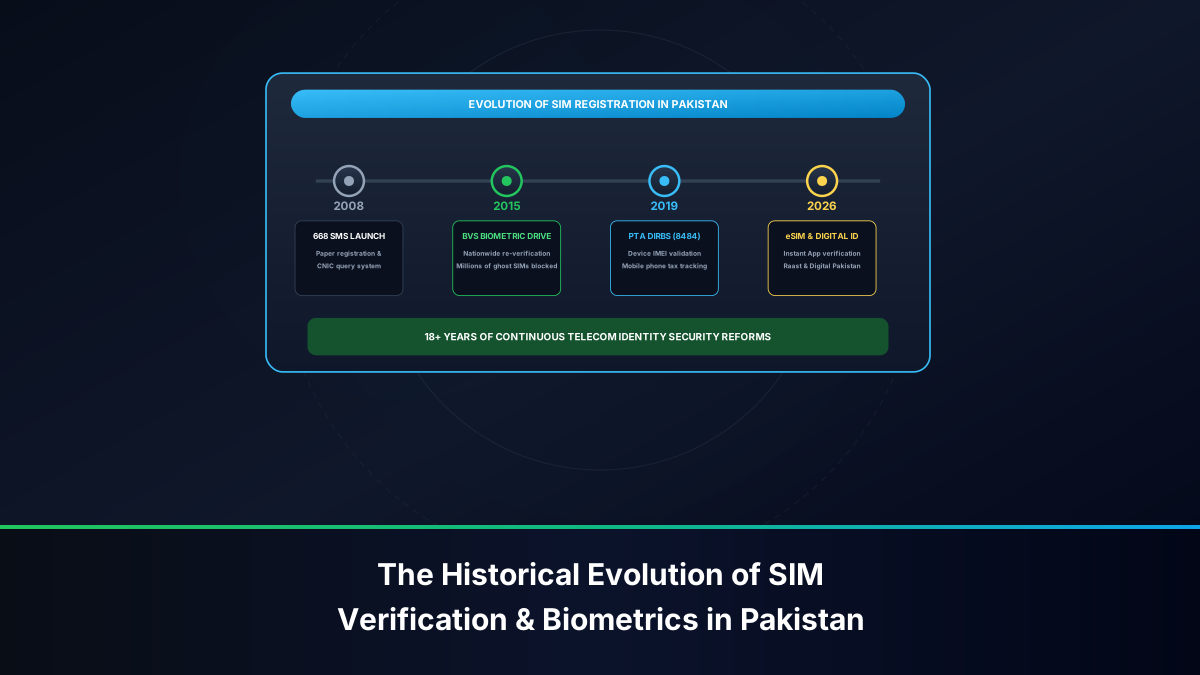
Operating under the cellular dialing prefixes 0340, 0341, 0342, 0343, 0344, 0345, 0346, 0347, 0348, and 0349, Telenor Pakistan serves tens of millions of mobile subscribers spanning metropolitan centers, industrial zones, and rural agrarian communities. Under the oversight of the Pakistan Telecommunication Authority (PTA) and in technical partnership with the National Database and Registration Authority (NADRA), all cellular lines deployed by Telenor are tied via multi-fingerprint biometrics to a verified 13-digit Computerized National Identity Card (CNIC).
The regulatory foundation governing cellular identity is anchored in the Pakistan Telecommunication (Re-organization) Act 1996, alongside the strict cyber security enforcement mandates of the Prevention of Electronic Crimes Act (PECA 2016). Anonymous mobile telephony is strictly illegal in Pakistan. Every prepaid subscription, postpaid corporate account, and 4G Mobile Broadband (MBB) wireless dongle must resolve to an authentic citizen, resident alien, or registered overseas Pakistani.
Despite these safeguards, millions of legacy SIM cards in Pakistan remain in daily use under names belonging to parents, spouses, deceased relatives, former employers, or third-party shop vendors. Verifying the exact registered owner name and CNIC associated with your Telenor connection is not merely a technical curiosity—it is a critical safeguard for your financial security, civil liability, and mobile connectivity.
Regulatory Caution: Under PECA 2016 Section 13 and Section 14, the registered owner whose CNIC is tied to a cellular line is held prima facie accountable for all voice calls, SMS transmissions, digital financial transactions, and social media authorizations originating from that connection. Regularly inspecting your SIM ownership protects you against legal entanglements.
Why Verifying Telenor SIM Owner Name and CNIC Is Legally Essential
In Pakistan's rapidly expanding digital ecosystem, a mobile phone number serves as a primary identity credential rather than just a voice communication pipeline. Ensuring that your Telenor connection is registered in your personal name is critical for several key reasons:
Easypaisa & Raast Digital Banking Biometric Identity Lock
Easypaisa, founded as a partnership between Telenor Pakistan and Tameer Microfinance Bank, is Pakistan's leading branchless banking platform. Under strict State Bank of Pakistan (SBP) Branchless Banking Regulations, every mobile wallet must enforce strict 1:1 biometric identity binding between the citizen's CNIC and the SIM card's Home Location Register (HLR) profile:
- If you attempt to open or level-up an Easypaisa wallet using a Telenor SIM registered under another individual's CNIC, the system will flag an identity mismatch and reject the application.
- The Raast Instant Payment System, Pakistan's national retail payments gateway developed by SBP, utilizes your mobile number as your primary financial alias. Discrepancies between your CNIC and your SIM registration prevent commercial banks (such as HBL, Meezan Bank, Bank Alfalah, and Allied Bank) from routing instant interbank funds.
- In cases of handset theft, an unregistered user cannot authorize fraud locks or recover two-factor authentication (2FA) codes without the registered owner physically appearing at an authorized customer care center.
PECA 2016 Legal Liability and Defense Against Cybercrime
If a mobile number registered under your CNIC is utilized to execute financial fraud (such as fake Benazir Income Support Programme lottery schemes, banking OTP phishing, or harassment), the Federal Investigation Agency (FIA) Cyber Crime Wing issues investigative summonses directly to the CNIC holder recorded in the PTA central registry. Auditing your Telenor subscriptions guarantees that you are not inadvertently harboring rogue connections deployed without your authorization.
Withholding Tax Reclaim via FBR Iris (Section 236)
Under Section 236 of the Income Tax Ordinance 2001, advance withholding tax is automatically levied on all cellular mobile recharges and postpaid bills. Registered active taxpayers filing their annual income tax returns on the Federal Board of Revenue (FBR) Iris portal can reclaim this deducted tax. However, the FBR system cross-references the telecom withholding statement against your National Tax Number (NTN) and CNIC. If your Telenor SIM is registered to someone else, you forfeit your legal right to reclaim these prepaid taxes.
Method 1: Instant MSISDN and Identity Retrieval via USSD (*7711# & *8888#)
For immediate discovery of your active Telenor mobile number without incurring service fees or requiring mobile data, Telenor operates specialized Unstructured Supplementary Service Data (USSD) signaling strings.
Navigating the *7711# Customer Lifecycle Menu
The *7711# code is Telenor's dedicated subscriber lifecycle management channel:
- Launch the native phone dialer on your mobile device.
- Ensure that your outgoing call setting is directed through your physical Telenor SIM slot.
- Dial *7711# and press the green Call button.
- An interactive signaling session will establish with Telenor's core network. An on-screen pop-up displays several self-service options.
- Select the option for SIM Information / Number Check.
- Your complete 11-digit mobile subscriber number (MSISDN) is rendered directly on your screen.
Operational Advantages: This USSD handshake communicates directly with the Visitor Location Register (VLR) over cellular signaling channels. It functions with PKR 0.00 account balance, requires no data plan, and operates reliably on vintage 2G feature phones as well as modern 5G smartphones.
Using *8888# for Rapid Number Display
As a secondary zero-balance diagnostic channel, subscribers can dial *8888#. On compatible SIM profiles and regional network nodes, this string immediately returns the active MSISDN in a single flash pop-up, bypassing secondary interactive sub-menus.
Method 2: Querying Phone Number & Registration via SMS to 7421
When visual USSD pop-ups are interrupted by system timeouts or accessibility constraints, Telenor's proprietary 7421 SMS service provides a dependable alternative by delivering connection records via text message.
Executing the 7421 Blank SMS Information Service
To query your connection details through 7421:
- Open your mobile phone's native SMS messaging app.
- Create a new outgoing message addressed to recipient shortcode 7421.
- Leave the text composition field entirely blank. If your smartphone keyboard or messaging software prohibits dispatching empty messages, enter a single space character or type the letter
A. - Transmit the message from your Telenor SIM.
- Within 15 to 30 seconds, Telenor's automated short message center (SMSC) returns an automated reply stating your active 11-digit mobile phone number and active subscription category.
Carrier Billing, Balance Thresholds, and Dual-SIM Routing
Unlike USSD queries, shortcode 7421 is a premium carrier service. Querying this shortcode incurs a transmission fee of approximately PKR 1.50 plus applicable tax. Your prepaid account must maintain a minimum balance of at least PKR 3.00 for the SMS to dispatch successfully. On dual-SIM devices, confirm in your SIM Manager settings that Telenor is designated as the active sending SIM to avoid sending the SMS through another carrier's gateway.
Method 3: Discovering MSISDN Credentials via SMS Shortcode 7751
Another specialized self-service gateway managed by Telenor Pakistan is shortcode 7751. This channel is primarily configured to assist subscribers who need automated confirmation of their registered MSISDN.
The 7751 'MNP' Query Protocol
- Open your SMS composition window.
- Enter 7751 as the recipient shortcode.
- Type MNP in the message body.
- Send the message from your active Telenor line.
- Telenor's mediation platform queries the local subscriber registry and returns an automated SMS specifying your 11-digit phone number and network status.
Technical Utility: Shortcode 7751 is especially valuable when 7421 experiences transient maintenance windows or network congestion during peak holiday periods.
Method 4: Authoritative Legal Profile Verification via National MNP Shortcode 667
While 7421 and 7751 confirm the phone number itself, they do not disclose the citizen's full legal name or national identity details. To access the complete legal profile registered to the SIM, subscribers must query the national 667 Mobile Number Portability (MNP) clearinghouse shortcode.
Deconstructing the 667 Subscriber Record (Name, CNIC, IMSI, Date)
The 667 service is a standardized, nationwide clearinghouse interface mandated by PTA across all licensed mobile operators in Pakistan:
- Open your SMS application.
- Address the outgoing message to shortcode 667.
- Type MNP in capital letters into the text field.
- Send the SMS from your Telenor SIM card.
Within seconds, an authoritative automated reply arrives from shortcode 667 formatted as follows:
Subscriber Name: MUHAMMAD USMAN
CNIC: 37405XXXXXXXX
IMSI: 41006XXXXXXXXXX
SIM Connection Date: 14-MAY-2018
Connection Type: PREPAID
Diagnostic Value: This record provides conclusive legal proof of ownership. The Subscriber Name represents the citizen name logged in NADRA's citizen registry. The CNIC displays the associated 13-digit national identity card number. The IMSI (International Mobile Subscriber Identity) confirms the cryptographic chip identifier burned into the UICC card, starting with Pakistan's mobile country code (410) and Telenor's network code (06). The Connection Date specifies when the line was biometrically initialized.
Overcoming Premium SMS Delivery Blocks on Android and iOS
Subscribers occasionally find that their phone displays an alert stating "Message not sent" or "Can't send message with Telenor" when texting 667. This occurs because modern Android versions (Android 12, 13, 14, and 15) classify 3-digit and 4-digit numbers as potential premium rate SMS services. To resolve this:
- Navigate to Settings > Apps > Special App Access > Premium SMS Access.
- Locate your default messaging app and set permissions to "Always Allow".
- Ensure your prepaid balance is at least PKR 3.00 to cover standard SMS transmission charges.
Method 5: Digital Account & CNIC Audit via My Telenor Mobile App
For smartphone users, the official My Telenor App (available for Android on Google Play Store and iOS on Apple App Store) offers the most detailed self-service platform for inspecting subscriber identity and billing history.
Inspecting Subscriber Name and Plan Credentials
The My Telenor app utilizes automatic cellular data detection to verify account access without manual passwords:
- Disconnect from local Wi-Fi networks and enable Telenor 4G Mobile Data.
- Launch the My Telenor application. The app detects your cellular IP address and logs you in automatically.
- Tap the profile or hamburger menu icon located in the upper-left corner of the primary dashboard.
- The screen displays the registered subscriber name, active tariff plan (e.g., Telenor Easycard, Djuice, Smart Share), primary MSISDN, and current prepaid balance.
- Navigate to the Account Details / History section to review recent recharge events, call detail records (CDR), and bundle subscriptions.
Extracting FBR Income Tax Certificates with Verified CNIC
The My Telenor app allows active tax filers to download an official tax deduction certificate carrying their full verified CNIC number:
- Open the My Telenor side navigation drawer and select Tax Certificate.
- Select the appropriate financial year (e.g., July 1 to June 30).
- Tap Download Certificate.
- The app generates a digitally signed PDF certificate detailing total withholding tax collected under Section 236. The document prominently features the registered subscriber's full legal name and 13-digit CNIC, providing official proof of ownership suitable for submission to corporate accountants or tax consultants.
Method 6: In-Person Biometric Audit at Telenor Customer Service Centers
Remote digital checks confirm details for the SIM currently inside your handset, but they cannot reveal whether someone else has fraudulently registered additional Telenor numbers against your CNIC without your knowledge. To perform an exhaustive identity audit across the entire national network, an in-person franchise visit is required.
Requesting a Full Printout of Telenor SIMs on Your CNIC
To inspect every Telenor mobile connection linked to your national identity:
- Locate an official, company-operated Telenor Customer Service Center (CSC) or authorized flagship franchise. Avoid unauthorized street corner kiosks.
- Present your original physical Smart CNIC to the customer service representative. Paper photocopies, scanned images, or laminated replicas are strictly rejected under PTA regulatory guidelines.
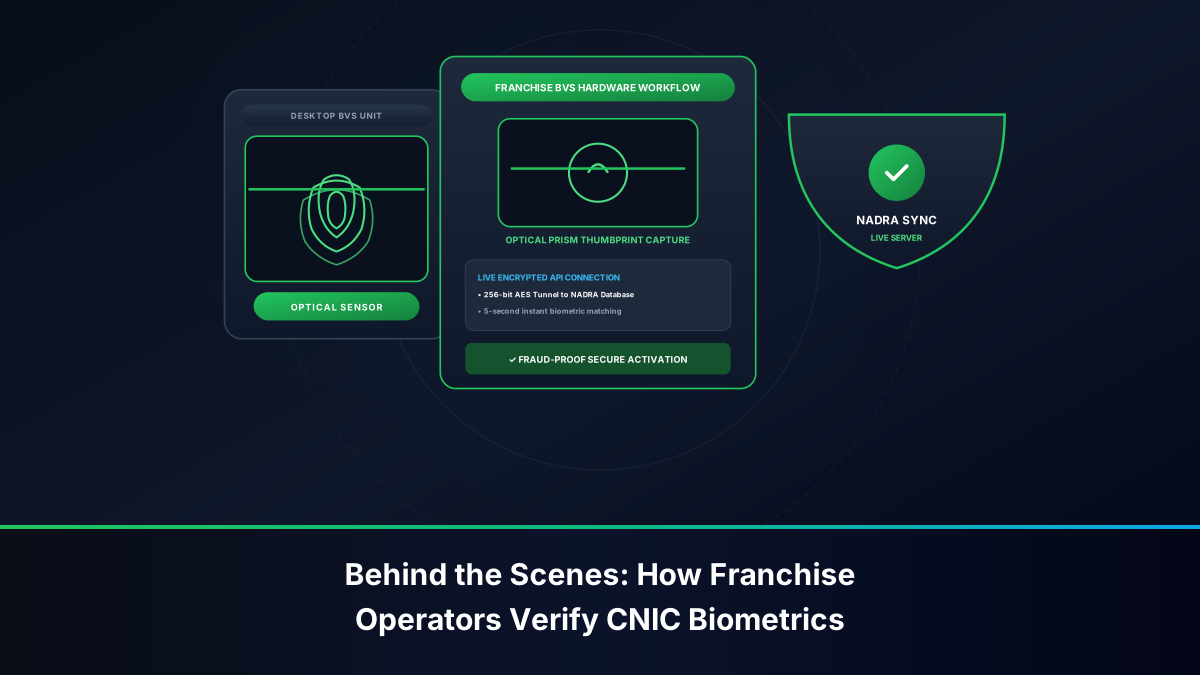
- Place your thumb or index finger upon the optical Biometric Verification System (BVS) terminal connected live to NADRA's biometric repository.
- Once authenticated, request a comprehensive CNIC Mobile Inventory Printout. The representative will print an official statement detailing all active 11-digit Telenor numbers registered against your national identity record.
Biometric SIM Disowning for Unauthorized Mobile Numbers
If the official printout reveals phone numbers that you never purchased or authorized, you must execute an immediate Biometric SIM Disowning transaction:
- Inform the franchise representative that specific numbers represent unauthorized registrations.
- Complete and sign the official PTA-mandated SIM Disowning / Cancellation Form.
- Provide a fresh biometric fingerprint scan on the BVS terminal to authenticate the cancellation request.
- The franchise operator flags the rogue numbers for immediate network termination. Telenor's Home Subscriber Server (HSS) revokes network attachment credentials, permanently decoupling the MSISDN from your CNIC within 24 hours.
- Obtain a signed, stamped copy of the disowning receipt for your personal records.
Step-by-Step Telenor SIM Ownership Transfer Workflow
If you are utilizing a Telenor SIM that is registered in a friend's, parent's, or employer's name, you must execute a legal ownership transfer to bring the connection under your personal CNIC.
Mandatory Documentation and In-Person BVS Handshake
Under PTA directives, mobile SIM ownership cannot be transferred remotely via online forms or customer care phone calls. The transfer requires an in-person biometric handshake:
- Simultaneous In-Person Presence: Both the current registered owner (transferor) and the intended new owner (transferee) must visit an authorized Telenor Customer Service Center together.
- Original Identity Documents: Both parties must carry their original, unexpired physical Smart CNICs.
- SIM Handover Verification: The active physical SIM card must be brought to the counter for hardware inspection.
- Transferor Authentication: The current owner places their thumb on the BVS terminal to authorize the release and cancellation of ownership.
- Transferee Authentication: The new owner places their thumb on the BVS terminal to verify their national identity and accept legal ownership under NADRA records.
- Issuance of New SIM Card: The customer service representative deactivates the old physical chip and issues a fresh 4G SIM card registered directly to the new owner. Standard SIM replacement fees apply (approximately PKR 100 to PKR 250).
Special Procedure: Transferring Numbers of Deceased Family Members
If the registered owner of a Telenor SIM card has passed away, legal heirs can transfer the number to prevent service disconnection:
- Visit a company-operated Telenor Customer Service Center.
- Submit an original or attested copy of the NADRA Computerized Death Certificate of the deceased subscriber.
- Provide an official Family Registration Certificate (FRC) or Succession Certificate establishing legal heirship.
- Present a written No-Objection Certificate (NOC) signed by all legal heirs authorizing the transfer to the designated applicant.
- The designated heir undergoes biometric BVS verification to assume legal title to the connection.
Troubleshooting Common Telenor Verification Failures
When verifying subscriber identity on Telenor lines, users may encounter specific technical errors. Follow these verified troubleshooting protocols:
Resolving 'Invalid MMI Code' or Connection Errors
If dialing *7711# or *8888# results in an on-screen error message such as "Connection problem or invalid MMI code":
- Toggle Airplane Mode: Turn on Airplane Mode for 10 seconds and turn it off. This forces the device to detach and re-attach to the nearest Telenor base transceiver station (BTS), refreshing the signaling channel.
- Verify Preferred Network Mode: In smartphone network settings, switch preferred network mode temporarily from 4G/LTE to 3G/2G Auto. USSD commands operate over 2G/3G signaling channels; poor LTE signaling can disrupt the USSD handshake.
- Dual-SIM Configuration: Navigate to your phone's SIM card manager and verify that Telenor is selected as the default SIM for phone calls.
What to Do if Your Active SIM Is Registered to a Stranger
If an SMS query to 667 reveals that your daily phone number is registered to an unfamiliar individual, take immediate corrective steps:
- Do not link critical financial accounts (such as Raast, Easypaisa, or commercial bank mobile banking apps) to the number.
- Attempt to identify whether the number was originally acquired through a company perk, family member, or third-party retailer.
- If the registered individual can be contacted, arrange an in-person visit to a Telenor Customer Service Center to execute a biometric ownership transfer.
- If the registered individual cannot be reached or is completely unknown, acquire a fresh, biometrically verified Telenor SIM card registered directly under your own CNIC, migrate your contacts, and discontinue using the unverified connection.
Comprehensive Comparison of Telenor Verification Channels
The following reference table compares all authorized methods for checking Telenor SIM ownership and subscriber identity:
| Verification Channel | Primary Output Data | Financial Cost | Internet Required? | Supported Devices | Execution Speed |
|---|---|---|---|---|---|
| *7711# USSD Menu | Mobile Number & Status | PKR 0.00 (Free) | No (Offline USSD) | All Handsets (2G/3G/4G/5G) | 1 to 3 Seconds |
| *8888# USSD Code | Direct MSISDN Display | PKR 0.00 (Free) | No (Offline USSD) | All Handsets | 1 to 2 Seconds |
| SMS to 7421 (Blank) | Phone Number & Package | ~PKR 1.50 + tax | No (SMS Gateway) | All Handsets | 15 to 30 Seconds |
| SMS to 7751 ('MNP') | Phone Number & Category | ~PKR 1.50 + tax | No (SMS Gateway) | All Handsets | 15 to 30 Seconds |
| SMS to 667 ('MNP') | Full Legal Name, CNIC, IMSI | Standard SMS rate | No (MNP Registry) | All Handsets | 20 to 45 Seconds |
| My Telenor Mobile App | Profile Name, Tax Certificate, CDR | Free (Mobile Data) | Yes (4G or Wi-Fi) | Android & iOS Smartphones | Instantaneous |
| Telenor Helpline (345) | Account Status & Emergency Locks | Helpline tariff | No (Voice Call) | All Handsets | 3 to 7 Minutes |
| Franchise BVS Counter | Full CNIC SIM Printout & Disowning | Free of Charge | N/A (Physical Visit) | In-Person Verification | 5 to 15 Minutes |