Ufone 4G (PTML / PTCL Group) Telecommunications Architecture
As the cellular subsidiary of Pakistan Telecommunication Company Limited (PTCL Group) and e& (formerly Etisalat), Ufone 4G (Pakistan Telecom Mobile Limited - PTML) is one of the foundational cellular pioneers in the country, operating across the 0330, 0331, 0332, 0333, 0334, 0335, 0336, and 0337 MSISDN prefixes. Serving over 25 million subscribers, Ufone has integrated cutting-edge 4G LTE spectrum alongside PTCL's extensive nationwide optical fiber backbone to provide dependable communication across urban centers and rural territories.
Under the regulatory framework enforced by the Pakistan Telecommunication Authority (PTA) and the National Database and Registration Authority (NADRA), every active Ufone prepaid, postpaid, Super Card, and Mobile Broadband connection is cryptographically tied to a 13-digit Computerized National Identity Card (CNIC). Whether you are auditing an old SIM, verifying tax withholdings, or ensuring your connection meets biometric standards, Ufone provides a robust suite of USSD shortcodes, SMS gateways, and digital smartphone utilities.
Regulatory Compliance Notice: Under the Pakistan Telecommunication (Re-organization) Act 1996 and the Prevention of Electronic Crimes Act (PECA 2016), the legal owner recorded in NADRA's citizen database is presumed responsible for all electronic traffic originating from that SIM. Regularly audit your registered connections to defend against identity misuse.
The Imperative of Verifying Your Ufone SIM Ownership
Ensuring that your Ufone cellular connection is registered in your personal legal name is critical across several practical dimensions:
- UPaisa Branchless Banking Security: Operating under State Bank of Pakistan (SBP) regulatory oversight, UPaisa enforces strict 1:1 identity matching. A mobile wallet account cannot be registered, upgraded, or maintained if the underlying Ufone SIM belongs to another citizen.
- Commercial Banking OTP Deliveries: Major commercial banks, fintech apps, and the national Raast instant payment gateway route two-factor authentication (2FA) SMS tokens exclusively to your registered mobile line. Operating a SIM registered to an acquaintance or stranger exposes your bank accounts to unauthorized takeover.
- FBR Advance Income Tax Credits (Section 236): Tax filers in Pakistan can adjust advance income tax deducted on Ufone prepaid recharges and postpaid invoices against their annual tax liabilities. If the Ufone tax certificate bears an incorrect CNIC, FBR Iris will automatically reject the credit claim.
- Preventing Involuntary SIM Churn: PTA dormancy directives authorize operators to deactivate and re-issue SIMs that have had zero billable activity for 180 consecutive days. Confirming your ownership standing prevents unexpected service de-allocation.
Method 1: Instant MSISDN Discovery via USSD *1#
If you possess an active Ufone SIM inside your device but cannot recall its 11-digit mobile number, Ufone provides an instantaneous, zero-balance dialer code:
- Open the phone dialer application on your handset.
- Ensure the Ufone SIM is selected in dual-SIM settings.
- Dial
*1#and tap the Call key. - Within 1 to 2 seconds, an interactive USSD notification popup will display on your screen stating:
Your mobile number is 923331234567
Operational Highlights: This service is completely free of charge (PKR 0.00), functions with zero credit balance, requires no mobile data or Wi-Fi, and operates reliably on all 2G basic handsets as well as modern 4G/5G smartphones.
Method 2: Comprehensive Self-Service Verification via USSD *336#
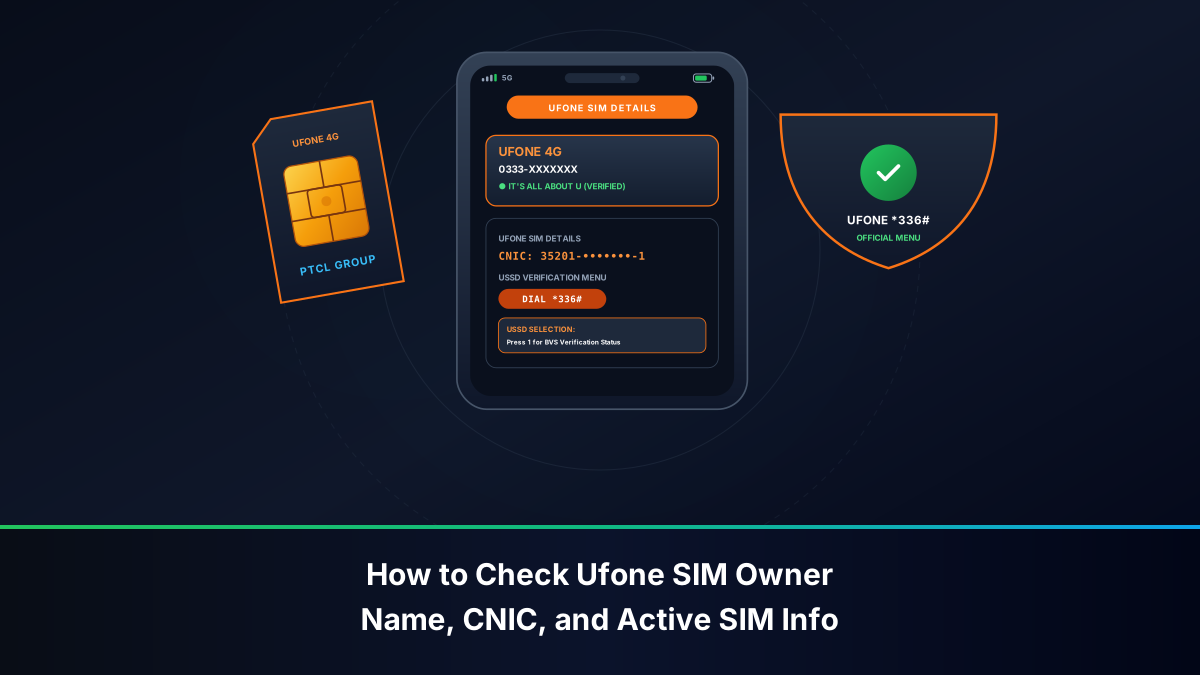
For deeper subscriber insights, Ufone operates the comprehensive *336# customer self-care engine:
Navigating the *336# Account Information Portal
- Dial
*336#from your Ufone handset. - The main menu displays customer service categories including Tariff Plans, Balance Services, and Account Information.
- Reply with option 1 (representing "Account Information").
- Follow the numerical prompts to view your active tariff package, balance expiry date, and registered national ID digits.
Verifying BVS Status via *336*1#
Subscribers can bypass the top-level menu by directly dialing *336*1# to verify whether their SIM connection has completed full biometric thumbprint authentication or is subject to an outstanding regulatory re-verification flag.
Method 3: Extracting Full Legal Name & CNIC via SMS 667 (MNP)
While *1# displays your active 11-digit phone number, it does not reveal the registered subscriber's full legal name or national identity card number. To confirm whose name is legally bound to the chip, query the national Mobile Number Portability (MNP) shortcode 667:
- Open your phone's SMS composition window.
- Address a new message to shortcode 667.
- In the text field, type MNP in capital letters (without spaces, punctuation, or quotation marks).
- Send the message from your active Ufone connection.
Within moments, Ufone's billing server will deliver an automated reply formatted as follows:
Subscriber Name: KAMRAN AKMAL
CNIC: 35201XXXXXXXX
IMSI: 41003XXXXXXXXXX
SIM Connection Date: 05-JAN-2021
Connection Type: PREPAID
Diagnostic Value: This response provides definitive proof of ownership. If the name or CNIC belongs to someone else, arrange an ownership transfer at an authorized Ufone customer center.
Method 4: Account Audit & Tax Statements via My Ufone App
The official My Ufone application (available on Google Play Store, iOS App Store, and Huawei AppGallery) represents the primary digital management portal for Ufone subscribers.
Profile Insights Available in My Ufone
- Cellular Auto-Login: When connected over Ufone 4G mobile data, the app detects your connection and authenticates without manual password entry. If operating over Wi-Fi, input your phone number to receive a secure SMS OTP.
- Account Profile Inspection: Tap on the profile icon in the side navigation menu. The screen displays the biometrically registered subscriber name, current prepaid/postpaid package, registered CNIC number, and account standing.
- Usage History & CDR Logs: My Ufone provides an itemized "Usage Details" module showing outgoing calls, SMS, and data sessions over the preceding 7 days, complete with timestamps and tariff deductions.
Downloading FBR Withholding Tax Certificates
Ufone subscribers can download their annual tax deduction certificates directly through the app without visiting a physical franchise:
- Open My Ufone and navigate to Account > Tax Deduction Certificate.
- Select the relevant fiscal year (e.g., July 1, 2024 to June 30, 2025).
- Tap "Download PDF". The app generates an official, digitally signed tax document certified by PTML for FBR Iris filing.
UPaisa Financial Integration: Mandatory SIM-CNIC Alignment
As PTCL Group's branchless banking platform, UPaisa operates under strict State Bank of Pakistan regulatory mandates:
- Mandatory SIM-CNIC Matching: You cannot open, operate, or upgrade a UPaisa wallet on a Ufone SIM registered in another person's name. The core banking engine cross-references the wallet CNIC against the telecom HLR registry in real-time.
- Biometric Level-Up at Retailer: Upgrading your monthly account limit requires live in-person biometric thumbprint authentication at an authorized UPaisa agent or Ufone franchise. A mismatch between SIM ownership and citizen ID results in immediate rejection.
- Account Protection in Stolen Phone Incidents: If your mobile device is stolen, calling Ufone helpline 333 to suspend your SIM simultaneously prevents unauthorized parties from intercepting UPaisa SMS OTPs.
The PTML Digital Ecosystem: Ufone 4G vs. ONIC Digital SIMs
In 2023, PTML launched ONIC, Pakistan's first digital-first mobile service provider. While ONIC operates over Ufone's physical cellular towers and optical core, distinct operational differences apply:
- ONIC App-Exclusivity: ONIC does not support legacy USSD codes like
*1#or*336#. All profile management, package activations, and subscriber audits are managed exclusively through the ONIC smartphone application. - Quota Sharing: Because both brands share the PTML operator license, ONIC and Ufone voice connections count towards the same national ceiling of 5 voice SIMs per CNIC.
Method 5: Physical BVS Verification at Ufone Customer Service Centers
If your national 668 audit indicates active Ufone connections that you do not personally possess, execute an in-person audit at an authorized company facility:
- Locate a Customer Service Center: Proceed to a direct, company-operated Ufone Customer Service Center (CSC) or joint PTCL-Ufone Service Center. Avoid unauthorized third-party mobile kiosks.
- Present Original Smart CNIC: Hand your original physical identity card to the customer care officer. Laminated photocopies or digital phone pictures are non-compliant under PTA directives.
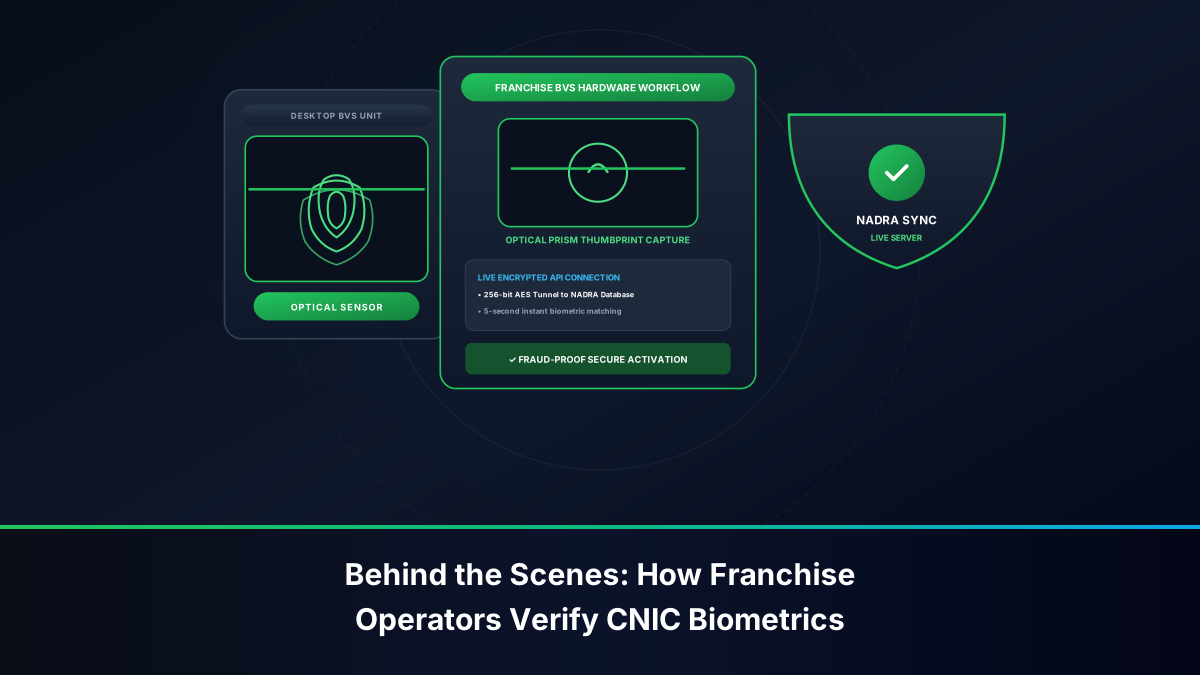
- Authenticate on BVS Scanner: Place your thumb or index finger upon the NADRA-connected BVS optical terminal to verify your identity.
- Request Complete MSISDN Statement: Demand an official printed statement displaying every active 11-digit Ufone number registered against your CNIC.
- Biometric SIM Disowning: If any listed number is unfamiliar, immediately request a Biometric SIM Disowning transaction. Fill out the official cancellation form and obtain a signed, stamped receipt.
Transferring Ufone SIM Ownership: Official BVS Protocol
If you are using a Ufone SIM currently registered in a family member's name and wish to transfer legal title to yourself:
- Both the current registered owner and the intended new owner must visit an authorized Ufone Customer Service Center in person.
- Both individuals must present their original physical CNICs.
- The current owner scans their thumbprint on the BVS terminal to authorize the release of the MSISDN.
- The new owner scans their thumbprint on the BVS terminal to accept the connection and bind it to their CNIC.
- The transfer takes effect immediately, and an automated confirmation SMS is delivered to the handset.
Emergency Protocol: Blocking Lost, Stolen, or Blackmailed Ufone SIMs (333)
If your handset containing an active Ufone SIM is lost or stolen, protect your identity and financial wallets immediately:
- Call Ufone Helpline: Dial 333 from another Ufone connection, or 033-111-333-100 from any other network or landline.
- Verify Security Information: State that your phone has been stolen. Provide your full name, registered CNIC number, mother's maiden name, and last recharge amount.
- Demand Total Call Barring: Request an immediate block on all outgoing calls, incoming calls, SMS, and data traffic.
- Acquire Duplicate SIM: Visit any Ufone franchise with your original CNIC to obtain a replacement physical SIM card. The new SIM instantly and permanently disables the stolen chip.
Troubleshooting Common Ufone USSD Errors & Service Glitches
Subscribers occasionally face technical hurdles when executing self-service requests. Below are verified solutions:
- Error: *1# Returns "Connection Error or Invalid MMI Code": This error typically stems from weak 2G signaling or dual-SIM slot misdirection. Toggle Airplane Mode for 10 seconds, confirm Ufone is selected as the primary calling SIM, and re-dial.
- Error: SMS to 667 Does Not Deliver: Verify that your prepaid balance is at least PKR 3.00. Check your SMS center number (Ufone SMSC:
+92333000515). - My Ufone App Shows "Authentication Failed": Clear the app cache in your phone settings, disable any active VPN or ad-blocking software, and ensure you are using the latest version from the app store.
Escalating Ufone Complaints: From 333 to PTA CMS
Not every ownership or billing problem resolves on the first call. If helpline 333 fails to correct a wrongly registered connection, an unauthorized deduction, or a refused disownment request, Ufone subscribers have a defined escalation ladder:
- Formal Operator Complaint: Log the issue through the My Ufone app's support section or by calling 333, and record the complaint reference number along with the date, time, and agent name. Under PTA complaint handling regulations, the operator must attempt resolution within 72 hours for most consumer categories.
- Visit a Company-Operated CSC: Bring the reference number and your original CNIC to a Ufone Customer Service Center. In-person biometric transactions (disownment, ownership correction, duplicate SIM) can only be finalized here, never over the phone.
- Escalate to PTA CMS: If the operator misses its deadline or rejects a legitimate request, file a grievance at complaint.pta.gov.pk or via the PTA CMS mobile app, quoting the unresolved operator reference. The PTA directs the complaint to the operator's nodal officer and tracks it to closure, typically within 7 to 10 working days.
- Statutory Escalation: For identity theft or fraudulent activation, involve the FIA Cyber Crime Wing in parallel, as described in PTA and PECA 2016 consumer protection guidance.
Documentation Rule: Every escalation stage depends on paperwork from the previous stage. Keep the stamped CSC receipt, complaint SMS confirmations, and reference numbers in one folder — digital or physical — before approaching the regulator.
Prepaid Lifecycle Management: Expiry, Grace Periods & Recharge Discipline
Ufone prepaid connections follow the standard Pakistani validity cycle, and understanding it prevents both service loss and accidental number recycling:
- Active Phase: Your SIM remains fully functional while validity is live. Recharging resets or extends validity according to the bundle or Super Card purchased.
- Grace / Incoming-Only Phase: After validity lapses, the line typically receives a short grace window during which incoming calls and SMS still arrive but outgoing services are barred. Recharging during this window restores full service without losing the number.
- Deactivation and Recycling: If zero billable activity continues for roughly 90 days — and no recharge occurs before the 180-day statutory ceiling — the number is deactivated and eventually recycled to a new subscriber under PTA churn rules.
- Practical Habit: Set a 60-day recurring reminder to recharge even a small amount and dial one USSD code (for example
*1#) on every Ufone line you keep for OTPs or family use. The two-minute habit protects banking tokens, WhatsApp accounts, and CNIC-linked registrations anchored to that number.
Postpaid and corporate Ufone users should additionally verify that their billing CNIC/NTN matches their tax records, since the annual withholding certificate is generated against the registered identity.
Ufone for Households & Overseas Family Lines
Many Ufone connections function as family anchor lines — maintained by a working member of the household or by an overseas Pakistani funding a parent's phone back home. This arrangement is legal when the SIM stays registered in the actual user's name, and it fails dangerously when it does not:
- Register in the User's Name: If you send a SIM home for a parent, complete a biometric ownership transfer at a Ufone CSC so the line reflects the person who actually uses it. A line in your name but in their pocket exposes both of you: you remain liable for its traffic, and they cannot easily service it.
- Remote Recharge Discipline: Overseas sponsors can recharge via international card, IBFT, or wallet transfers; schedule recharges so the line never approaches dormancy while the family member travels or is hospitalized.
- Emergency Access: Share the line's registration details (registered name, CNIC last digits, and typical balance) with one trusted family member so a lost handset can be blocked via 333 without delay.
Comparison of All Ufone Verification Channels
The following table summarizes all authorized Ufone verification channels:
| Verification Channel | Information Retrieved | Cost | Internet Needed? | Device Compatibility | Speed |
|---|---|---|---|---|---|
| *1# USSD | 11-Digit Mobile Number | PKR 0.00 (Free) | No | All Handsets (2G/3G/4G) | 1 to 2 Seconds |
| *336# USSD | Account Info, BVS Status, Bundles | PKR 0.00 (Free) | No | All Handsets | 5 to 10 Seconds |
| SMS 667 ('MNP') | Registered Name, CNIC, IMSI | Standard SMS rate | No | All Handsets | 15 to 45 Seconds |
| My Ufone App | Full Profile, Tax, Usage CDRs | Free (uses data) | Yes | Android / iOS Smartphones | Instantaneous |
| Customer Care (333) | Account Standing & Emergency Bar | Standard call tariff | No | All Handsets | 2 to 5 Minutes |
| CSC / Joint PTCL Center | Complete CNIC Numbers Printout | 100% Free | N/A | In-Person Attendance | 5 to 10 Minutes |
Final Takeaways for Ufone 4G Subscribers
Ufone's verification stack gives every subscriber — from a first-time 0333 user to a PTCL-group corporate account holder — the same core assurance: the line in your pocket can be matched, in seconds, to a legal identity in NADRA's registry. Use *1# for instant number discovery, *336# for account health, SMS 667 for documentary proof, and the CSC biometric desk for anything that changes ownership. Audit quarterly via 668, keep prepaid validity alive with light periodic recharges, and escalate unresolved disputes from 333 to the PTA CMS with your paperwork in order. Managed this way, a Ufone connection remains what the regulator intends it to be: a securely bound extension of your own legal identity rather than a liability floating in someone else's name.