Ufone 4G (PTML) Subscriber Identity Architecture & Network Framework
Pakistan Telecom Mobile Limited (PTML), operating under the brand identity Ufone 4G, is a wholly owned cellular subsidiary of Pakistan Telecommunication Company Limited (PTCL Group), operating in strategic alignment with international telecommunications giant e& (formerly Etisalat Group). Deploying nationwide wireless services under the dedicated cellular numbering series 0330, 0331, 0332, 0333, 0334, 0335, 0336, and 0337, Ufone serves over 25 million subscribers across urban metropolitan hubs, regional trade corridors, and suburban communities across Pakistan.
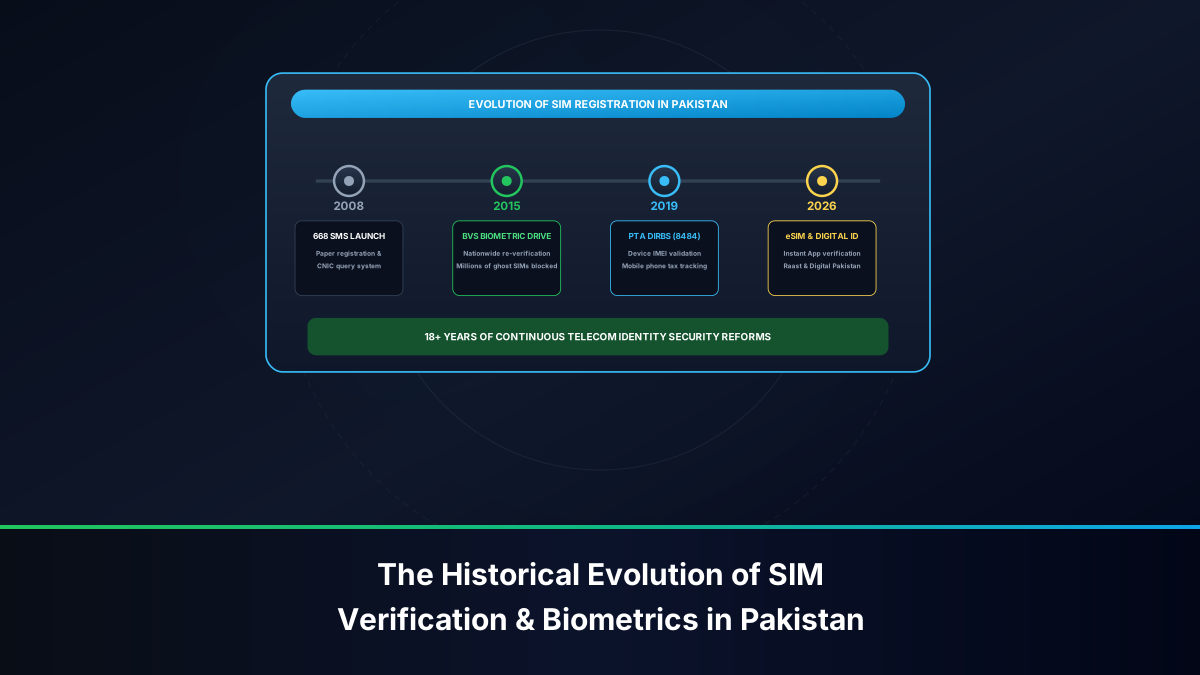
Under the regulatory mandates established by the Pakistan Telecommunication Authority (PTA) and in direct cryptographic coordination with the National Database and Registration Authority (NADRA), all Ufone prepaid, postpaid, corporate, and wireless broadband (Blaze 4G) connections are anchored biometrically to a 13-digit Computerized National Identity Card (CNIC). PTA's standard operating procedures govern SIM lifecycle management under the Pakistan Telecommunication (Re-organization) Act 1996 and the Prevention of Electronic Crimes Act (PECA 2016).
Despite rigorous regulatory frameworks, many mobile users continue operating connections registered under the names of relatives, former colleagues, or third-party vendors who originally retailed the connection. Knowing how to definitively audit your Ufone subscriber name, CNIC number, and SIM lifecycle status is essential for personal privacy, financial compliance, and legal security.
Regulatory Compliance Notice: PTA and FIA directives strictly prohibit the unauthorized possession or transfer of cellular SIM cards. Under PECA 2016, the individual whose CNIC is registered against a mobile number is held legally accountable for all voice communications, SMS dispatches, financial transactions, and digital activities originating from that line.
Why Auditing Your Ufone SIM Ownership Is Legally Vital
In Pakistan's modern digital infrastructure, an authentic, biometrically verified cellular number is an indispensable prerequisite for civic and commercial engagements. Conducting a thorough ownership check on your Ufone connection safeguards you across multiple critical domains:
UPaisa Mobile Financial Services & Biometric Identity Lock
UPaisa, the branchless banking service operated by Ufone in partnership with PTCL Group's financial infrastructure, operates under strict State Bank of Pakistan (SBP) regulations. Under SBP Branchless Banking Frameworks, financial accounts require a strict 1:1 identity lock between the mobile wallet and the cellular subscriber registry:
- Account Creation & Limit Tier Upgrades: If an individual attempts to register or level-up a UPaisa mobile wallet on a Ufone SIM registered to another person's CNIC, the central banking gateway immediately rejects the application due to mismatched identity records.
- Preventing Unauthorized Wallet Interception: In the event of a lost or damaged SIM card, obtaining a replacement duplicate SIM from a Ufone franchise requires a live BVS thumbprint match. If the SIM is registered to a third party, you cannot recover your mobile number, locking you out of your UPaisa wallet balance.
Reclaiming FBR Section 236 Advance Income Tax Deductions
Under Section 236 of the Income Tax Ordinance 2001, advance withholding tax is deducted on all Ufone prepaid recharges, Super Card subscriptions, and monthly postpaid invoices. Active tax filers submitting their annual income tax returns via the Federal Board of Revenue (FBR) Iris portal can claim credit for this deducted tax. However, the FBR system automatically verifies the taxpayer's CNIC against telecom withholding certificates. If your Ufone SIM is registered under someone else's identity, you cannot legally claim these tax credits.
PECA 2016 Cybercrime Protection & Legal Immunity
Under Section 13 (Electronic Forgery) and Section 14 (Electronic Fraud) of PECA 2016, identity misuse carries heavy penalties, including substantial fines and imprisonment. If an unauthorized SIM registered under your CNIC is used in harassing calls, financial fraud, or electronic crimes, law enforcement agencies initiate primary inquiries against the CNIC holder on file. Conducting regular ownership audits ensures that no unauthorized connections exist under your national identity.
Method 1: Instant On-Screen MSISDN Verification via USSD *888#
The fastest and most accessible zero-cost method for finding your Ufone phone number is using Ufone's dedicated Unstructured Supplementary Service Data (USSD) shortcode *888#.
Navigating the *888# Self-Service Protocol
To inspect your phone number directly on your mobile screen:
- Open the native phone dialer application on your mobile device.
- Verify that your active calling channel is configured to your physical Ufone SIM card.
- Dial *888# and tap the Call button.
- An instant signaling session communicates directly with Ufone's Home Location Register (HLR).
- Within 1 to 3 seconds, an on-screen dialog pop-up displays your complete 11-digit mobile number (e.g.,
0333XXXXXXX).
Technical Characteristics: The *888# query functions with PKR 0.00 account balance, requires no internet connection or mobile data bundle, and operates reliably on simple 2G feature phones as well as the latest 4G/5G smartphones.
Alternative In-Session Diagnostic USSD Codes (*1# and *706#)
In addition to *888#, Ufone network nodes support alternative USSD strings for subscriber diagnostics:
- *1#: On select SIM configurations and regional base stations, dialing
*1#produces an instant on-screen flash message displaying your assigned MSISDN. - *706#: Ufone's official balance and resource inquiry code. Dialing
*706#returns your remaining account balance, Super Card validity, remaining 4G data MBs, off-net minutes, on-net minutes, and SMS units.
Method 2: Querying Complete Legal Subscriber Profile via SMS 667
While USSD codes display your phone number, they do not disclose the legal subscriber name or CNIC number registered with NADRA. To verify the full legal identity behind your Ufone connection, you must query the national Mobile Number Portability (MNP) shortcode 667.
Sending the MNP Inquiry from Ufone Lines
The 667 clearinghouse query operates through the following steps:
- Launch your smartphone's default SMS messaging application.
- Create a new text message addressed to shortcode 667.
- Type MNP in the message body in capital letters.
- Transmit the SMS from your Ufone SIM card.
Billing Note: Standard telecommunications SMS charges apply (approximately PKR 1.50 to PKR 2.50 plus tax). Ensure your prepaid balance contains at least PKR 3.00 to prevent message dispatch failure.
Deconstructing the Automated 667 Clearinghouse Response
Within 15 to 45 seconds, the central MNP clearinghouse system transmits an automated reply formatted as follows:
Subscriber Name: ADNAN TARIQ
CNIC: 61101XXXXXXXX
IMSI: 41001XXXXXXXXXX
SIM Connection Date: 22-OCT-2020
Connection Type: PREPAID
This automated response provides vital forensic details:
- Subscriber Name: The full legal name of the registered owner as verified by NADRA's citizen identity database.
- CNIC: The 13-digit national identity card number to which the SIM is legally bound.
- IMSI: The International Mobile Subscriber Identity burnt into the physical UICC smart chip (prefix 410-01 corresponds to Pakistan / PTML Ufone).
- Connection Date: The precise date on which the SIM was biometrically activated on the BVS terminal.
Method 3: Digital Profile Audit via the Official My Ufone Smartphone App
For modern smartphone users, the official My Ufone App (available on Google Play Store, Apple App Store, and Huawei AppGallery) offers the most comprehensive digital self-care portal.
Reviewing Registered Subscriber Information and Super Card Status
The My Ufone application integrates automated cellular network detection:
- Disconnect your handset from local Wi-Fi networks and turn on Ufone 4G Mobile Data.
- Open the My Ufone application. The app automatically detects your cellular IP address and logs into your account without requiring manual passwords.
- Tap the profile icon or open the side drawer menu.
- The dashboard displays the registered subscriber name, phone number, active tariff (Prepaid / Postpaid), current main balance, and active Super Card bundles.
- Review the Usage Details tab to inspect historical call logs, SMS dispatches, and internet sessions with exact billing records for the past 7 to 30 days.
Extracting FBR Income Tax Deduction Certificates
Tax filers can generate official withholding tax certificates directly within the app:
- Navigate to More Options > Tax Certificate in the My Ufone app menu.
- Select the relevant fiscal tax year (e.g., July 1, 2024 to June 30, 2025).
- Tap Generate / Download PDF.
- The application downloads an official certificate displaying total advance tax deducted under Section 236, complete with your verified legal name and 13-digit CNIC number. This document is recognized by the FBR for annual income tax filing.
Method 4: Cross-Referencing UPaisa Wallet Biometric Credentials
Because UPaisa is directly integrated with Ufone's subscriber registry, branchless banking credentials serve as an additional verification layer.
The Mandatory 1:1 Identity Rule for UPaisa Branchless Accounts
State Bank of Pakistan regulations mandate that branchless banking mobile accounts cannot operate anonymously or under proxy registrations. When you dial *786# from your Ufone handset to access UPaisa:
- The USSD signaling gateway automatically verifies whether the CNIC linked to the SIM card matches the CNIC on file for the UPaisa mobile account.
- If a discrepancy is detected—for instance, if the SIM was transferred to another user while an active UPaisa wallet remained open—the financial wallet is immediately suspended to safeguard funds.
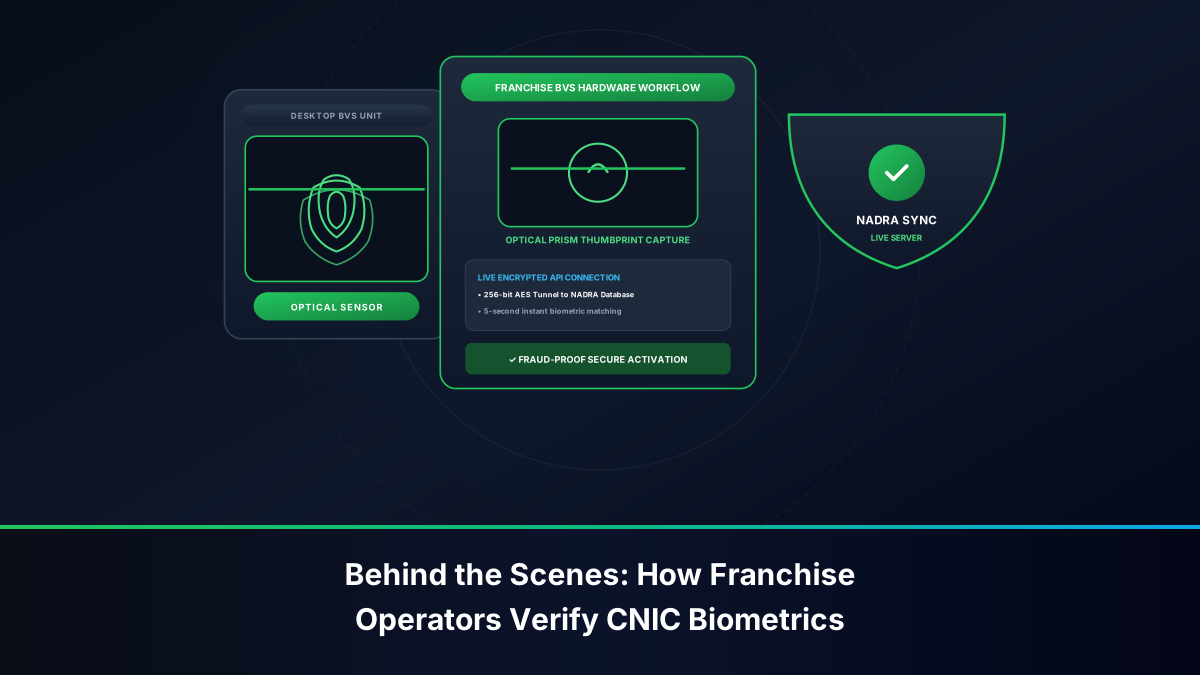
- Biometric re-verification of the wallet at a retail agent requires a live thumbprint scan on the BVS terminal matching the SIM card registration profile.
Configuring Raast Digital Alias on Ufone Connections
Pakistan's national payment gateway, Raast, enables instant fund transfers using your mobile number as a financial alias. Linking your Ufone number to Raast through any commercial banking app (such as HBL Mobile, Meezan Bank, Bank Alfalah, or Allied Bank) requires that the telecom subscriber profile matches your bank account CNIC. If ownership differs, the Raast registration handshake fails, preventing seamless interbank transfers.
Method 5: In-Person Biometric Audit at PTCL-Ufone Customer Service Centers
Remote SMS and USSD checks verify the specific SIM card inside your phone. However, they cannot confirm whether unauthorized additional Ufone SIMs have been activated under your CNIC without your consent. To perform an exhaustive audit, an in-person visit to an official customer service facility is required.
Demanding an Official Printout of All Ufone Numbers Registered to Your CNIC
To inspect all Ufone connections registered under your national identity:
- Visit an official, company-operated Ufone Customer Service Center, flagship franchise, or PTCL-Ufone Joint Customer Care Shop. Avoid third-party neighborhood mobile shops.
- Present your original physical Smart CNIC to the customer care officer. Laminated photocopies or digital smartphone pictures are non-compliant under PTA regulations.
- Place your thumb or index finger upon the NADRA-linked optical Biometric Verification System (BVS) terminal.
- Once your identity is verified, request a Complete MSISDN Inventory Printout. The representative will provide an official printout listing every active Ufone mobile number registered to your CNIC.
Biometric SIM Disowning & Cancellation for Fraudulent Numbers
If the official inventory printout reveals phone numbers that you never authorized or purchased:
- Notify the customer care representative that specific numbers represent unauthorized registrations.
- Fill out and sign the official PTA-mandated SIM Disowning & Cancellation Form.
- Place your thumbprint on the BVS terminal to authenticate the cancellation request.
- The representative flags the rogue connections in the Ufone central registry. The network immediately severs cellular connectivity, and the numbers are permanently removed from your CNIC within 24 hours.
- Retain the stamped disowning confirmation receipt for your legal records.
Step-by-Step Biometric Ufone SIM Ownership Transfer Procedure
If you are using a Ufone connection registered under a relative's or friend's name, you must execute a formal biometric ownership transfer to secure legal title.
Simultaneous In-Person BVS Handshake at Ufone Franchises
Under PTA regulations, ownership transfers cannot be performed online, through mobile apps, or over helpline calls. The transfer requires an in-person biometric handshake:
- Simultaneous Presence: Both the current registered owner (transferor) and the intended new owner (transferee) must visit an official Ufone Customer Service Center or PTCL Joint Shop together.
- Original Identity Documents: Both parties must present their original, unexpired physical Smart CNICs.
- Current SIM Handover: Present the active Ufone SIM card to the customer care agent.
- Transferor Authorization: The current owner places their thumbprint on the BVS terminal to authorize the release of the MSISDN.
- Transferee Registration: The new owner places their thumbprint on the BVS terminal to complete NADRA verification and accept ownership under their CNIC.
- Issuance of New SIM Card: The agent deactivates the old physical chip and issues a brand-new 4G SIM card registered directly to the transferee. Standard SIM replacement fees apply (approximately PKR 100 to PKR 250).
Inheritance Protocol for SIMs of Deceased Relatives
To retain and transfer a Ufone connection belonging to a deceased family member:
- Visit a company-operated Ufone Customer Service Center.
- Submit an original or attested copy of the NADRA Computerized Death Certificate.
- Provide a Family Registration Certificate (FRC) or Succession Certificate issued by NADRA or a competent court establishing legal heirship.
- Submit a signed No-Objection Certificate (NOC) from other surviving legal heirs.
- The designated legal heir undergoes biometric BVS verification to complete the ownership transfer.
Troubleshooting Common Ufone Self-Service Verification Errors
When querying Ufone's self-service verification systems, subscribers occasionally encounter technical errors. Follow these verified resolutions:
Resolving 'Invalid MMI Code' or Connection Timeouts on *888#
If dialing *888# returns an on-screen error such as "Connection problem or invalid MMI code":
- Refresh Network Attachment: Toggle Airplane Mode on for 10 seconds, then toggle it off. This re-registers your handset with the nearest Ufone cell tower.
- Adjust Network Mode: Temporarily switch your network mode in settings from 4G/LTE to 3G/2G Auto. USSD strings travel over 2G/3G signaling channels; weak 4G data coverage can disrupt USSD sessions.
- Confirm Dual-SIM Settings: Verify in your device's SIM Manager that Ufone is selected as the primary voice calling SIM before dialing the code.
Resolving SMS Transmission Failures and Balance Issues
If sending MNP to 667 fails to dispatch:
- Confirm that your prepaid account holds at least PKR 3.00 balance. The 667 shortcode is not free of charge.
- Check your device's Premium SMS Access permissions (located under Settings > Apps > Special App Access) and set them to "Always Allow" for your messaging app.
- Verify that your SMS Center (SMSC) number is correctly configured to Ufone's official center number:
+92333000515.
Comprehensive Comparison of Ufone Verification Channels
The following analytical matrix summarizes all authorized channels for verifying Ufone SIM ownership and subscriber details:
| Verification Channel | Retrieved Information | Tariff / Cost | Internet Required? | Supported Devices | Processing Speed |
|---|---|---|---|---|---|
| *888# USSD Code | 11-Digit Mobile Number | PKR 0.00 (Free) | No (Offline USSD) | All Handsets (2G/3G/4G/5G) | 1 to 3 Seconds |
| *1# USSD Code | Direct MSISDN Display | PKR 0.00 (Free) | No (Offline USSD) | All Handsets | 1 to 2 Seconds |
| *706# USSD Code | Account Balance & Bundle Expiry | PKR 0.00 (Free) | No (Offline USSD) | All Handsets | 2 to 4 Seconds |
| SMS 667 ('MNP') | Full Legal Name, CNIC, IMSI, Date | Standard SMS rate | No (Offline SMS) | All Handsets | 15 to 45 Seconds |
| My Ufone Mobile App | Profile Name, Tax Certificate, CDRs | Free (Mobile Data) | Yes (4G or Wi-Fi) | Android & iOS Smartphones | Instantaneous |
| Ufone Helpline (333) | Account Status & Emergency Barring | Standard helpline tariff | No (Voice Call) | All Handsets | 3 to 7 Minutes |
| Franchise / PTCL Joint Shop | Complete CNIC SIM Inventory & Disowning | Free of Charge | N/A (In-Person) | BVS Optical Verification | 5 to 15 Minutes |