Few telecommunications situations are as universally relatable—or as frustrating—as inserting an old, inactive, or recently unpacked SIM card into a mobile device and suddenly realizing: "Meri SIM ka number kya hai?" (What is my SIM card's phone number?). Whether you have recovered a drawer full of backup SIM cards, purchased an emergency secondary line, or simply forgotten the 11-digit number assigned to a mobile broadband internet dongle or tablet, needing to discover your own mobile phone number without credit is an everyday challenge faced by millions of Pakistani subscribers.
The standard instinct for most users is to attempt a phone call or dispatch an SMS to a friend or family member standing nearby. However, if the SIM card has zero prepaid account balance, expired airtime validity, or has not been topped up in months, outgoing calls and standard SMS messages are immediately blocked by the carrier exchange with an automated prompt stating: "Aap ke paas matlooba balance moujood nahi hai" (You have insufficient balance).
Fortunately, Pakistani telecommunication operators—including Pakistan Mobile Communications Limited (Jazz / Warid), CMPak (Zong), Telenor Pakistan, Pak Telecom Mobile Limited (Ufone 4G), and digital MVNOs like Onic—provide dedicated, free-of-cost signaling mechanisms designed specifically for this purpose. Utilizing standardized Unstructured Supplementary Service Data (USSD) strings, zero-rated SMS shortcodes, and operating system diagnostics, you can retrieve your exact 11-digit Mobile Station International Subscriber Directory Number (MSISDN) within seconds without spending a single paisa.
This comprehensive technical guide outlines the exact, tested methods to retrieve your mobile number across all Pakistani cellular networks, explains the underlying cellular signaling that makes zero-balance checks possible, details smartphone operating system shortcuts, provides troubleshooting workflows for frustrating MMI errors, and outlines essential PTA regulatory rules governing inactive and recycled numbers.
The Forgotten Number Dilemma: Checking MSISDN Without Balance or Outgoing Calls
In Pakistan's mobile-first digital economy, your cellular number is far more than a voice calling channel; it is your sovereign digital financial identifier. It links directly to your Raast Instant Payment ID, your Easypaisa or JazzCash branchless wallet, your commercial bank 3D-Secure alerts, and two-factor authentication (2FA) tokens for Google, WhatsApp, and government portals.
When you cannot remember your phone number, you are locked out of critical digital services:
- You cannot recharge mobile balance online via bank mobile apps or Easypaisa/JazzCash because every recharge gateway requires entering the target 11-digit MSISDN.
- You cannot subscribe to data bundles or social packages.
- You cannot execute WhatsApp or banking account recovery.
Understanding how to retrieve your number using low-level network signaling bypasses this catch-22 entirely.
Understanding Cellular Identifiers: MSISDN vs IMSI vs ICCID
To grasp why your phone number is not permanently etched onto the golden metallic contacts of your SIM card, it is helpful to explore the three primary identification parameters defined by international telecommunications standards (ITU-T and 3GPP):
- ICCID (Integrated Circuit Card Identifier): The 19-digit or 20-digit hardware serial number physically laser-engraved on the back of your SIM card chip (beginning with
8992...for Pakistan). It identifies the physical plastic hardware module produced in the factory. - IMSI (International Mobile Subscriber Identity): A confidential 15-digit biological network identifier programmed inside the SIM's read-only memory. When your phone registers on a cell tower, the radio access network reads the IMSI to identify your home country and home network (MCC
410for Pakistan). - MSISDN (Mobile Station International Subscriber Directory Number): This is your actual public telephone number (e.g.,
0300-1234567or in international format+923001234567).
Crucially, the MSISDN does not live physically inside the SIM card. Instead, the mobile operator's centralized Home Location Register (HLR) and Home Subscriber Server (HSS) database clusters maintain a dynamic database mapping between the physical IMSI chip and your assigned MSISDN phone number. This decoupling is precisely what allows you to replace a damaged SIM card at a franchise without changing your mobile number.
The Mechanics of USSD Signaling: Why Number Check Codes Work at Zero Balance
When you dial a standard voice number (like calling a friend), your phone initiates a Circuit-Switched (CS) voice channel or VoLTE session, which requires real-time interrogation of the operator's Online Charging System (OCS). If your prepaid credit is zero, the OCS drops the call.
In contrast, when you dial a code ending with a hash mark (such as *99# or *888#), your phone sends an Unstructured Supplementary Service Data (USSD) signaling packet over the network's signaling channel (the Fast Associated Control Channel - FACCH). USSD packets communicate directly with the operator's service nodes without establishing a billable voice trunk. Because the Pakistan Telecommunication Authority (PTA) mandates subscriber access to basic self-service inquiries, these low-level USSD sessions are zero-rated and fully operational even when your balance is completely exhausted.
Jazz & Warid: Complete Mobile Number Check Workflows
Pakistan Mobile Communications Limited (PMCL / Jazz), incorporating the former Warid network, is Pakistan's largest cellular operator, serving over 70 million subscribers across prefixes including 0300, 0301, 0302, 0303, 0304, 0305, 0306, 0307, 0308, 0309, 0320, 0321, 0322, 0323, 0324, and 0325.
Primary USSD Code (*99#) and Screen Prompt
The fastest and most reliable method to check an active Jazz or Warid SIM number is the standardized *99# USSD string:
- Open your smartphone's native Phone dialer application.
- Input the characters
*99#(Star, Nine, Nine, Hash). - Press the green Call / Dial button. If you are using a Dual-SIM smartphone, ensure you select the SIM card slot assigned to your Jazz connection.
- Within 1 to 2 seconds, the carrier switch will push an interactive USSD Flash dialog box onto your handset screen:
Your MSISDN is: 923001234567
Status: Active
This transaction is completely free of charge, requires zero balance, and does not require mobile internet data.
Alternative Method: Inquiring via 667 & Jazz World App
If network congestion causes *99# to time out or return an MMI error, two alternative verification routes exist:
- The 667 MNP Inquiry: Open your SMS messaging app, compose a new message with the text
MNP, and send it to shortcode667. Jazz's messaging switch will instantly respond with an automated SMS containing the registered Owner Name, CNIC Number, and exact 11-digit MSISDN. (Note: While generally accessible with zero balance, some network updates may require a nominal balance of a few paisas for inter-carrier shortcode routing). - Jazz World Application Auto-Login: If you have mobile data enabled on the Jazz SIM card, download or open the Jazz World app while connected over cellular data (turn off Wi-Fi). The app will automatically authenticate via the operator's packet-gateway header enrichment and display your phone number, active balance, and package expiry directly on the home dashboard without prompting for manual credential entry.
Zong (CMPak): Instant Free Number Retrieval Codes
CMPak Limited (Zong 4G), operating under the China Mobile Communications Corporation, manages millions of subscribers across the 0310, 0311, 0312, 0313, 0314, 0315, 0316, 0317, and 0318 numbering ranges.
Direct USSD Dialing (*8#) and Account Prompt
Zong provides the shortest and most convenient USSD shortcode in the Pakistani telecommunication market:
- Launch your phone dialer.
- Dial
*8#(Star, Eight, Hash) and hit Call from your Zong SIM. - The screen will instantly present an on-screen USSD notification displaying your mobile phone number in local format:
Dear Customer!
Your Mobile Number is 03123456789
This service operates seamlessly with zero balance and functions on all mobile handsets, ranging from basic 2G feature phones ("keypad mobiles") to the latest flagship smartphones.
Free SMS Verification via Shortcode 7911
For Zong subscribers who require both their mobile phone number and proof of CNIC registration in a permanent text message that can be saved for future reference:
- Open your SMS application.
- Compose a new message containing the single English letter
V(or leave the body blank). - Send the SMS to shortcode
7911. - Zong's automated subscriber verification center will respond immediately with an official text message:
MSISDN: 92312XXXXXXX
CNIC: 35201XXXXXXXX
Status: Biometrically Verified
This automated reply is 100% free of charge and provides immediate confirmation that the SIM card is biometrically healthy.
Telenor Pakistan: Finding Your Number via Free SMS & Self-Care
Telenor Pakistan operates cellular connectivity across prefixes including 0340, 0341, 0342, 0343, 0344, 0345, 0346, 0347, 0348, and 0349.
The 7421 Automated Reverse SMS Method
Unlike Jazz and Zong, which primarily utilize USSD screen popups, Telenor utilizes a highly dependable, zero-rated automated SMS delivery system via shortcode 7421:
- Open your mobile phone messaging application.
- Create a new SMS addressed to recipient shortcode
7421. - Leave the text message field completely blank, or type the keyword
MYNOif your device does not allow sending blank texts. - Press Send from your Telenor connection.
- Within 3 to 10 seconds, Telenor's messaging center will dispatch a free automated incoming SMS containing:
Aap ka Telenor mobile number 03451234567 hai. Shukriya.This service operates 24 hours a day, 7 days a week, and incurs zero deductions from your mobile balance.
Alternative USSD String and My Telenor App Retrieval
If SMS routing experiences temporary delays, you can also dial *8888# from your Telenor SIM dialer. This initiates an interactive self-care menu where selecting "Account Information" displays your active phone number and current tariff plan.
Additionally, opening the My Telenor smartphone application over an active cellular data connection will automatically authenticate your line and present your MSISDN and remaining package allowances on the main screen.
Ufone 4G (PTML): Quick USSD String (*888#) & Account Inquiries
Pak Telecom Mobile Limited (PTML / Ufone 4G), a subsidiary of Pakistan Telecommunication Company Limited (PTCL), operates mobile connectivity across prefixes 0330, 0331, 0332, 0333, 0334, 0335, 0336, and 0337.
Executing the *888# Direct Screen Popup
Ufone subscribers can retrieve their phone number instantaneously through a zero-cost USSD handshake:
- Open your mobile phone dialer.
- Dial
*888#(Star, Eight, Eight, Eight, Hash). - Press the Call button on your Ufone SIM.
- A carrier notification window will immediately appear on your smartphone screen displaying your active phone number:
Your Ufone Number is: 0333XXXXXXXThis code works across all prepaid and postpaid Ufone packages and functions seamlessly with zero account balance.
Full Ownership and MSISDN Extraction via 667
If you also require the legal registration details of your Ufone SIM card, send an SMS with the keyword MNP to shortcode 667. The automated system will generate a detailed text receipt showing your full legal name, CNIC, SIM issue date, and MSISDN.
Onic Pakistan: Digital MVNO Number Identification
Launched as Pakistan's first digital telecommunications operator (utilizing the PTCL/Ufone network infrastructure), Onic operates modern, app-first cellular services utilizing the 0339 numbering range.
Because Onic is built around a fully digital mobile application architecture, finding your Onic number differs slightly from traditional legacy operators:
- The Onic Mobile App: Launch the official Onic App on your smartphone. Because Onic connections are tied directly to your registered user profile, your 11-digit
0339-XXXXXXXnumber is prominently displayed at the top of the main screen alongside your active digital plan. - eSIM Profile Details: If you activated Onic as an eSIM, you can inspect your phone's native operating system settings (Settings > Cellular > Onic eSIM) to view the assigned mobile number and ICCID profile.
- Standard PTML USSD Interoperability: Because Onic operates over Ufone's core switching fabric, dialing
*888#or*99#from an active Onic physical SIM will often return the underlying MSISDN dialog window.
Comprehensive Master Table: Number Check Codes Across All Pakistani Networks
The table below provides a quick, authoritative reference summary for retrieving your mobile phone number across all Pakistani cellular networks:
| Network Operator | Primary USSD Code | Free SMS Method | Balance Required | Displays CNIC |
|---|---|---|---|---|
| Jazz / Warid | *99# | Send MNP to 667 |
Free (Zero Balance) | Yes (via 667) |
| Zong (CMPak) | *8# | Send V to 7911 |
Free (Zero Balance) | Yes (via 7911 & 667) |
| Telenor Pakistan | *8888# | Send blank / MYNO to 7421 |
Free (Zero Balance) | Yes (via 667) |
| Ufone 4G (PTML) | *888# | Send MNP to 667 |
Free (Zero Balance) | Yes (via 667) |
| Onic Pakistan | *888# / In-App | Onic App Dashboard | Free (In-App Check) | Yes (In-App Profile) |
Hardware & OS Methods: Finding Your Number Without Dialing Codes
If your mobile device is experiencing radio signal interference, has a damaged dialer app, or cannot execute USSD commands, you can often extract the phone number directly from the smartphone operating system hardware cache.
Extracting Number from Android OS Settings
When a SIM card is initialized by an operator, the MSISDN is often written into the SIM's Special Information File (EF-MSISDN). On Android devices, you can view this parameter without placing any calls:
- Open device Settings.
- Scroll to the bottom and tap on About Phone (or About Device).
- Select Status Information > SIM Card Status (on Samsung OneUI) or Phone Number (on Google Pixel and stock Android).
- Locate the field labeled Phone number on SIM. If the operator programmed the MSISDN during SIM personalization, your 11-digit number will appear directly on screen.
(Note: If this field displays "Unknown" or "Voice MSISDN Not Configured", the operator left the local chip register blank; you must use the USSD codes listed above).
Retrieving Number on Apple iPhone (iOS)
Apple iOS automatically reads network profile parameters during carrier handshake:
- Via Phone App: Open the native Phone app and tap the Contacts tab. Your personal contact card appears at the very top under My Card, displaying the active phone number.
- Via Settings: Open Settings > Phone > My Number. Your active MSISDN is displayed and can be copied.
- For Dual-SIM iPhones: Open Settings > Cellular (or Mobile Data) and select the primary or secondary cellular plan to inspect the assigned number.
Physical SIM Jacket and 19-Digit ICCID Inspection
If the SIM card cannot connect to the cellular network at all, inspect the physical packaging:
- Locate the original plastic credit-card-sized starter jacket that held the SIM card when purchased. The back of the jacket features a printed white sticker containing the Mobile Number (MSISDN), the 19-digit ICCID, and the factory PIN1 / PUK1 codes.
- If the starter jacket is lost, note down the 19-digit number laser-etched on the physical golden microchip. You can walk into any official customer care center of the operator with your original CNIC; the representative can scan the ICCID and pull up the mapped MSISDN from their billing terminal.
Troubleshooting: Fixing 'Connection Problem or Invalid MMI Code'
When dialing codes like *99# or *8#, subscribers occasionally encounter the notorious Android alert: "Connection problem or invalid MMI code". Here is how to diagnose and resolve this technical bottleneck:
Step-by-Step MMI Error Resolution Protocol
-
1
Verify Dual-SIM Slot Selection:
If your phone has two SIM cards, ensure you are pressing the dial button corresponding to the correct network. Dialing Jazz's
*99#from a Zong SIM slot will return an invalid MMI error immediately. -
2
Toggle Airplane Mode:
Turn Airplane Mode ON for 10 seconds, then turn it OFF. This forces the handset baseband modem to perform a fresh Location Area Update (LAU) handshake with the local cell mast, clearing stale USSD session locks.
-
3
Temporarily Force 2G / 3G Mode:
In areas with weak 4G LTE or VoLTE signaling, navigate to Settings > Mobile Networks > Preferred Network Type and select 2G/3G Auto. Legacy 2G/3G signaling channels process USSD strings with higher reliability in low-signal environments.
-
4
Add a Comma at the End of the Code:
A known Android diagnostic workaround: Long-press the asterisk (*) key until a comma appears at the end of your USSD string (e.g.,
*99#,). The comma forces the modem to pause before transmitting the signaling buffer, frequently bypassing MMI syntax parsing errors.
Crucial Regulatory Notice: PTA 180-Day Inactive SIM Recycling Rule
If you have retrieved a forgotten SIM card from storage and find that none of the USSD codes work, the phone displays "No Service" or "Emergency Calls Only", and rebooting the device does not restore signal, your connection may have been legally terminated under Pakistan's SIM recycling regulations.
Under the Pakistan Telecommunication Authority (PTA) Standard Operating Procedures (SOP) on Inactive SIMs:
- The 180-Day Dormancy Rule: If a prepaid cellular connection experiences zero commercial usage (no billable calls, no SMS, no data bundle usage, and no balance recharge) for a continuous period of 180 days (6 months), the operator issues automated warning notices via SMS.
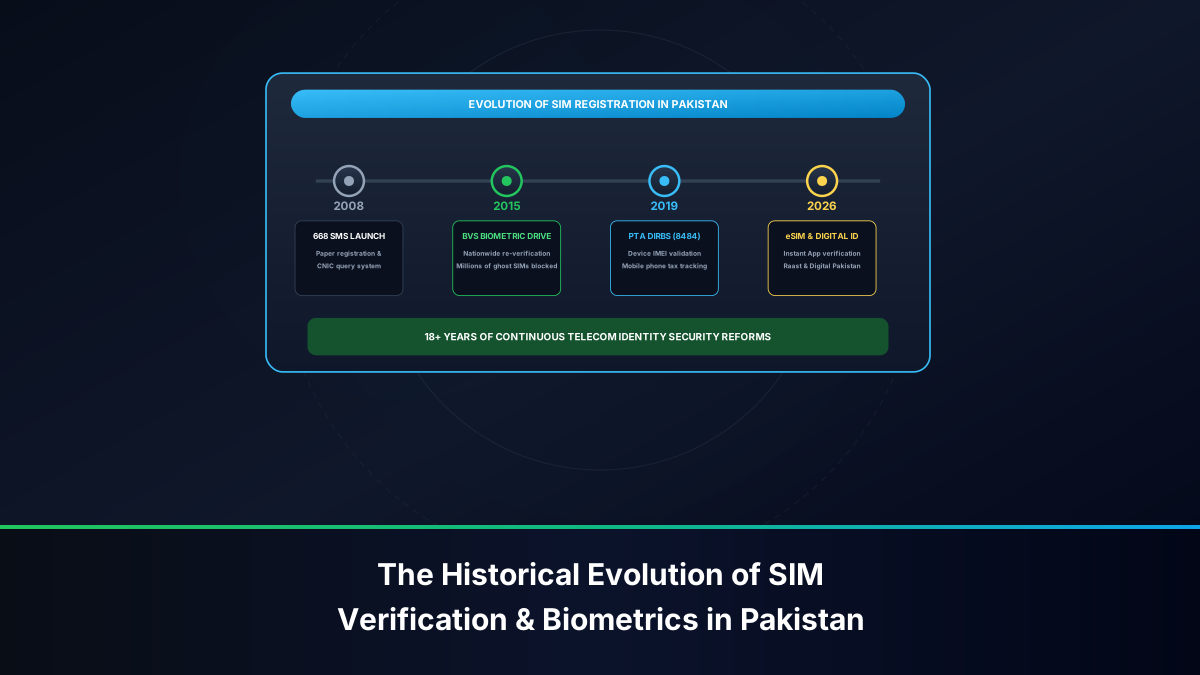
- Disownment & Revocation: If the subscriber fails to recharge or activate the line, the mobile operator permanently cancels the connection, revokes the IMSI profile, and disowns the MSISDN from the citizen's CNIC registration in the PTA 668 database.
- Re-issuance into the Public Pool: After a mandatory regulatory quarantine period (typically 90 days), the phone number is re-packaged and sold to a completely new subscriber via biometric verification at a retail outlet.
If your SIM card has been deactivated under the 180-day rule, you cannot recover it using self-service codes. You must visit a company customer care center with your original CNIC to determine whether the number is still in the quarantine buffer or has been irrevocably assigned to another citizen.
Frequently Asked Questions About Checking SIM Mobile Numbers
Below are clear, expert answers to key operational questions regarding mobile number retrieval, SIM ownership verification, and telecom codes in Pakistan.
Can I check the phone number of a SIM card that has no signal at all?
If the SIM card cannot register on the cellular network (showing "No Service"), USSD codes like *99# or *8# cannot transmit because they require an active radio signaling link to the local base transceiver station (BTS). In this scenario, check the physical plastic starter jacket for the printed number, look up the number in your Android or iPhone device settings, or visit an operator customer center with your CNIC and the 19-digit ICCID printed on the chip.
Does checking my SIM number via USSD deduct any tax or hidden charges?
No. Standard number inquiry codes (*99# on Jazz, *8# on Zong, *888# on Ufone, 7421 on Telenor) are 100% free of all charges, taxes, and service fees. They do not deduct any advance income tax or operational fees from your prepaid account.
How can I find out whose CNIC is registered to the SIM card I just found?
Send an SMS with the keyword MNP to shortcode 667 from that active SIM card. The telecom operator's network will automatically return an official SMS receipt displaying the registered Owner Name, masked CNIC number, and original activation date.
By keeping these official USSD shortcodes and device inspection methods at your fingertips, you can identify any Pakistani cellular connection in seconds without spending credit or risking your personal cybersecurity.