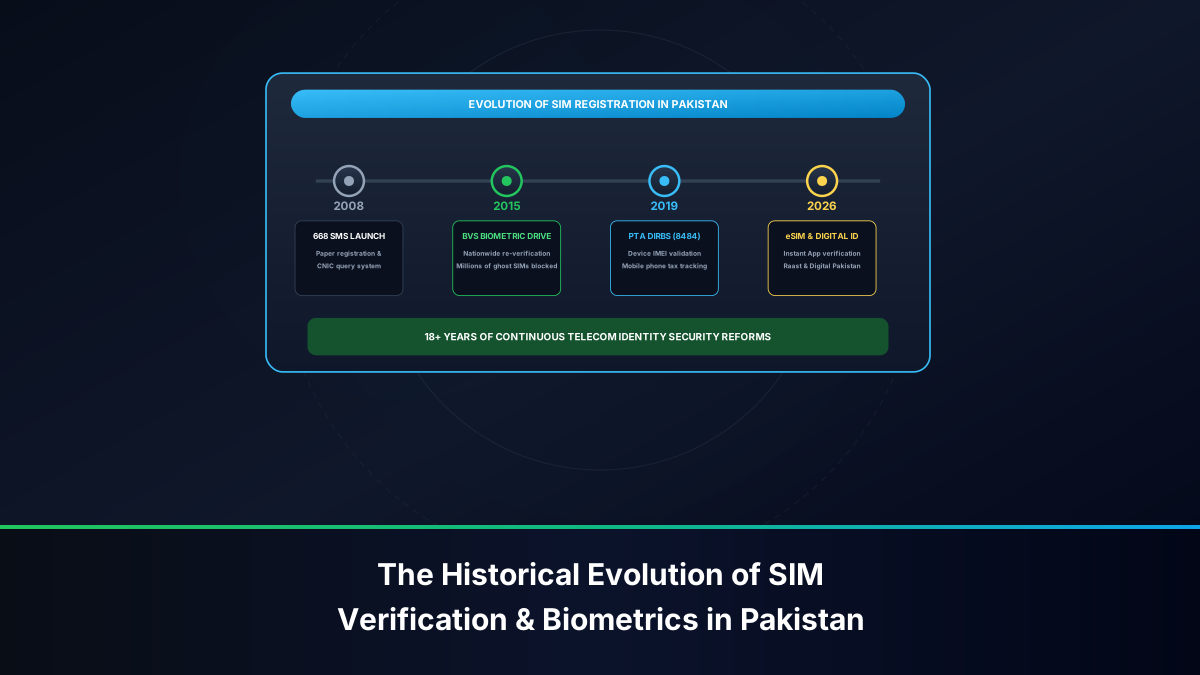
In contemporary telecommunications governance, regulating the hardware that connects to national cellular networks is just as vital as identifying the individual subscribers who operate them. Prior to 2018, Pakistan's mobile marketplace was flooded with tens of millions of grey-market handsets, smuggled smartphones, duplicate-identity feature phones, and stolen devices smuggled across international borders. This created severe national security vulnerabilities, facilitated untraceable street crimes, and deprived the national treasury of billions of rupees in uncollected import duties. To address this crisis decisively, the Pakistan Telecommunication Authority (PTA) conceptualized and rolled out the world-renowned Device Identification, Registration and Blocking System (DIRBS).
DIRBS is an advanced, automated regulatory technology platform that pairs real-time GSM network data with international GSMA (GSM Association) device registries and Federal Board of Revenue (FBR) customs clearance databases. Under PTA statutory regulations, no mobile cellular device—whether an Apple iPhone, Samsung Galaxy, Xiaomi, OnePlus, cellular iPad, or smart 4G smartwatch—can transmit or receive signals across Pakistani cellular carriers (Jazz, Zong, Telenor, Ufone) unless its 15-digit International Mobile Equipment Identity (IMEI) is authenticated and classified as compliant.
This exhaustive guide delivers an end-to-end breakdown of the PTA DIRBS platform. Whether you are buying a second-hand flagship smartphone, checking an existing handset via the 8484 shortcode, importing a device from abroad, calculating FBR customs duties, or protecting yourself against illegal patched and CPID IMEI scams, this manual covers every technical, regulatory, and legal dimension.
What is the PTA DIRBS System & Why Does It Matter?
The Device Identification, Registration and Blocking System (DIRBS) was officially launched pursuant to the PTA Technical Standards Regulations and international telecommunication pacts. Its primary objective is to guarantee that every mobile transceiver operating in the country is legitimate, safe for consumer health (satisfying specific absorption rate [SAR] radiation standards), tax-compliant, and accurately traceable in the event of criminal emergencies.
Before DIRBS was implemented, criminal syndicates routinely flashed cheap feature phone IMEIs onto stolen high-end handsets. A single stolen handset could disappear from carrier radars within minutes. Simultaneously, parallel importers avoided formal customs borders, evading regulatory certification. DIRBS eliminated this grey zone through continuous, automated network-layer interrogation:
- Centralized Device Database (CDB): DIRBS maintains a secure, unified ledger containing the IMEI status of every device authorized to access Pakistani radio frequencies.
- Network Interfacing: Every time a smartphone latches onto an active cellular tower in Pakistan, carrier base stations automatically capture the device's IMEI alongside the SIM card's IMSI (International Mobile Subscriber Identity).
- Real-Time Policy Enforcement: The captured IMEI is cross-referenced with the DIRBS ledger. If the device is flagged as stolen, cloned, or untaxed past its temporary grace window, the core network isolates the radio transceiver, cutting off voice calls, SMS, and cellular mobile data immediately.
By enforcing this closed-loop ecosystem, DIRBS has virtually eradicated organized cross-border smartphone smuggling into Pakistan and created a secure marketplace where second-hand buyers can verify device authenticity instantly before exchanging funds.
How to Find Your Device's True 15-Digit IMEI Number
Before you can initiate any verification query via 8484 or online portals, you must obtain the exact, authentic hardware IMEI number of your cellular device. An IMEI is a unique 15-digit electronic serial number assigned by the GSMA to every physical cellular radio transmitter. It is formatted as follows: AA-BBBBBB-CCCCCC-D (where AA is the reporting body identifier, BBBBBB is the type allocation code, CCCCCC is the serial number, and D is the Luhn check digit).
To locate your device's genuine IMEI, use the following standardized techniques:
Method 1: The Universal USSD MMI Dialer Code (*#06#)
The most reliable, tamper-resistant way to read your device's active motherboard IMEI is via the universal dialer shortcode. This method queries the modem baseband processor directly:
- Open the native Phone / Dialer application on your smartphone or feature phone.
- Dial
*#06#on the keypad (you do not need to press the call button). - An on-screen display dialog will appear instantaneously showing:
- IMEI 1: The primary hardware transceiver identifier.
- IMEI 2: The secondary transceiver identifier (present on dual-SIM devices or eSIM-capable phones).
- Serial Number (SN): The manufacturer's internal chassis production code.
- EID (Embedded Identity Document): The 32-digit identifier present on eSIM devices.
Method 2: Through System Software Settings
If you cannot dial *#06#, you can locate the IMEI within the operating system settings:
- On Apple iOS (iPhone / iPad Cellular): Go to Settings > General > About. Scroll down to the "Physical SIM" or "Available SIM / eSIM" sections to view IMEI and IMEI2. You can tap and hold the numbers to copy them to your clipboard.
- On Google Android (Samsung, Xiaomi, Vivo, Oppo, Realme): Navigate to Settings > About Phone (or About Device / Status Information). Tap IMEI Information to display both slots.
Method 3: Physical Device Packaging, Tray, and Chassis
Examine the original retail packaging box, which features a white barcode sticker listing the model number, color, and dual IMEIs. On many devices (such as iPhones and Google Pixels), the primary IMEI is also microscopically engraved directly onto the metal SIM card tray or on the glass rear chassis. Always cross-check the physical box IMEI against the on-screen *#06# display. If the box sticker and dialer screen show different numbers, the handset has likely been repackaged, refurbished, or motherboard-swapped.
The Three Official Channels for Checking IMEI Approval Status
PTA provides three convenient, synchronized methods for subscribers to interrogate the DIRBS database. Each method queries the exact same central registry in real time.
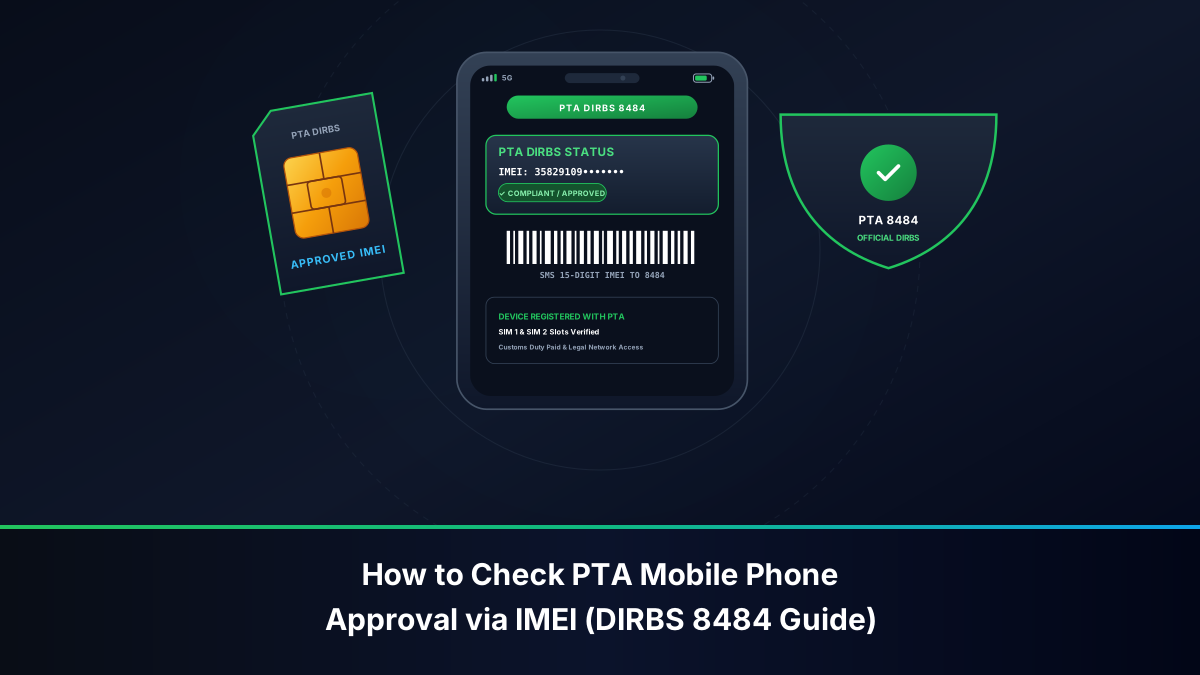
Channel 1: SMS to Shortcode 8484 (Offline / Fastest in the Field)
The SMS inquiry method is ideal when you are standing in a mobile market or retail shop without active Wi-Fi or mobile data:
- Open your smartphone's default SMS Messaging application.
- Create a new message and type your 15-digit IMEI number in the message body. Enter digits only—do not include spaces, dashes, or special characters (e.g.,
352012345678901). - Send the message to destination shortcode
8484. - Within 10 to 60 seconds, you will receive an official automated SMS reply originating from the sender header
PTA-DIRBSdetailing the exact regulatory status of that specific hardware address.
Channel 2: The Official PTA DIRBS Web Portal (Free & Detailed)
For in-depth verifications that provide complete manufacturer details, model names, and exact classification narratives, use the official desktop and mobile web portal:
- Launch any web browser on your computer or mobile phone and visit dirbs.pta.gov.pk.
- Locate the "Device Verification System (DVS)" input field on the homepage.
- Enter the 15-digit IMEI accurately into the text box.
- Solve the Google reCAPTCHA security verification prompt to prevent automated scraping.
- Click the Submit / Check button.
- The portal displays a comprehensive verification certificate detailing the GSMA brand, marketing model name, device type (Smartphone, Tablet, M2M), and current PTA compliance verdict.
Channel 3: Official DIRBS Android Mobile Application
PTA offers an official mobile utility on the Google Play Store titled DIRBS - Device Verification System. The application includes an integrated camera barcode scanner. Simply open the app, point your camera lens at the barcode printed on the smartphone's retail packaging box, and the app reads the 15 digits automatically and displays the real-time regulatory status.
Decoding PTA DIRBS Response Messages: Compliant, Non-Compliant, & Blocked
When you query an IMEI through 8484 or the web portal, DIRBS returns one of four distinct regulatory verdicts. Understanding the precise legal and operational meaning of each response is crucial before exchanging funds or accepting delivery of a handset.
1. "Compliant / PTA Approved"
Official Response: "IMEI [XXXXXXXXXXXXXXX] is PTA Approved / Compliant. This device is legally registered with PTA and can be used on any cellular network in Pakistan without restrictions."
Interpretation: The device was formally imported, certified by PTA, and all FBR customs duties and sales taxes have been paid in full. It will function permanently on Jazz, Zong, Telenor, and Ufone networks without ever facing blocking.
2. "Device IMEI is Valid (GSMA Valid) but Not PTA Approved"
Official Response: "IMEI [XXXXXXXXXXXXXXX] is valid (GSMA compliant) but non-compliant. Please register your device with PTA by paying applicable customs duty/taxes within 60 days of first network usage to avoid blocking."
Interpretation: The device is a genuine, non-counterfeit international handset that has entered Pakistan without formal customs clearance. It will work on Pakistani SIMs for a temporary grace period of 60 days. After 60 days, network access will be suspended unless FBR taxes are paid via the DIRBS portal.
3. "Blocked / Stolen / Snatched"
Official Response: "IMEI [XXXXXXXXXXXXXXX] is Blocked. This device has been reported as stolen, snatched, or involved in fraudulent activities. Do not purchase this handset."
Interpretation: The handset is blacklisted on the national Central Equipment Identity Register (CEIR) following a police First Information Report (FIR) or CPLC theft report. Inserting a SIM card into this handset can trigger automated law enforcement tracking and subject the user to criminal investigation for possession of stolen property.
4. "Invalid IMEI (Non-GSMA / Cloned / Patched)"
Official Response: "IMEI [XXXXXXXXXXXXXXX] is Invalid. The IMEI does not conform to GSMA standards or has been duplicated/paired with an unauthorized device."
Interpretation: The phone contains a spoofed, reprogrammed, or artificially generated hardware identifier. It cannot be legally registered or regularized under any circumstances and will be permanently shut out from all cellular communications.
Dual SIM and Multi-eSIM Verification: The Two-IMEI Rule
A frequent trap that costs Pakistani smartphone buyers tens of thousands of rupees involves partial IMEI registration on dual-SIM devices. Modern smartphones—such as dual physical SIM variants of Samsung Galaxy phones or iPhones with one physical nano-SIM slot and one virtual eSIM chip—contain two separate modem transceivers, each identified by its own unique 15-digit IMEI (IMEI 1 and IMEI 2).
When verifying a dual-SIM or eSIM-capable handset, you must independently query both IMEI numbers via 8484 or the web portal. Never assume that because IMEI 1 is PTA approved, IMEI 2 is automatically compliant.
- The Historical Amnesty Discrepancy: When PTA initiated DIRBS in late 2018, millions of dual-SIM phones were active in Pakistan. Subscribers who only had one SIM card inserted at the time of the midnight cutoff had only their active slot (IMEI 1) grandfathered into the PTA compliant whitelist. The second slot (IMEI 2) remained unrecorded and was subsequently blocked when a second SIM was inserted months later.
- Customs Registration Fraud: Unscrupulous retailers or informal importers sometimes register only one IMEI under individual passport duty schemes to cut costs, leaving the second slot unapproved. The unsuspecting buyer tests the phone with a single SIM, assumes the device is fully compliant, and only discovers the second slot is dead months later.
- Dual Approval Requirement: Under current FBR/PTA rules, when registering a dual-SIM device through the DIRBS Individual COC (Certificate of Compliance) system, both IMEIs must be submitted together on the single registration ticket to link them to the same customs assessment invoice.
FBR Customs Duty Assessment and Online Payment Process
If you have purchased an imported non-compliant smartphone or brought an unapproved device from abroad, you must register it through the PTA-FBR Device Registration System (DRS) to obtain permanent network authorization. Customs tariffs in Pakistan are calculated based on the device's original Customs Assessed Value (in US Dollars) and whether registration is performed against an international traveler's passport or a local citizen's CNIC.
Step-by-Step Device Registration Workflow
- Step 1: Create a DIRBS Account: Visit dirbs.pta.gov.pk/drs/ and click on Sign Up. Choose your user category: Local (CNIC) or International Traveler (Passport). Complete the SMS and email verification steps.
- Step 2: Submit Device Application: Log into the DRS portal and select Apply for COC (Certificate of Compliance). Enter the device specifications (brand, model, number of SIM slots) and input all 15-digit IMEIs (both IMEI 1 and IMEI 2 for dual-SIM devices).
- Step 3: Generation of PSID (Payment Slip ID): The DIRBS system connects to the FBR customs engine, calculates applicable regulatory duty, sales tax, withholding tax, and mobile levy, and generates a unique 17-digit PSID tracking number along with the exact payable amount in Pakistani Rupees (PKR).
- Step 4: Online Payment via 1Link: You do not need to visit a bank branch. Open any Pakistani mobile banking app (e.g., HBL, Meezan, Alfalah, Standard Chartered), Easypaisa, or JazzCash. Navigate to Bill Payments > 1Bill / Kuickpay / Government Taxes (FBR), paste the 17-digit PSID, and confirm the payment.
- Step 5: Automated Clearing & Activation: Once the transaction succeeds, 1Link notifies the FBR clearing gateway. Within 2 to 24 hours, the DIRBS ledger updates the device status from Non-Compliant to Compliant / PTA Approved, and cellular network services are restored across all carriers.
How to Identify and Avoid CPID, Patched, and Cloned IMEIs in Used Markets
Due to high import duties on luxury flagship smartphones (such as Apple iPhones and Samsung Ultra devices), a thriving underground black market has emerged around software patched and CPID (Custom Phone ID) unlocked devices. In street parlance, these phones are frequently marketed as "officially patched" or "VIP lifetime approved" at discounts of 40% to 60% compared to genuine PTA-approved models.
The Reality of Patched & CPID Phones
A "patched" or "CPID" phone is not legally approved. Unlicensed technicians use unauthorized software tools to erase the original factory IMEI of the high-end smartphone and replace it with an IMEI harvested from an obsolete, cheap 2G button phone (such as a broken Nokia 105 or QMobile handset) that was already registered in the PTA system before 2018. When you send that hijacked IMEI to 8484, DIRBS returns "PTA Approved"—but the approval belongs to the old 2G button phone, not the flagship smartphone in your hands.
How to Detect a Patched or Cloned Smartphone
- The Model Mismatch Test: Query the IMEI via the official web portal at
dirbs.pta.gov.pk. Read the "Device Model Name" returned by the system. If you are holding a Samsung Galaxy S23 Ultra, but DIRBS reports that the IMEI belongs to a "Nokia 105" or "Jazz Digit 4G", the phone is fraudulent and patched. - The Factory Reset Vulnerability: Software-level patches (common on older Android versions) cannot survive a system format. Performing a hard factory reset or updating the Android OS over Wi-Fi wipes the modified software layer, causing the phone to revert to its original blocked international IMEI. If a seller insists you must never factory reset or update the device, it is guaranteed to be an illegal patch.
- Legal and Operational Risks: The PTA continuously runs clustering algorithms that identify thousands of distinct cellular handshakes sharing the exact same cloned IMEI across different cities. When flagged, the entire IMEI pool is blacklisted simultaneously. Furthermore, possessing or selling equipment with modified electronic identifiers is a punishable offence under Section 16 of the Prevention of Electronic Crimes Act (PECA) 2016.
Emergency Blocking & Unblocking of Lost or Stolen Phones via DIRBS
One of the most valuable public safety features of the DIRBS architecture is its ability to render a lost or stolen mobile phone completely useless to thieves, effectively destroying its street resale value.
If your mobile phone is snatched, stolen, or misplaced, take the following steps immediately to blacklist the device nationwide:
Immediate Blocking Channels
- PTA CMS Online Portal: Visit cms.pta.gov.pk and select Stolen Mobile Handset Blocking. Enter your CNIC number, the stolen handset's 15-digit IMEI(s), the last active SIM number, and a brief description of the incident.
- PTA Consumer Toll-Free Helpline: Dial 0800-55055 (operating from 09:00 AM to 09:00 PM, 7 days a week) and report the loss to a customer service representative after verifying your personal identification details.
- CPLC Karachi Helpline: In Karachi, call the Citizens-Police Liaison Committee at 1102 or 021-35682222 for expedited blacklisting coordinated with Sindh Police.
- Email Reporting: Email full incident details, CNIC copy, and 15-digit IMEI numbers directly to
imei@pta.gov.pk.
Once submitted, the PTA propagates a blacklisting instruction across the central CEIR database. Within 16 to 24 hours, all four mobile network operators lock out the radio modem. Even if the thief throws away your SIM card and inserts a brand new one, the device will display "No Service" or "Emergency Calls Only" across every network in Pakistan.
Summary Comparison: Device Statuses, Legal Implication & Required Actions
The table below provides a quick-reference summary of every possible device classification under the PTA DIRBS regulatory umbrella:
| DIRBS Status | Network Access | Legal Standing | Action Required |
|---|---|---|---|
| PTA Approved / Compliant | Unrestricted on all networks | 100% legal, fully tax-paid | None. Safe for long-term use and resale. |
| GSMA Valid / Non-Compliant | Active for 60-day grace period | Imported without tax clearance | Register on DRS portal and pay FBR duty within 60 days. |
| Blocked / Blacklisted | Zero network signal (No Service) | Reported lost, stolen, or crime-linked | Do not purchase. If recovered owner, apply for CMS unblocking. |
| Invalid IMEI / Tampered | Barred from cellular networks | Illegal modification under PECA 2016 | Cannot be legalized. Demand refund from vendor immediately. |
Frequently Asked Questions About PTA IMEI 8484 Verification
Below are concise, expert answers to the most common questions regarding mobile phone registration and IMEI verification in Pakistan.
How long does it take for a newly paid phone to be unblocked?
Once you pay the FBR customs duty PSID through your banking application or Easypaisa/JazzCash, payment reconciliation between 1Link and the FBR gateway typically completes within 1 to 4 hours. The DIRBS database automatically shifts the device status to "Compliant". In some instances, it may take up to 24 hours for all cellular operator core networks to sync their equipment identity whitelists. Restarting your smartphone after 24 hours forces a fresh network handshake.
Can I register my phone under a family member's passport to get a lower tax rate?
Yes. Pakistani citizens or overseas Pakistanis who have traveled abroad and returned to Pakistan within the last 30 days are eligible to register one mobile handset under the "International Traveler" baggage allowance tariff, which offers discounted customs duty brackets compared to standard CNIC registrations. The individual's passport number, flight details, and CNIC must match the traveler's official immigration records with the Federal Investigation Agency (FIA).
What should I do if a brand-new boxed phone shows 'Non-Compliant' out of the box?
If you purchase a brand-new smartphone from an official Pakistani retail outlet and 8484 reports it as non-compliant, do not accept the unit. Commercial brand distributors (such as Samsung Pakistan, Airlink, Inbox, or Core20) are legally mandated to import devices with pre-paid commercial duties. Inform the retailer immediately and demand an exchange for a fully verified unit bearing an official PTA hologram sticker on the box.
By understanding and utilizing the PTA DIRBS verification system via 8484 SMS and online portals, Pakistani citizens can confidently navigate the smartphone market, verify the authenticity of every cellular transceiver, protect themselves from cybercrime penalties, and ensure complete regulatory compliance.