The Cellular Wearable & IoT Ecosystem in Pakistan
The telecommunications landscape in Pakistan has evolved far beyond traditional smartphones and desktop voice terminals. Today, the Internet of Things (IoT) and cellular-enabled wearable devices—encompassing Apple Watch Cellular (Series 4 through Ultra 2), Samsung Galaxy Watch LTE, Garmin standalone communicators, automotive GPS trackers, smart electricity and gas meters, and remote telemetry sensors—represent hundreds of thousands of active network endpoints across Pakistani cellular networks.
Because every device that transmits or receives data over GSM, UMTS, LTE, or 5G radio frequencies interacts directly with national cellular infrastructure, the Pakistan Telecommunication Authority (PTA) enforces rigorous dual compliance frameworks: Device Identification, Registration and Blocking System (DIRBS) for hardware type approval, and mandatory Biometric Verification System (BVS) linkage with NADRA for subscriber identity verification. Operating an unapproved cellular smartwatch or unregistered IoT sensor risks swift network disconnection and potential legal penalties under the Prevention of Electronic Crimes Act (PECA) 2016.
PTA Device Identification, Registration & Blocking System (DIRBS) for Wearables
Every cellular smartwatch and IoT communications module contains a discrete radio transceiver identified by an internationally standardized 15-digit International Mobile Equipment Identity (IMEI) number. Under the PTA DIRBS Regulations (enacted under Section 5(2)(o) of the Pakistan Telecommunication (Re-organization) Act 1996):
- Mandatory Technical Clearance: No cellular device may permanently transmit over Pakistani cellular spectrum unless its IMEI is whitelisted on the PTA DIRBS Central Equipment Identity Register (EIR).
- The 60-Day Regulatory Window: When an imported cellular watch or IoT modem connects to a local cellular tower for the first time, DIRBS flags the equipment's IMEI. The user or importer has exactly 60 calendar days to regularize the device by paying the statutory customs duties and PTA type-approval registration fee.
- Sanctions for Non-Compliance: If 60 days elapse without duty clearance, the mobile network operators (PMCL/Jazz, CMPak/Zong, Telenor, and PTCL/Ufone) are electronically commanded by the DIRBS gateway to block the device's IMEI. While the smartwatch's local Bluetooth and Wi-Fi transceivers will continue functioning, its independent cellular and eSIM capabilities are completely disabled across all Pakistani networks.
Standalone MSISDN vs. Multi-SIM (Number Sharing) Architecture
When provisioning cellular connectivity on a wearable device in Pakistan, consumers and enterprises must choose between two distinct telecommunication architectures:
- Standalone MSISDN Model: The wearable or IoT device is provisioned with its own independent 11-digit cellular phone number (e.g.,
0300-1234567). It has its own dedicated prepaid balance, billable data package, and SMS bundle. This model is universal for vehicle GPS trackers, industrial smart meters, child tracking watches, and standalone emergency communicators. Under PTA regulations, a standalone SIM card occupies one of the maximum 5 Voice/SMS SIM slots permitted per individual CNIC. - Multi-SIM / Number Sharing (Associated Profile) Model: Designed specifically for high-end consumer smartwatches (Apple Watch Cellular and Samsung Galaxy Watch LTE), Number Sharing allows the smartwatch's embedded SIM (eUICC) to share the identical mobile phone number, voice bundle, SMS balance, and data volume of the user's primary smartphone. When someone calls the user's primary number, both the smartphone and the smartwatch ring simultaneously, regardless of whether the phone is left miles away at home.
Step-by-Step: Provisioning Cellular eSIM on Apple Watch & Samsung Galaxy Watch
Activating cellular service on an Apple Watch or Samsung Galaxy Watch requires navigating both cryptographic pairing protocols and Pakistani regulatory verifications:
Apple Watch Cellular (watchOS) Activation Procedure
- Confirm Compatibility: Ensure your iPhone is connected to an operator that supports Apple Watch Cellular in Pakistan (e.g., Jazz or Zong) with an active VoLTE (Voice over LTE) profile.
- Launch Apple Watch Companion App: Open the official Watch application on your paired iPhone. Navigate to the My Watch tab and select Cellular.
- Initiate Setup: Tap "Set Up Cellular". The iPhone opens the carrier's embedded captive provisioning portal.
- Carrier Authentication: Log in using your carrier self-care credentials (e.g., Jazz World login or SMS OTP sent to your primary smartphone). The carrier backend validates that the primary SIM is active and biometrically verified against NADRA.
- eSIM Profile Download: The carrier generates an encrypted Remote SIM Provisioning (RSP) profile matching the Apple Watch's 32-digit EID (Embedded Identity Document). Within 60 to 180 seconds, the eSIM profile is securely installed over Bluetooth/Wi-Fi onto the Apple Watch's eUICC microchip.
- Test Untethered Operation: Turn off Bluetooth and Wi-Fi on your iPhone. Observe the cellular indicator on your Apple Watch face turn green, confirming successful standalone tower connection.
Samsung Galaxy Watch LTE (Wear OS) Activation Procedure
- Open the Galaxy Wearable app on your Samsung or Android smartphone.
- Navigate to Watch Settings > Mobile Plans.
- The app queries nearby cellular networks. Select your active carrier and tap Connect.
- If your carrier utilizes QR-code-based eSIM provisioning for Wear OS, tap "Scan QR Code" and position your phone's camera over the official operator-issued eSIM QR voucher.
- Complete the on-screen carrier verification. Once downloaded, reboot the Galaxy Watch to initialize the network radio and obtain an IP address from the carrier Packet Data Network Gateway (PGW).
Carrier Feature & Compatibility Matrix (Jazz, Zong, Telenor, Ufone)
Pakistani operators offer varying levels of technical support for wearables, eSIM multi-SIM pairing, and dedicated IoT services:
| Network Operator | eSIM Consumer Availability | Smartwatch Multi-SIM (Number Sharing) | IoT / M2M Dedicated Data SIMs | eSIM Issuance Fee | BVS Requirement |
|---|---|---|---|---|---|
| Jazz (PMCL) | Nationwide (Prepaid & Postpaid) | Supported (Select Postpaid/Prepaid Packages) | Jazz IoT / Enterprise M2M Hub | PKR 1,500 - 2,000 | Mandatory Franchise BVS / Pak-ID |
| Zong 4G (CMPak) | Nationwide (Prepaid & Postpaid) | Supported on Selected LTE Wearables | Zong IoT One Solution (Smart Meters/Fleet) | PKR 1,500 - 2,000 | Mandatory Franchise BVS |
| Telenor Pakistan | Select Major Cities | Limited / Standalone eSIM Profile | Telenor Connect IoT Telemetry | PKR 1,000 - 1,500 | Mandatory Franchise BVS |
| Ufone 4G (PTCL Group) | Available at Customer Centers | Standalone Profile Deployment | PTCL Group Enterprise Fleet IoT | PKR 1,500 - 2,000 | Mandatory Franchise BVS |
Industrial IoT, Vehicle GPS Trackers & Smart Metering SIM Regulations
Automotive GPS tracking devices (installed in private vehicles, ride-hailing fleets, and commercial trucking) as well as automated utility meters (DISCO smart electricity meters and SNGPL/SSGC smart gas meters) operate using low-power cellular modules (2G GPRS, NB-IoT, and LTE-M). The regulatory landscape governing these devices includes specific requirements:
- Data-Only Telemetry Tiers: For non-voice IoT sensors, telecom operators issue specialized data-only SIM cards that lack international dialing and outgoing voice capabilities. This protects the subscriber from runaway roaming charges or voice misuse in the event the device is compromised.
- Automated Location Pings & SMS Polling: Fleet tracking systems typically operate by sending GPRS UDP/TCP packets to a remote cloud server every 30 to 60 seconds. In areas with weak data coverage, the tracker falls back to sending SMS text messages containing latitude, longitude, vehicle speed, and ignition status.
- Battery Life & APN Configuration: IoT SIMs require specific Access Point Names (APNs) (e.g.,
jazz.m2morzong.iot) with static IP allocation to allow corporate central servers to poll remote smart meters without public internet routing vulnerabilities.
Biometric Verification (BVS) & Corporate Quota Rules for Non-Handset SIMs
Under PTA and Ministry of Information Technology directives, no SIM card—whether physical nano-SIM or digital eSIM—can be issued or activated in Pakistan without rigorous biometric identity linkage:
Individual Consumer IoT Purchases
When an individual purchases a GPS tracker for their private car or a cellular smartwatch for personal use:
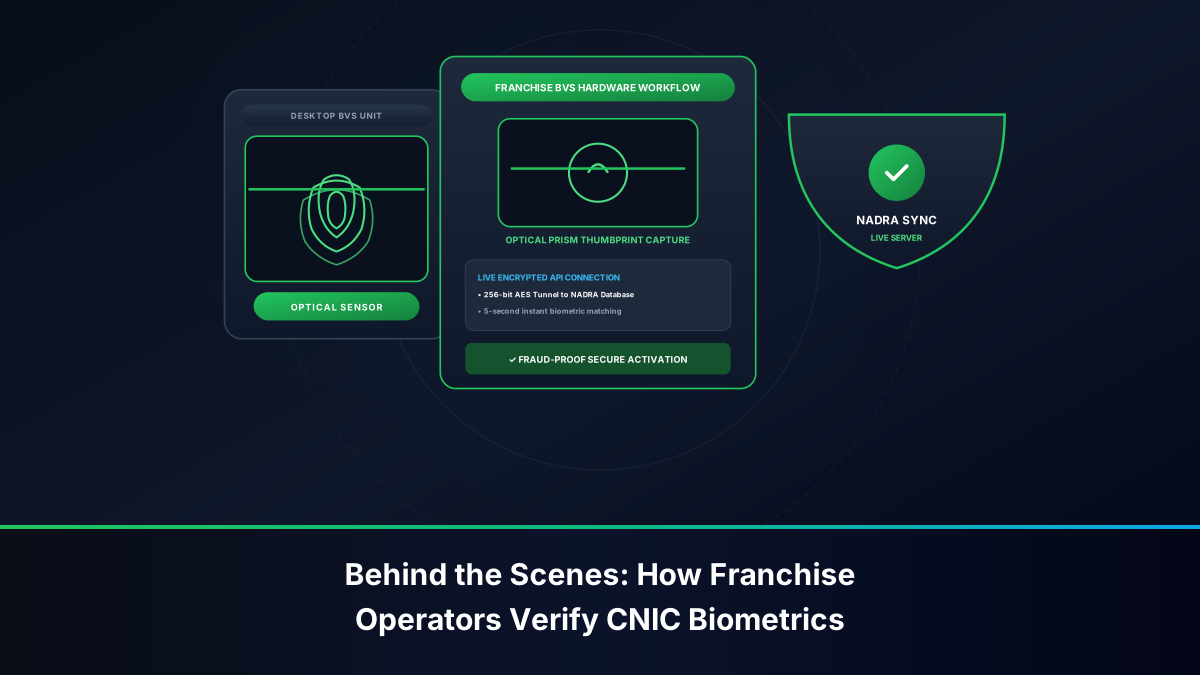
- The citizen must present their original 13-digit Smart CNIC at an authorized customer service center or franchise.
- Undergo live thumbprint or index finger scanning on the NADRA-integrated BVS terminal.
- The connection is registered under the citizen's personal name. If the citizen already has 5 active voice connections registered on their CNIC, they cannot activate an additional voice-capable SIM for their tracker and must either cancel an existing connection or procure a dedicated data-only broadband SIM (which falls under a separate 3-SIM personal data quota).
Corporate and Enterprise Fleet IoT Exemptions
For logistics enterprises, tracking companies, and financial banks operating thousands of vehicle trackers and POS terminals:
- Corporate NTN Registration: SIM cards are registered under the company's National Tax Number (NTN) rather than an individual's personal CNIC.
- Authorized Signatory BVS: The Chief Executive Officer (CEO) or an officially nominated corporate director must undergo one-time biometric verification to authorize the corporate master account.
- Volume Allocation: Corporate accounts are exempt from the standard 5-SIM consumer limit, allowing enterprises to maintain thousands of active M2M SIMs under a single consolidated billing master agreement.
DIRBS Customs Duty Calculation & 8484 IMEI Verification for Imported Watches
Importing high-end cellular smartwatches into Pakistan carries customs tariff obligations enforced at cellular base stations by PTA's DIRBS platform. Here is how duties are calculated and validated:
- Retrieving the Watch IMEI: Access the watch software settings (Settings > About) or examine the physical back casing of the watch or retail packaging box to locate the 15-digit IMEI.
- Checking Regulatory Status via SMS 8484: Send the 15-digit IMEI in a standard SMS to
8484from any local phone (charged at standard SMS tariff). Alternatively, visithttps://dirbs.pta.gov.pk/. - Decoding Response Statuses:
- Compliant / PTA Approved: The device is legally cleared; cellular service will operate indefinitely.
- Valid (Non-Approved): The device is recognized as authentic hardware, but customs duty has not been paid. You have 60 days to pay the assessed duty before cellular barring occurs.
- Non-Compliant / Blocked: The IMEI is cloned, stolen, or expired past the 60-day window; cellular radios cannot access local towers.
- Paying Customs Duty via PSID: Log into the PTA DIRBS portal, generate an electronic Payment Slip Identifier (PSID) based on the device's C&F valuation, and settle the duty through online banking (1LINK / 1Bill), JazzCash, Easypaisa, or at any commercial bank branch.
Cybersecurity & Anti-Theft Protection: Remote eSIM Erasure & IMEI Blacklisting
Because smartwatches are portable, high-value luxury items and vehicle GPS trackers are primary anti-theft counter-measures, understanding emergency security protocols is vital:
- Immediate CPLC & PTA Blacklisting: If a cellular smartwatch is snatched or stolen, immediately call the PTA Anti-Theft Helpline at
0800-25625or CPLC Karachi at1102. Provide the 15-digit IMEI, your CNIC, and police FIR number. PTA will broadcast a network-wide blacklist command within 24 hours, rendering the watch's cellular hardware permanently useless to thieves. - Remote iCloud / SmartThings Find Wipe: Utilize Apple's Find My or Samsung's SmartThings Find web portal to initiate a remote hardware wipe. When commanding a wipe, you can selectively choose whether to preserve or erase the embedded cellular eSIM profile. Preserving the eSIM profile enables the watch to continue transmitting its live GPS beacon back to authorities as long as its battery retains charge.
- Tamper Alerts on Vehicle Trackers: Modern GPS vehicle trackers incorporate optical light sensors and internal backup batteries. If a car thief severs the car battery cable or pries open the tracker casing, the device instantly dispatches high-priority emergency SMS pings and calls to the owner's primary mobile phone.
Troubleshooting Common Activation Failures: EID Mismatches & APN Errors
Users attempting to set up cellular wearables often face technical friction. Below are systematic solutions for frequent errors:
- Error: "No Cellular Plan Available" in Apple Watch App: This occurs if your iPhone carrier bundle is outdated. Connect your iPhone to Wi-Fi, navigate to Settings > General > About, and tap Carrier to trigger an automatic carrier bundle update (e.g., Jazz 54.0 or higher).
- Error: "Connection Problem or Invalid MMI Code" on Standalone Smartwatch Dialer: Smartwatches lacking dedicated keypad support for USSD signalling cannot process balance inquiry codes (like
*111#). To check remaining balances, link the smartwatch's MSISDN to your carrier mobile self-care app (Jazz World / My Zong) on your primary smartphone. - Error: GPS Tracker Offline (Solid Amber LED): A continuous amber or flashing red LED on a vehicle tracker signifies failure to negotiate a cellular GPRS connection. Remove the tracker SIM, insert it into an ordinary smartphone, verify that the prepaid package includes active 2G/4G data, disable the SIM PIN lock, and confirm that mobile balance is not zero.
- Error: EID Mismatch during Franchise eSIM QR Replacement: If an operator agent scans a generic smartphone eSIM QR code instead of an associated wearable profile, the Apple Watch provisioning server will reject the profile. Explicitly request an "Apple Watch / Wearable Companion eSIM Profile" at the customer care lounge.
Frequently Asked Questions: Smartwatch & IoT SIM Verification
Authoritative technical and regulatory solutions addressing cellular wearable activation, customs clearance, and IoT connectivity in Pakistan.