The Architecture of Zong's 7911 Shortcode & Its Regulatory Purpose
CMPak Limited, operating under the renowned commercial brand name Zong 4G, is a wholly-owned subsidiary of China Mobile Communications Corporation—the world's largest mobile network operator by subscriber count. Operating across Pakistan's 2G, 3G, and nationwide 4G LTE/LTE-Advanced networks, Zong serves tens of millions of retail consumers, corporate enterprises, and IoT (Internet of Things) deployments. Within Pakistan's telecommunications ecosystem, regulatory oversight enforced by the Pakistan Telecommunication Authority (PTA) mandates that all mobile network operators provide clear, transparent, and readily accessible self-audit mechanisms that empower consumers to verify their identity linkages and ensure biometric compliance.
To fulfill this regulatory mandate and protect subscribers against identity theft and unauthorized SIM usage, Zong provisioned the proprietary shortcode 7911. By establishing an automated shortcode pipeline, Zong allows any active subscriber with a Zong SIM card inserted into a cellular handset to query the carrier's real-time Home Location Register (HLR) and Business Support Systems (BSS). Unlike third-party scam apps or illicit web search directories that harvest user data, 7911 interfaces directly with CMPak's secured core infrastructure, querying the exact biometric verification record validated by the National Database and Registration Authority (NADRA). This definitive technical guide details how to correctly utilize 7911, decode its automated responses, leverage alternative USSD strings and mobile app portals, and take immediate corrective measures if an unauthorized line or mismatched identity record is identified.
Step-by-Step Instructions: Sending 'V' to 7911 & Decoding the Response
Utilizing the 7911 shortcode service is straightforward, but adhering to the exact syntax requirements established by Zong's SMS gateway is essential to avoid gateway rejection or billing errors. Follow this step-by-step procedure:
- Insert the Zong SIM Card: Ensure the Zong SIM card you intend to verify is active and inserted into Primary SIM Slot 1 (recommended for dual-SIM handsets to prevent accidental message dispatch from a secondary operator SIM).
- Open Your Handset's Default Messaging App: Launch your standard SMS messaging application (e.g., Google Messages on Android or Messages on Apple iOS).
- Compose a New Text Message: In the recipient or "To:" field, enter the 4-digit shortcode
7911. - Input the Official Command: In the message body, type the single capital letter
V(the lowercase lettervis also accepted by Zong's SMPP gateway parser, representing "Verification"). Do not include trailing spaces, punctuation marks, or additional text such as "check owner" or your mobile number. - Dispatch the Message: Press the Send button. Ensure your phone confirms transmission via your Zong carrier network.
Decoding the 7911 Response Payload
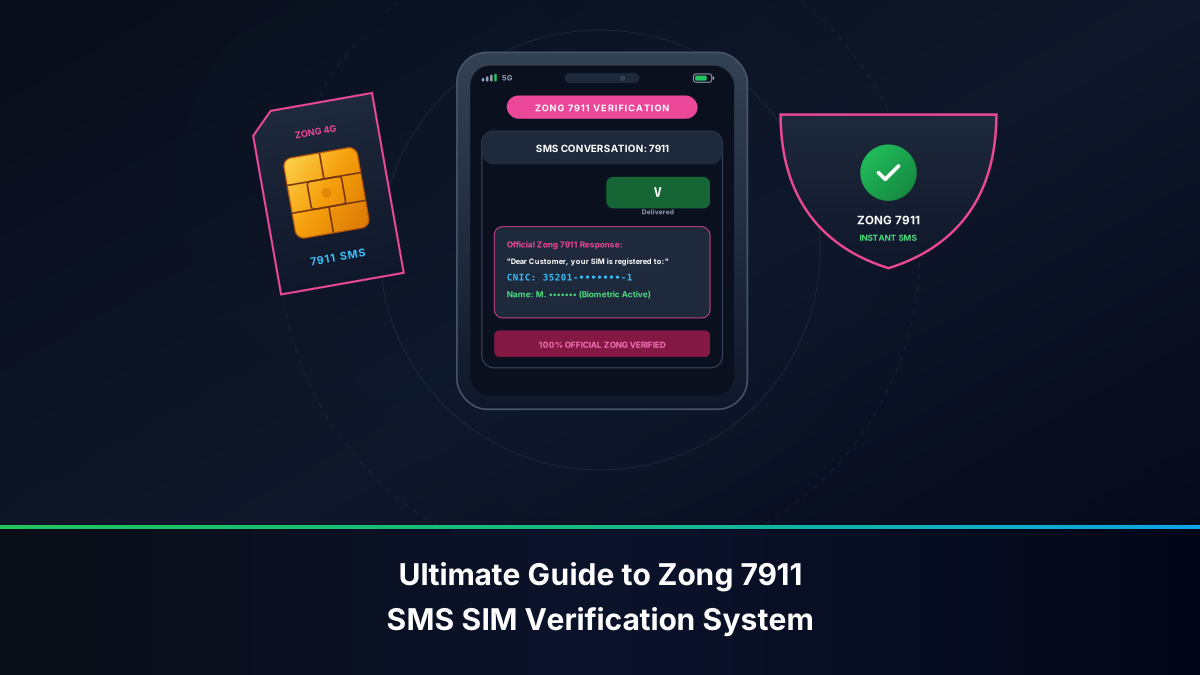
Within 5 to 30 seconds, Zong's automated server dispatches an inbound text message from sender ID 7911. A typical response payload is structured as follows:
Dear Customer:
Your SIM 0312XXXXXXX is registered against CNIC: 35201-XXXXXXX-1.
Subscriber Name: MUHAMMAD AHMAD KHAN.
Verification Status: Biometric Verified (BVS).
Thank you for using Zong 4G.
When analyzing this message payload, pay close attention to three critical parameters:
- Subscriber Name: This displays the full legal name registered in the NADRA database when the SIM underwent thumbprint biometric scanning. If this name does not match your official CNIC name, the connection is not legally yours.
- Masked CNIC: For privacy protection and to prevent screen-snooping, Zong automatically masks the central 7 digits of your 13-digit CNIC. The initial 5 digits (identifying your administrative district and division) and the terminal checksum digit (indicating gender—odd for male, even for female) are displayed so you can verify that the card belongs to your own identity profile.
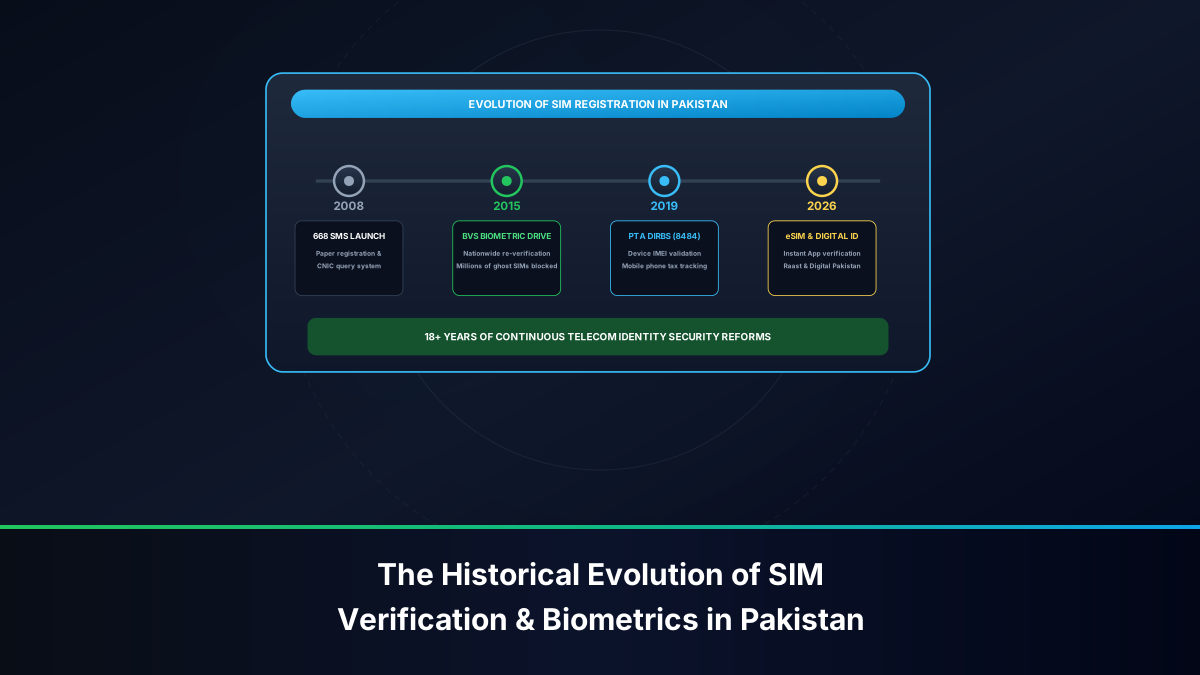
- Verification Status: Modern regulatory compliance requires the status to read "Biometric Verified" or "BVS Validated". If the message indicates "Non-BVS" or "Temporary Grace Period", the SIM must immediately undergo physical biometric verification at a franchise to avoid administrative blocking.
Tariff Costs, Balance Thresholds & Delivery Latency for 7911
Understanding the operational and financial characteristics of the 7911 shortcode helps prevent delivery hiccups:
- Service Tariff: Sending an SMS to 7911 incurs a minimal telecommunication tariff, generally between PKR 0.05 to PKR 0.20 + tax, or a standard on-net SMS deduction depending on your active prepaid tariff package (such as Zong Economy, Zong 20, or Shandaar packages). For corporate postpaid accounts, it is billed as a standard SMS event.
- Minimum Airtime Balance: Because shortcodes require micro-billing validation by CMPak's Online Charging System (OCS), you must maintain an active prepaid balance of at least PKR 1.00 to PKR 2.00. If your balance is PKR 0.00, your handset will display a "Message Not Sent" or "Failed to Send" notification.
- Bundle Inclusion: Note that standard SMS bundles (e.g., Daily, Weekly, or Monthly SMS packages that provide 500 or 1,000 SMS) typically cover peer-to-peer (P2P) mobile messaging only and do not cover commercial or regulatory shortcodes (A2P). Thus, you still require a nominal rupee airtime balance.
- Network Latency: Under standard operating conditions, the round-trip latency (from dispatch to response reception) ranges between 5 and 15 seconds. During peak evening congestion (07:00 PM to 10:00 PM) or during nationwide public holidays, response times may extend to 60 to 120 seconds due to SMS gateway queuing.
Alternative 1: Free On-Net USSD Codes (*310# and *8# / *100#)
If your prepaid balance is exhausted, or if you prefer an interactive on-screen verification that does not generate stored SMS records, Zong offers native Unstructured Supplementary Service Data (USSD) menus that operate 100% free of charge:
1. The Master Self-Service Portal: *310#
Dialing *310# opens CMPak's comprehensive interactive subscriber portal directly on your device screen:
- Open your smartphone dialer and call
*310#. - Select the menu option corresponding to "My Account" or "Account Info" (typically Option 1 or Option 2).
- Select "SIM Registration Details" or "Owner Info".
- The USSD gateway interrogates the HSS database and flashes an on-screen dialog showing the registered subscriber's name and CNIC. Because USSD operates over fast signaling channels (stand-alone dedicated control channels - SDCCH), the response appears almost instantaneously.
2. Checking Your Own MSISDN: Dial *8# or *100#
If you have recently acquired a Zong SIM card, or inserted a dormant SIM from storage and do not remember the 11-digit mobile number, use Zong's free MSISDN display shortcodes:
- Dial
*8#from your dialer: Within 2 seconds, a flash notification displays: "Your MSISDN is 9231XXXXXXXX". - Dial
*100#: Choose "Please Call Me Back" or "My Number Check" from the prompt to have your mobile number returned to you free of charge.
Alternative 2: My Zong App Identity Verification & Profile Inspection
For Android and iOS smartphone users, the most sophisticated and comprehensive way to audit a Zong connection is via the official My Zong application. In addition to package management and balance recharges, the app serves as a real-time identity authentication portal:
- Install Official App: Download "My Zong" directly from the official Google Play Store, Apple App Store, or Huawei AppGallery. Never download third-party APK files from untrusted internet repositories.
- Secure One-Tap Login: Launch the app. If you are connected via Zong 4G mobile data, the app automatically authenticates your SIM card without requiring manual password entry. If connected via Wi-Fi, input your Zong number to receive a secure 4-digit SMS OTP.
- Inspect Your Registered Profile: Once on the home dashboard, tap the profile icon in the top header. Here, you can view:
- Full Registered Subscriber Name (NADRA verified).
- Masked CNIC / NICOP Number.
- SIM Serial Number (ICCID) printed on the physical chip.
- Complete history of active bundles, tariff tiers, and balance recharges.
- Detailed Usage History (itemized call, SMS, and data sessions for the previous 7 to 30 days) to audit against unauthorized line usage.
Alternative 3: Auditing All CMPak SIMs on Your CNIC via PTA 668 & Web
While the 7911 SMS shortcode reveals the registration details of the specific physical SIM card in your handset, it cannot tell you how many total Zong SIMs exist under your CNIC across the entire country. To conduct a comprehensive national audit, you must utilize the PTA clearinghouse system:
| Verification Channel | Direct Instructions | Financial Cost | What It Reveals |
|---|---|---|---|
| 7911 SMS | Send V to 7911 from your Zong SIM |
Nominal (~PKR 0.10 + tax) | Name & CNIC of the specific inserted Zong SIM |
| PTA 668 SMS | Send your 13-digit CNIC to 668 from any phone | PKR 2.00 + tax | Total active SIM count across all 4 networks (Jazz, Zong, Telenor, Ufone) |
| cnic.sims.pk Web | Visit cnic.sims.pk and enter CNIC + CAPTCHA | 100% Free | Color-coded tabular breakdown of voice and data SIMs per operator |
| PTA CMS App | Install PTA CMS > Register Citizen Profile | 100% Free | Detailed SIM holding overview + one-touch dispute filing |
By comparing your 7911 query result with your cnic.sims.pk clearinghouse summary, you can instantly verify whether phantom or ghost SIMs have been fraudulently activated under your name by rogue retail agents.
Troubleshooting 7911 Delivery Timeouts, SMSC Errors & Unresponsive Prompts
If you transmit V to 7911 and receive no response, or your handset alerts you to a transmission failure, diagnose the issue using these technical steps:
- Inspect Zong SMSC Number: If your phone cannot send messages to shortcodes, your SMS Center (SMSC) address may be misconfigured. In your SMS settings (or via
*#*#4636#*#*on Android), verify that the SMSC address is set to+923189200068(Zong's primary national SMSC gateway). - Verify Airtime Balance: Dial
*222#to verify your main prepaid balance. Ensure you possess at least PKR 1.00. Settle any outstanding emergency airtime loans (Zong Yaari Load / Advance) if they have locked outgoing paid messaging. - Android Premium SMS Protection: If you receive an error reading "Can't send message with Zong - Error 28" or "Service not allowed", your smartphone may be blocking premium shortcodes. Navigate to Settings > Apps > Special App Access > Premium SMS Access > Messages and select "Always Allow".
- SIM Slot Selection on Dual-SIM Devices: If your handset contains two SIM cards (e.g., SIM 1 Jazz, SIM 2 Zong), ensure that outgoing SMS is explicitly routed through SIM 2. Sending
Vto 7911 from a Jazz, Telenor, or Ufone SIM card will fail, as 7911 is an on-net shortcode unique to CMPak.
Correcting Discrepancies: Biometric Re-Verification and Ownership Transfer at Zong Franchises
If your 7911 verification returns an unexpected result—such as the name of a distant relative, a previous owner, or an entirely unfamiliar individual—you must take swift corrective action to regularize the connection under PTA regulations:
1. Transfer of Ownership (Biometric BVS Swap)
Under PTA standard operating procedures, operating a mobile connection registered under someone else's identity is strictly illegal. To transfer ownership to your own CNIC:
- Both the current registered owner and the intended new owner must visit a Zong Customer Service Center (CSC) or authorized franchise together.
- Both parties must present their original, unexpired physical Smart CNICs or NICOPs.
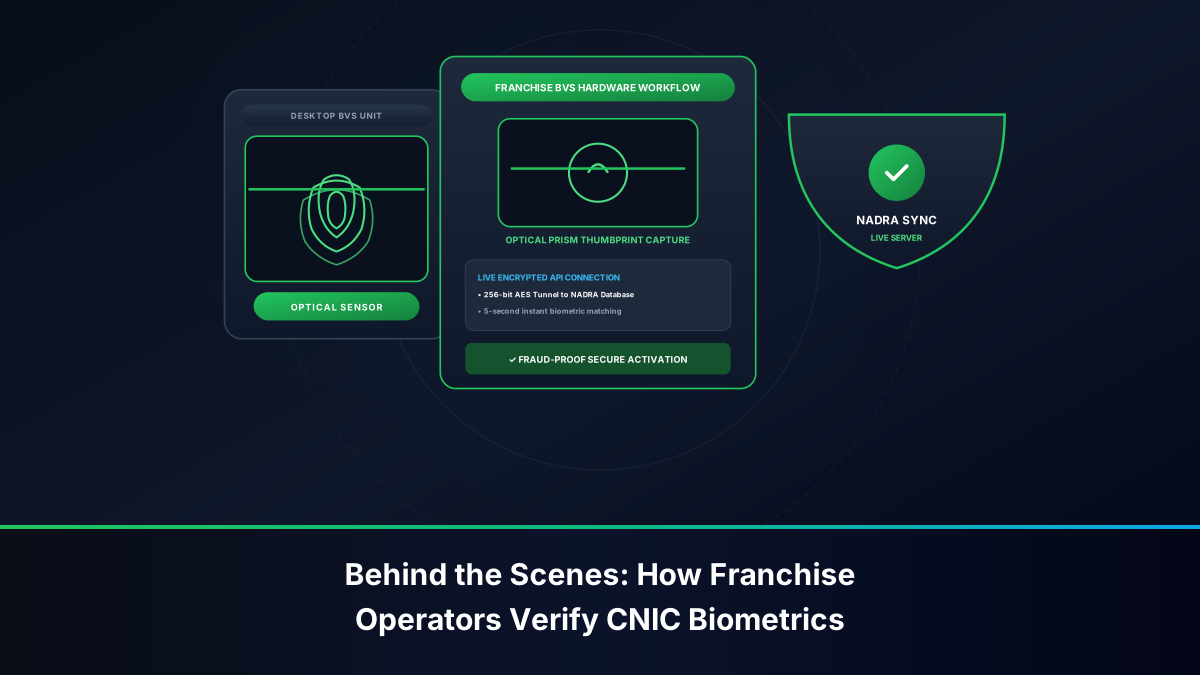
- The existing owner places their thumb on the NADRA BVS terminal to surrender the connection, followed immediately by the new owner placing their thumb to accept registration.
- Upon successful NADRA biometric validation, ownership transfers instantly with zero disruption to the phone number. A standard regulatory biometric transfer fee (approximately PKR 50 to 100) applies.
2. Transferring SIMs Registered to Deceased Family Members
If the SIM card is currently registered in the name of a deceased parent or spouse:
- Visit an official Zong Customer Service Center.
- Provide the original Smart CNIC of the applicant, the original death certificate issued by Union Council / NADRA, and the official NADRA Family Registration Certificate (FRC) or Succession Certificate establishing legal heirship.
- The customer service officer will execute a compassionate transfer under PTA deceased-subscriber SOPs, enabling biometric activation under the heir's CNIC.
Cybersecurity & Legal Standards under PECA 2016 for Zong Subscribers
Maintaining strict control over your Zong mobile numbers is essential for personal safety, privacy, and digital financial security. In Pakistan's contemporary digital economy, mobile numbers serve as the cryptographic trust anchor for mobile banking apps (HBL, Meezan, Bank Alfalah), instant digital payments (Raast), and micro-wallets (Nayapay, Sadapay, Zong PayMax, EasyPaisa).
Under the Prevention of Electronic Crimes Act (PECA) 2016:
- Section 13 (Unauthorized Electronic SIM Issuance): Procuring, activating, or distributing mobile SIM cards using stolen identity credentials, fabricated silicone biometric thumb impressions, or unauthorized photocopies carries severe criminal penalties of up to seven years in federal prison and multimillion-rupee fines.
- Section 16 (Unauthorized Access to Identity Information): Harvesting third-party CNIC records or utilizing illegal database search tools to deanonymize mobile subscribers is a cognizable cybercrime investigated aggressively by the FIA Cyber Crime Wing.
- Legal Responsibility of the CNIC Holder: Under Section 24 of PECA and PTA subscriber guidelines, the individual whose biometric thumbprint is registered to a SIM card is legally presumed responsible for all communication emanating from that line. If an unauthorized Zong SIM registered under your name is utilized in financial fraud, extortion, black-market grey telephony bypass, or cyberbullying, you may be summoned by law enforcement authorities as the primary suspect. Regular audits using 7911 and PTA 668 provide absolute legal peace of mind.
Frequently Asked Questions: Zong 7911 SMS Verification
Clear, direct, and regulatory-grounded solutions addressing citizen inquiries regarding CMPak Zong 7911 SMS verification and ownership maintenance.